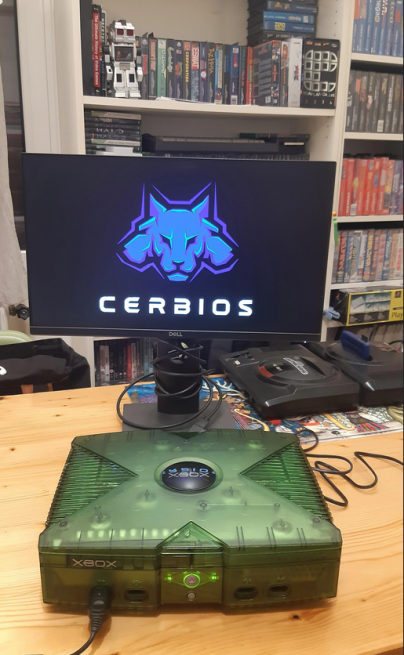
The little guys from Cerbios unveil a new version of their bios tailored for the Xbox Original, they indeed unveil version 2.3.1 of Cerbios in Beta version.
Cerbios V2.3.0 Beta:
– Added new way to customize bios using Cerbios tool (windows only ATM)*
– Added the possibility to theme the Cerbios logo via the Cerbios tool.
– Added ability to scale or hide Cerbios logo entirely via Cerbios Tool*
– Added experimental UDMA mode 6 (requires Ultra DMA (80-Driver))*
– IDE/ATA cable and Startech adapter.*
– Removed custom IGR keys from INI.Now configurable via the Cerbios tool.
– Added the ability to use drive letters in paths as well as the Device* format.
– Added ability to configure UDMA 2-6 modes via Cerbios tool.
– Added ability to set UDMA Auto mode via Cerbios tool For Startech or *
– For generic Sata to IDE adapters.Auto mode will detect UDMA mode*
– UDMA mode supported by reader and rule.This function is experimental, you * * can boot in UDMA mode
– You can boot into UDMA 2 mode (safe mode) by booting the Xbox using the eject function.*
– Please share your auto mode results in our room on Discord.*
– Added automatic boot in safe mode if error 9 or 13 is detected due to UDMA incompatibility.
– Incompatible UDMA mode.*
– Updated Cerbios.ini to support drive letter path names.*
– Improved system stability
– We are working on fixing some of the video issues reported for version 1.6 with composite video cables.
– Composite video cables.We recommend using component or HDMI jacks.
– We recommend using Component or HDMI Plug-and-Play solutions such as Chimeric HDMI, XBOX2HDMI or Xedusa.*
– We are already hard at work on our next major release.
Cerbios Tool v1.2.0 adds support for BFM, it’s not the famous TV channel, it’s an acronym for Bios Flashing Manager.This means that the BIOS load and save process will automatically update to support BFM.In addition, the Phoenix Boot Loader is also provided, which can be used by renaming the bios file Cerbios.bin or making appropriate changes to the boot.cfg file.