With the latest Windows 11 beta, Microsoft added a new function to the start menu through the Windows Feature Experience Pack. It is called “Continue from Phone”. The function is integrated in the app under SystemAppsMicrosoftWindows.Client.CBS_cw5n1h2txyewy.
There you can also find the name of the app in the resources.pri: “It is an executable file that allows users to continue working with the same file on OneDrive that they have been using for the last few minutes on another device while their PC is locked.”
Since synchronization with OneDrive is necessary here, it is likely that this is a continuation in the “Smartphone Link” app. This is because cross-device copying and pasting can be activated in the settings. Microsoft calls it “Seamless transfer of content between your devices” in the Support post
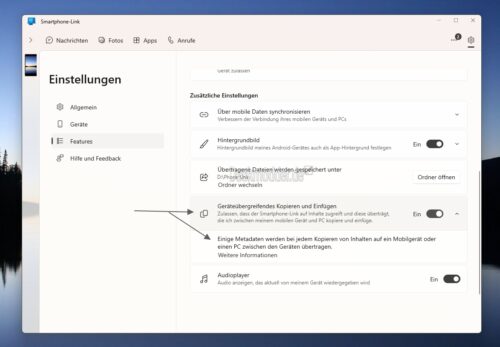
This would make it possible not only to copy but also to edit on the phone, even if the PC is in sleep mode or locked. None of this seems to work yet, as the executable files are missing. Let's wait for the next beta to see whether Microsoft will fully integrate it. In any case, it is interesting to be able to continue where you left off on the PC when you are on the go.