Under Windows 11 we already know the optimization for window games, which reduces latency and more. In the new Windows 11 26052, Microsoft has added another function. “Automatic Super Resolution” uses AI to improve smooth play of supported games.
Since there is no further information about it yet, it is probably something like DLSS, which can already be found in graphics drivers. The note for the “AI-powered Auto Super Resolution” had Xeno already found in November 2023 in the LXP (language file) of Windows 11 25998 in the dxgwdi.dll.mui (Microsoft DirectX Graphics WDI Handler).
If this new function is activated, a pop-up will also appear when a game is started phantom it shows us.
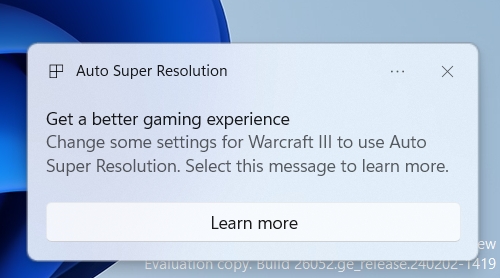
What these AI improvements will look like remains to be seen. It is still a hidden function in the settings. But as always, they can already be activated.
- Download and unzip ViveTool
- Right click in the folder -> Open in Terminal (Admin)
- PowerShell or CMD as administrator
.vivetool /enable /id:39695921 /variant:3 - Restart
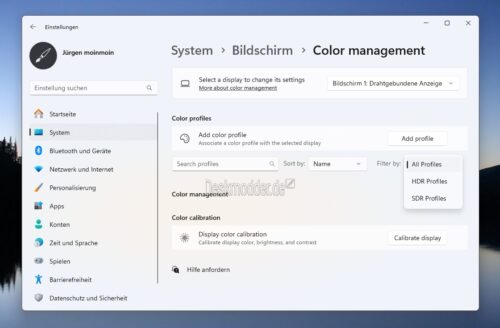
In this context, we would also like to point out that in this version the color profiles have also been moved to the settings. You can find this under Settings -> System -> Screen -> (currently) “Color mangment”