With this update, the renaming of WinGetUI to UniGetUI has now been completed. Marzi had already announced this in March because WinGetUI is no longer suitable because the tool for installing or updating software uses other services. We reported on it.
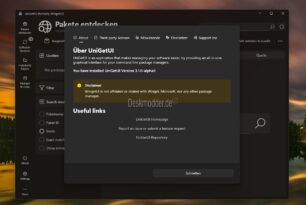
However, both versions are currently offered. Take UniGetUI “The settings and other data are automatically migrated to the new folders (WingetUI -> UniGetUI), so a rollback to older versions of WingetUI may result in the settings being reset.”
But here are the changes
- Switching from WingetUI to UniGetUI. All information from WingetUI has been changed to UniGetUI
- The settings are determined by the user profile AppDataLocal delay.
- All dotnet-based package managers call the Nuget API when possible. This significantly speeds up the search for packages and the loading of package details, as well as providing greater reliability.
- All dotnet based packages load the official package icon
WinGet implements the WinGet COM Api to improve performance and reliability. WinGet packages no longer display Elypse (…). - Microsoft Store packages (currently only msix) display icons and screenshots
- The icon caching mechanism has been rebuilt from the ground up to ensure better compatibility with widgets for WingetUI
- Improvements to the software pages
- Better search functionality on the Discover Software page
- Other improvements and internal changes.