Google’s own watch
The Google Pixel Watch 5 can certainly please those who want to complement their Pixel mobile, but much works worse than on both other watches with Wear OS and on Google’s Fitbit devices.
Stylish
Loads quickly
Broad support for third-party services
Slow
Short battery life
Bad at making information readily available
Google’s Pixelmobile is hardly there to trump other Android manufacturers, but is perhaps rather a test bed for Google to develop its services on. With the watches, it’s even harder to pin down what Google wants. It’s quite clear that they mean business with the Pixel Watch, because the one we’re testing here is the fifth generation. At the same time, it’s hard to see Google trying to push the technology to provide more than the basics that Wear OS implies. Google has long lists of features that are unique to their Pixel phones. For the watches, the list is considerably shorter.
AI is Google’s focus right now, but the Pixel Watch 5 doesn’t have the computing power to perform any AI operations on its own. They haven’t directly tried either, because even if the Pixel Watch has slightly upclocked circuits compared to the previous generation, it’s basically the same circuits that have been driving the clock for several years now, and unlike the Samsung Galaxy Watch, they haven’t chosen the new clock circuits from Qualcomm that could have given a real performance boost. As it is now, I think that the system quite often crashes in the animations or needs to load data. There is no wow feeling on the wrist right away.
The AI feature that exists is that you can talk to Gemini directly through the watch by holding down the spin button. Then, of course, it can retrieve information from the mobile phone and the Internet. The clock should also automatically detect if I’ve gone to bed and turn on the bedtime mode so that it doesn’t disturb me when I’m sleeping. It sometimes fails to do that and sometimes it wakes me up with notifications if I forgot to turn on the bedtime mode manually.
Functional health app
The more AI you then get in Google Health, the app on your mobile that keeps track of your collected health data, at least if you subscribe to premium, which is also included in Google One. The watch naturally measures all the usual things and more, for example, it can detect both cardiac arrest and shortness of breath and make emergency calls on its own.
But the usual measurements of sleep and physical activity are analyzed by Gemini which then coaches you depending on the goals you set. The assistant tells you if it’s a good day for training or rest and can suggest complete training programs. This is a very impressive implementation of an AI chatbot, but it also creates a lot of notifications on mobile, every little walk to the grocery store and back has to be commented on.
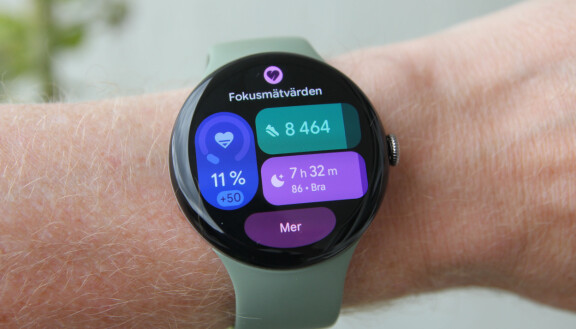
You can log training sessions, both manually and automatically. If you let the watch log a walk or run automatically, you will not get a GPS track of your run, it will only be included if you activate it manually.
You also get all this if you choose a significantly cheaper activity tracker in Google’s Fitbit series. There you also get the health information clearly presented. Despite choosing the larger model of the watch, I find it difficult to find a sensible face that presents the information I want to access easily. Once I’ve done that, and changed some hands on the dial to what I want, I finally have a dial that makes sense, but with numbers so small that no one over 40 can read them. I simply find that the available watch faces are neither very informative nor attractive.
Notifications and responses
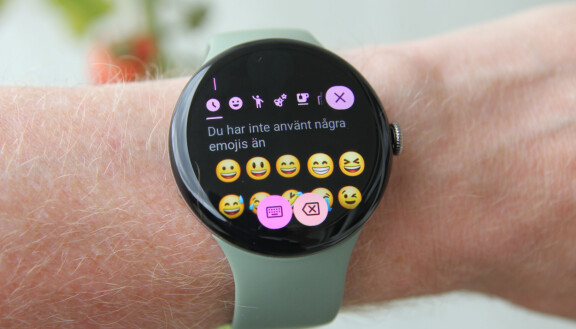
You can, of course, receive notifications to the watch, and respond to them either with the keyboard, or by scrolling through emojis, or by dictating a message. Neither is particularly fast, and again I think Google’s Fitbit devices, where you can choose pre-written messages and emojis, do it better. One thing I like is that you can choose whether a notification that goes to the watch only buzzes on the arm and does not ring the mobile, and vice versa, if the mobile’s screen is on and you get a notification, you can choose not to go to the watch as well.
One reason why I chose to test the larger version of the watch is that the battery life will then be better. I get a little more than two days on a charge. It’s not very good for a watch, let alone a watch you can install third-party apps on, but what is still good is the charging speed. The watch does not use a wireless charger, but has its own charging cord that acts as a small mini doll so that the watch stands up and can show the time while it is charging. The watch charges from empty to full in under an hour, but if, for example, I put it in the charger for breakfast after two days and have 15 percent left, it charges to full in a little more than half an hour. That means I don’t spend very much time with the watch in the charger anyway and it doesn’t have to stand and charge every night instead of measuring sleep.
Stock up on apps
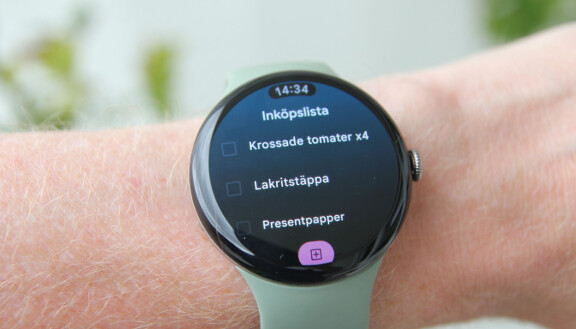
As I said, you can install apps on the watch. The selection is not large, but I use, for example, Google Keep on the watch and can check off shopping lists on my wrist. You can put cards in Google Wallet and make payments, and the watch supports several streaming services so you can download music and listen without bringing your mobile to the training session. If you choose a variant with esim, you can also take calls on the go and stream music.
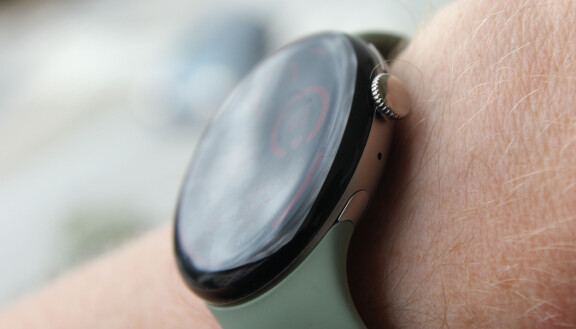
The design of the watch is elegant, the entire front is a curved glass surface with a spin button next to it (a second button next to the spin button is much more discreet). Really pretty. However, you cannot use standardized watch bands, but are referred to Google’s own. In addition to the touchscreen and buttons, you can control several of the watch’s functions by pinching your fingers twice. You see in the user interface when this is the case, for example when you start a timer or a workout, and it works really well.
I’ve tested the Pixel Watch before, and I’m struck by a lack of forward motion. What I thought was bad then, mainly the user interface, the clock being slow and the battery life, is still bad in exactly the same way, what was good is about as good now. If you already liked the Pixel Watch before, you will like it now too, but alternative Wear OS watches from other manufacturers have more to offer, and if you just want Google’s health measurement on your wrist, a pedometer from Fitbit is better.
Google Pixel Watch 5
Measure: 41 x 41 x 12.3mm (41mm), 45 x 45 x 12.3mm (45mm)
Weight: 31 grams (41 mm) / 36.7 g (45 mm) without bracelet.
Platform: Qualcomm Snapdragon W5 Gen 2 Accelerated, manufactured in 4 nm process, Cortex M55 co-processor
Material: Frame in 100% recycled aluminium, screen in Gorilla Glass 5
Operating system: Google Wear OS 7
Working memory: 3GB
Storage: 64 GB
Screen: 1.2″ (41mm) / 1.4″ (45mm) Round Oled Display 320 ppi, 1-3000 nits, 1-60 Hz
Battery: 332mAh (41mm), 465mAh (45mm)
Sensors: Compass, Altimeter, Red and infrared sensors for monitoring oxygen saturation (SpO2), Electrical sensors for various uses compatible with ECG app, Optical heart rate sensor with multiple measurement points, 3-axis accelerometer, Gyroscope, Ambient light sensor, Electrical sensor that measures skin conductance (cEDA) to record body reactions, Skin temperature sensor, Barometer, Magnetometer
Water protection: IP68/5ATM
Works with: Most Android phones with Android 12 or later, but some features only with Pixel phones.
Prices: 41mm/Wifi: SEK 4990, 41mm/LTE: SEK 6190, 45mm/Wifi: SEK 5490, 45mm/LTE: SEK 6690
Stylish
Loads quickly
Broad support for third-party services
Slow
Short battery life
Bad at making information readily available