Images on the Internet can be easily saved with a right click. All versions of Microsoft Edge offer pre-editing with just a right click. The image can be cropped, adjusted or filtered.
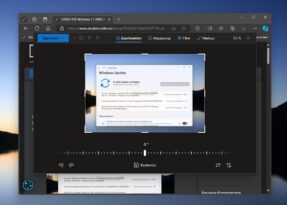
Previous function for editing
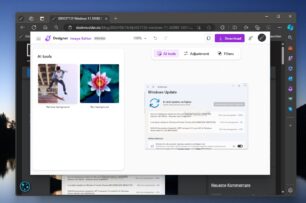
In the new Edge Canary, Microsoft is now testing the Microsoft Designer instead of the previous editing. This means that not only are the filters and adjustments available, but also the possibility of using AI filters. We already know the function in Paint, for example, to remove the background.
If you have Edge Canary in the current version 124.0.2465.0 (or higher) and the function is not yet included, you can still try it out. You simply create a shortcut from the Edge Canary and in Properties -> Target you copy after “edge.exe” after a space --enable-features=msEditImageWithDesigner in and takes over. Now you can open Edge using this shortcut.
The edited images can then be copied, downloaded or even sent to a cell phone via QR code. >Just as we already know it from the designer website.