We have already talked about Mercusys mid-range routers (MR80X and MR50G), which distribute fast WI-Fi and are easy to use.Devices of this brand have been sold in Russia since 2016, and many affordable Wi-Fi routers, Wi-Fi adapters, signal boosters and home switches have already settled in apartments and offices across the country.
But in this review I want to talk about the Mercusys MR90X which belongs to the AX6000 class.This is a new generation high-speed wireless router with Wi-Fi 6 (802.11ax) support, which is designed for use in large rooms and high-density homes.
The device is easy to set up, has a top-end stuffing (quad-core processor, for a second!) and EIGHT antennas, supports many unique technology solutions for uninterrupted wireless network operation and costs 8099 rubles.
It is important to understand that buying this router will provide you with stable internet at high speed for many yearsso the price is fully justified by the capabilities of the Mercusys MR90X.
This router defeated the slow Internet with us, so below I will explain what its coolness is.But let’s start with the design:
Design
Stylish and futuristic design.Matte and glossy plastic.
The MR90X has a rather compact design, although it has an impressive number of antennas.The router has as many as eight of them, so a wide range of signal coverage is provided even in a room with concrete walls.
Four ports can be found on the back of the router case, two of which are combined and can work both WAN and LAN, and the 2.5 Gb / s port allows you to overcome the gigabit barrier and ensures maximum performance of connected devices.
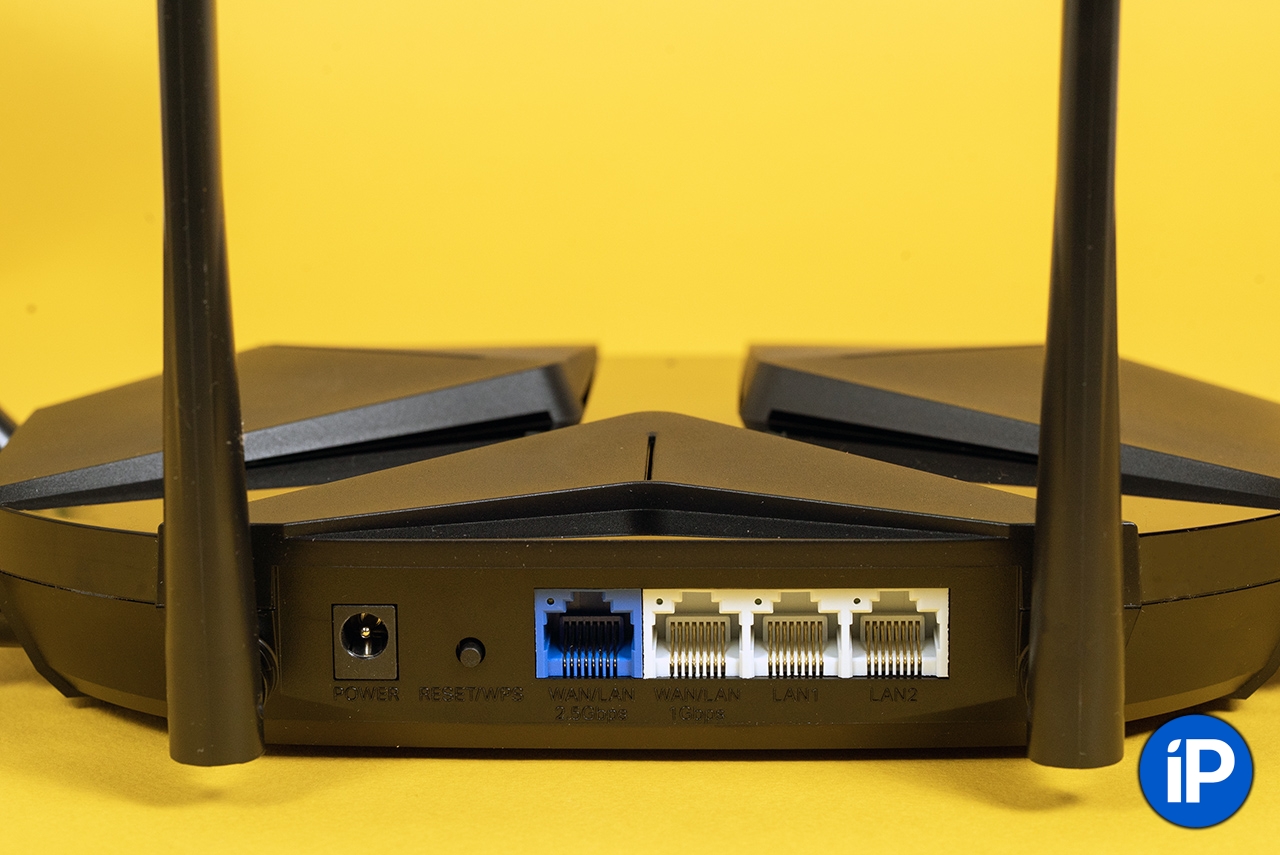
Four connectors for wired connection of devices.
Mercusys MR90X can be installed on a shelf, for this there are small “legs” on the bottom of the device. The case itself is made of plastic, and matte inserts are combined with glossy ones.
In general, all Mercusys routers look moderately futuristic and look great in any interior.
Performance and technology
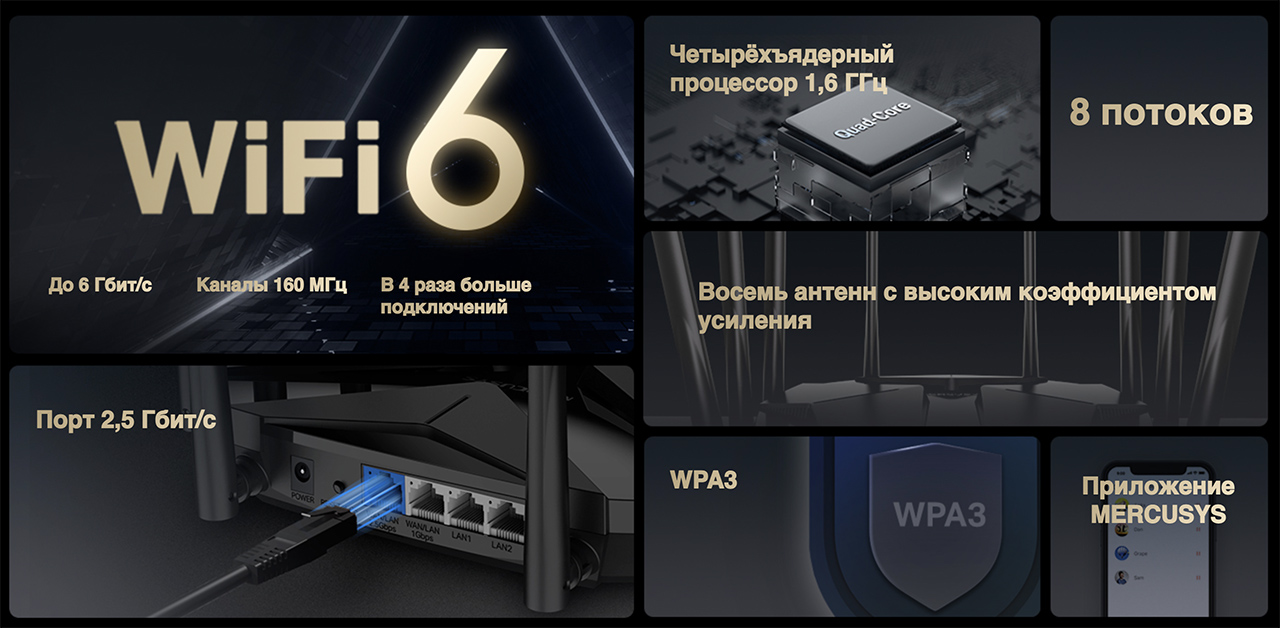
The main chips of the router in one picture.
The signaling speed and uninterrupted operation of the Mercusys MR90X is made up of several important technical factors, one of which is a quad-core processor with a clock speed of 1.6 GHz.
Thanks to him, the router is able to transfer huge amounts of data to many devices without drawdowns, overheating and freezes.The manufacturer claims that up to 256 devices can be connected to the MR90X at the same time and everything will work.I didn’t have so many, but I managed to find 8-12 gadgets.Everything works flawlessly.
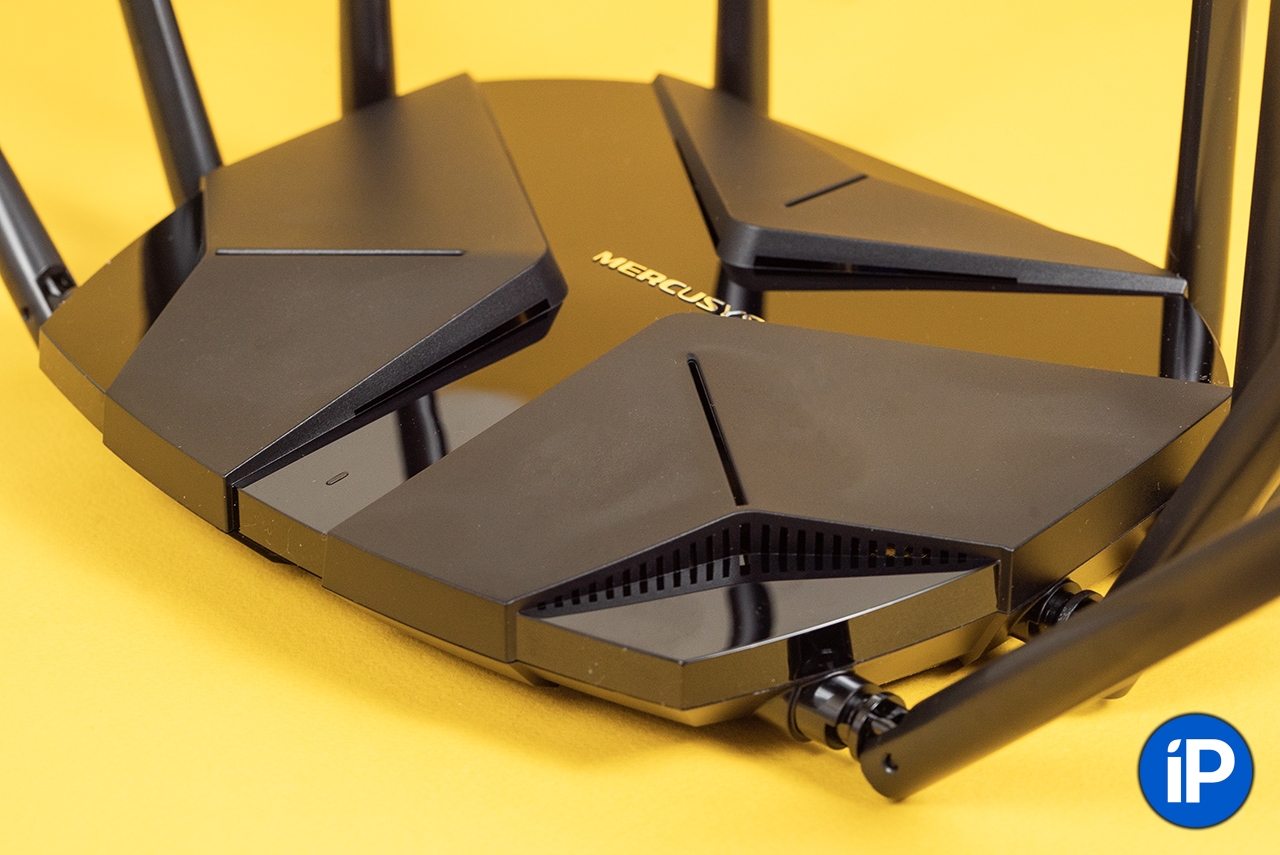
Antennas are non-removable, it is impossible to lose.
Eight external antennas are not for beauty.They have a high gain to provide a strong signal throughout the house.Add to this the Beamforming technology to concentrate the signal towards the devices connected to the router, and we get a stable connection even through several rooms.
In addition to the above features, Mercusys MR90X can:
▪️ minimize interference from other signals to improve connection quality (BSS color technology)
▪️ automatically select the most suitable range for each connected device (Smart Connect Technology)
▪️ distribute internet speed for each device, depending on the needs
In general, this router was designed to distribute Wi-Fi to a large number of devices using MU‑MIMO and OFDMA technologies.He sends out a signal all at the same timerather than one at a time, as most others do.
That is, if you are playing on a console, and someone decides to stream a movie in high definition on a TV, the Mercusys MR90X will send data packets at the same time, so you will not have lags in the game, and the picture on the TV will not freeze.

The difference between the operation of a router without OFDMA and with OFDMA.
The router, like many others, is dual-band, that is, it distributes the Internet at a frequency of 5 or 2.4 GHz.But its trick is that the Mercusys MR90X has Smart Connect technology, which combines both ranges into a single Wi‑Fi network name and connects devices to the one that fits.
For example, I have a set-top box, console and laptop receive Internet at a frequency of 5 GHz.But the smart bulb does not see this frequency, it needs 2.4 GHz.But I still connect it to the same Wi-Fi network as the rest of the devices, and the router itself will determine at what frequency to distribute Wi-Fi.
And in the next firmware update, Mercusys MR90X will receive support for EasyMesh technology.So it will be possible to combine as many devices with support for this technology from different manufacturers as you like, and scale your WI-Fi network to any size you want.
Management and setup
The MR90X router is managed through a Russified web interface, which is accessible from any browser.There are many settings in the interface, including configuring network settings, configuring security, and managing connected devices.
Also, from the App Store and Google Play, you can download a mobile application to your smartphone to configure and manage the router.In the application, you can set up parental controls, control the number of connected devices, and much more.
I simply connected the device to the supplied power supply, connected the Ethernet cable to the WAN port, and set up the Wi-Fi network in a few steps.Even a child will understand.
Of the interesting features: MR90X allows you to create guest Wi-Fi network with limited access to resources home networks.This can be useful if you want to provide Internet access to guests without allowing them access to your personal files and devices.
It is clear that such a function will come in handy in the office if you decide to update the router at work and delimit access to the file server between employees and guests.
If you use a router at home, I recommend setting up parental mode when the child’s gadget connects according to a schedule and can only access certain sites.
The MR90X also has built-in malware protection and supports standard Wi-Fi encryption protocols, including the latest WPA3 encryption standard.The router also has an access control feature that allows you to restrict access to the Internet for certain devices.
Speed test.Proofs
As I wrote above, I installed Mercusys MR90X in the office by connecting to it:
▪️ file server over the wire
▪️ Xbox One over WiFi
▪️ five laptops
▪️ two smart speakers
▪️ Apple TV
▪️ five smartphones
In the office, we have an Internet channel of 350 Mbps, and here are the speed results with moderate traffic consumption by devices:
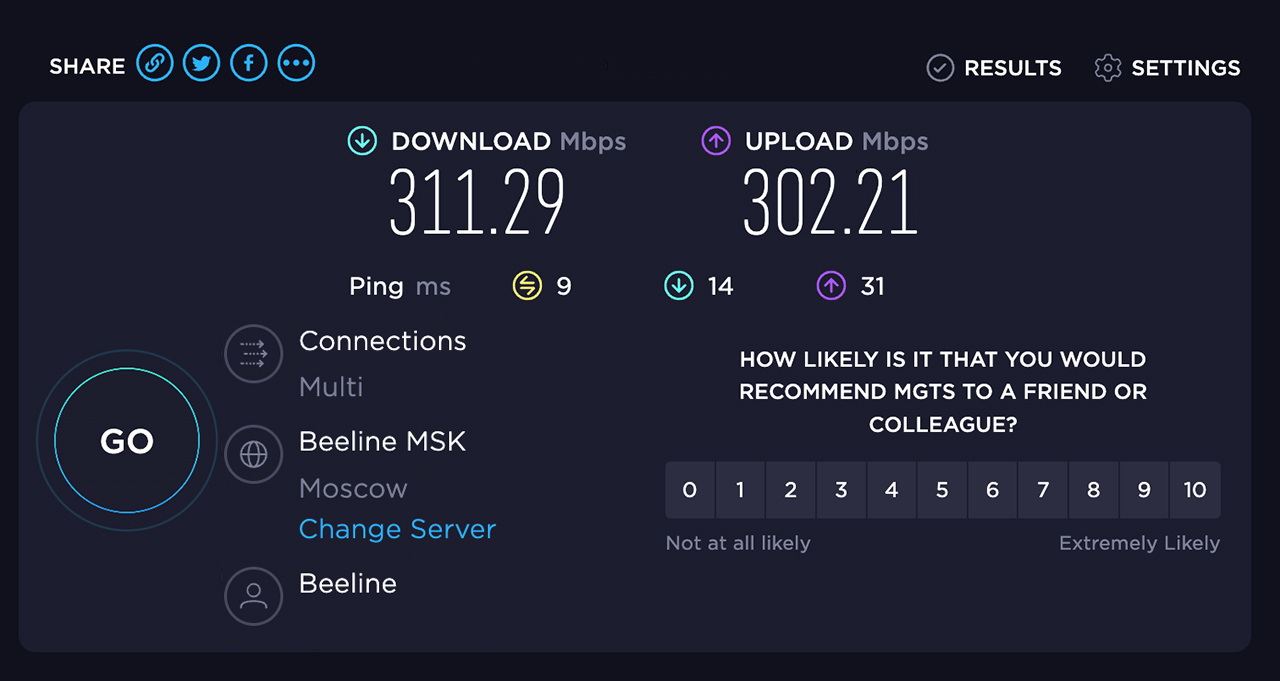
And then I loaded the router to the maximum.I launched both smart speakers, which began to play streaming music, put the game on the console for download, and launched YouTube on laptops.
And what would you think?The speed remained fast, everything downloaded and played without brakes:
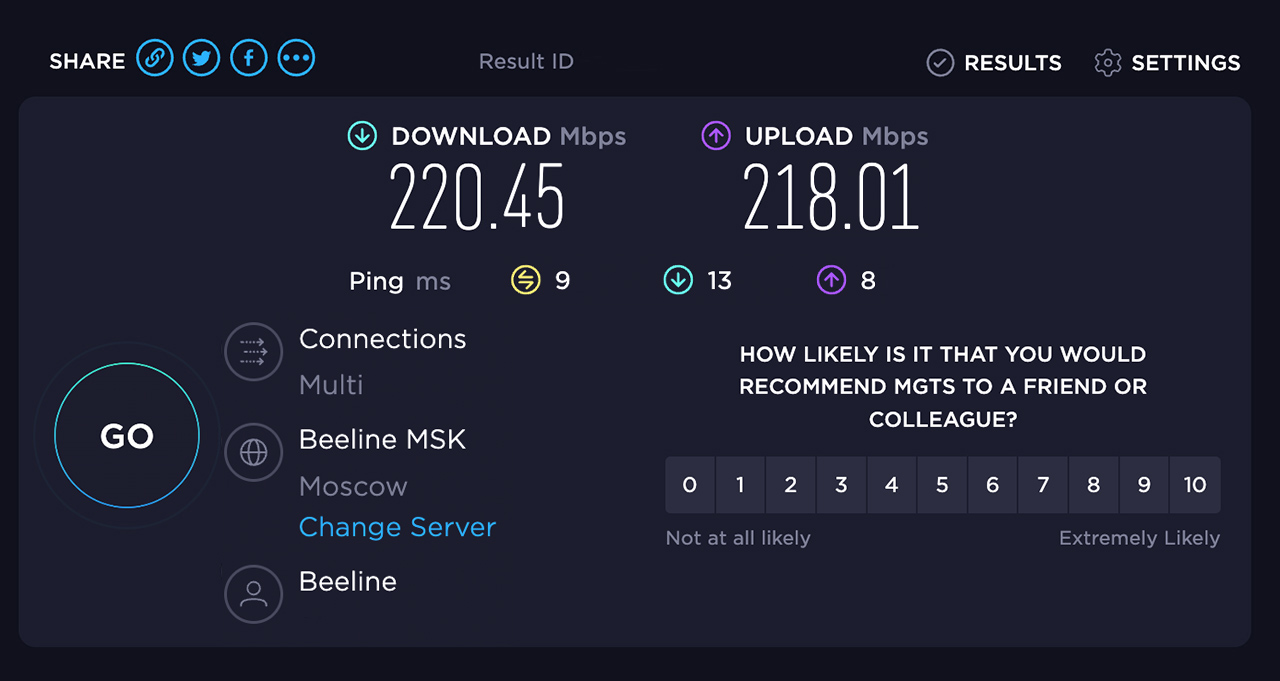
At maximum load, the speed did not sag below 215 Mbps.I consider this an excellent result and confirm that the Mercusys MR90X handles a large number of connected devices with the help of technology.
This is the main thing.
Impressions and conclusions
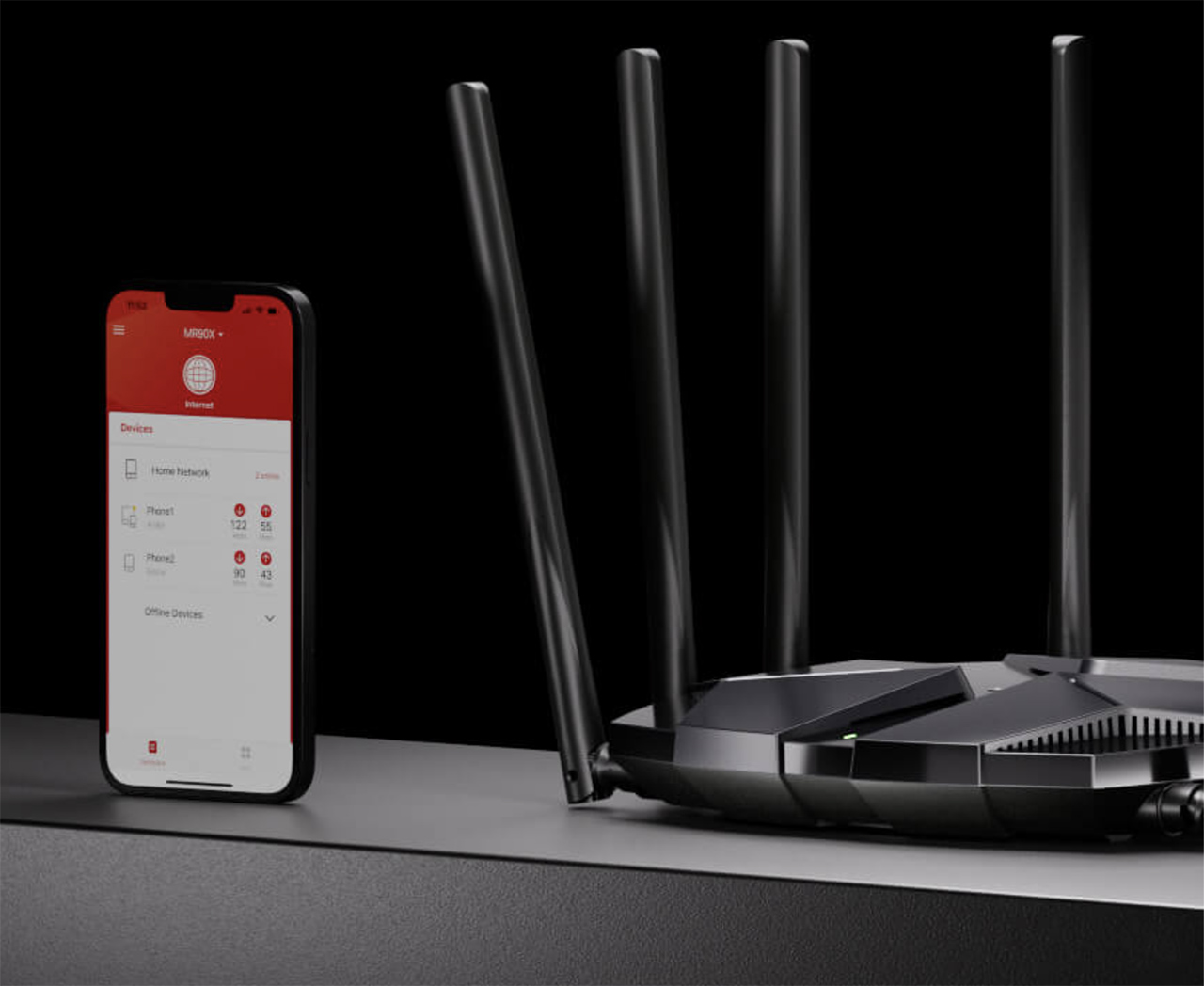
You can also configure and manage the router from your smartphone, via special application.
Mercusys MR90X can be called an elite sports car in the world of Wi-Fi routers.It provides high speed and wide range signal coverage for dozens of devices simultaneously, whether at home or in the office.
Advanced data protection and encryption technologies, simple setup, elegant appearance – all this is present.I can’t imagine what other criteria can be guided when choosing a router for years.
I used this router in the office for several weeks and all my colleagues, sooner or later, noticed that the Internet just flies.And the load in our office on the network is rather big: multiple streaming speakers, 5-7 laptops and PCs, games console, set-top box and smartphones.And all this is always connected to the Internet and downloads something from it.
I remind you that the Mercusys MR90X is worth 8099 rubles.For this money, you get a whole Wi-Fi station, which you can easily set up yourself.
And even if you call a friendsysadmin“, He will appreciate your choice and will not tell you that you had to take this or that.
Because you won’t find better for the money.
Advertising.TR-LINK LLC TIN: 7718782082
4CQwVszH9pSXr7coqPR
? All photos in the article:

 To bookmarks

iPhones.ru
For home and office use.
- Before ←
Russians began to buy more expensive smartphones, spending increased by 35% in the quarter