Sometimes any user may be faced with the need to transfer files from one cloud storage to another.This may be due to the rise in price of tariffs, or simply with the desire to try something new.In any case, any change of such a service is associated with inconvenience for the user.But if you delve a little into the topic, you can understand that any files can be transferred between different storages very simply and quickly.
Some users are reverting back to iCloud and need to get their data back.
❗️ПОДПИСЫВАЙСЯ НА НАШ КАНАЛ В ДЗЕНЕ И ЧИТАЙ КРУТЫЕ СТАТЬИ БЕСПЛАТНО
This instruction is suitable for all popular clouds, including Yandex Disk, Google Drive, Dropbox, OneDrive and others.This is due to the fact that they all work on the same principle.In this article, using Yandex Disk as an example, we will tell you how transfer all files from any cloud to iCloud.
How to transfer data to iCloud
I want to say right away that there are several ways to transfer all files.The first and easiest is to use an iPhone or iPad.A couple of installed applications – and everything will be successfully resolved.But you can also use a computer.It all depends on how you feel more comfortable.First, I propose to see how this is done through the iPhone:
- Download the Files app from the App Store, open it and you can immediately close it.
- Download the Yandex Disk app on iPhone from the App Store.
- Wait for it to install and log into your account.
- Once all your photos and documents are visible, you can close the application.
- Return to Files.
- Select the “Overview” tab and go to the start page of this tab.
- Click on “Disk”.The app will ask if you want to enable Drive.Click “Enable”.
- Wait for the files to load and click on the three dots in the circle in the upper right corner.
- Click “Select” and check all files and folders with checkboxes.
- In the lower right corner, click “Copy H objects”.
- Return to the home page of the Browse tab and open iCloud Drive.
- Hold your finger on an empty space and click “Paste”.
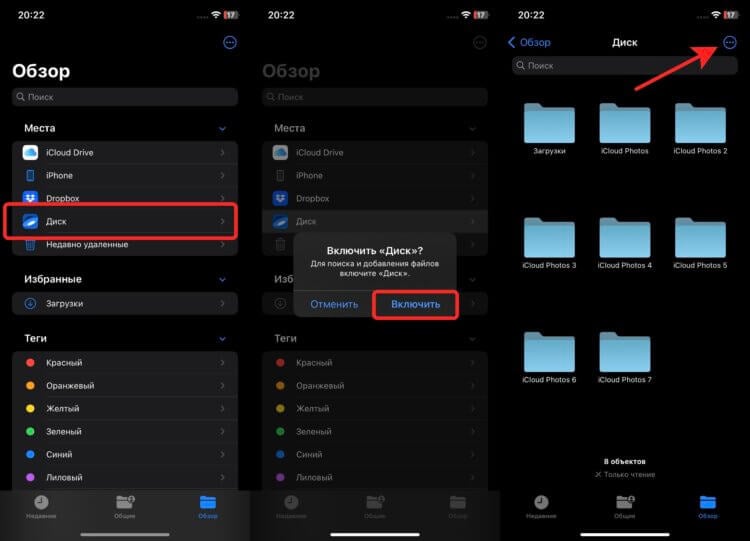
Thanks to the integration of the most popular cloud services in Files, the transfer can be done directly from your smartphone.
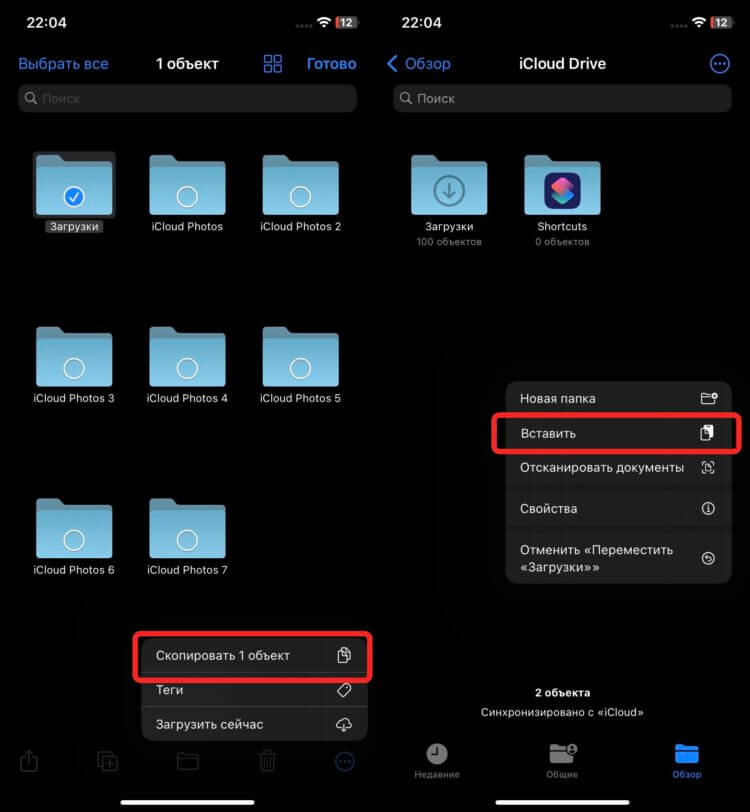
Simply copy the files and paste them into Drive.
❗️ПОДПИШИСЬ НА НАШ ЧАТИК В ТЕЛЕГРАМЕ. ТАМ СОБРАЛИСЬ ТОЛЬКО ИЗБРАННЫЕ ЧИТАТЕЛИ
Now you need download from Yandex Disk all photos and upload to iCloud.To make them appear in the Photos app, and not just lie in iCloud Drive, the best way to do it is this:
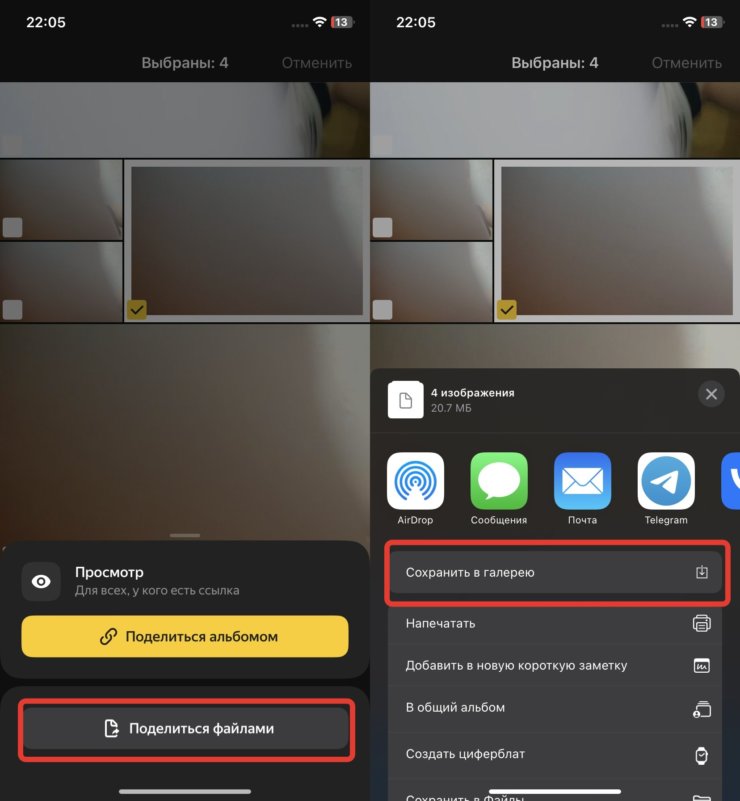
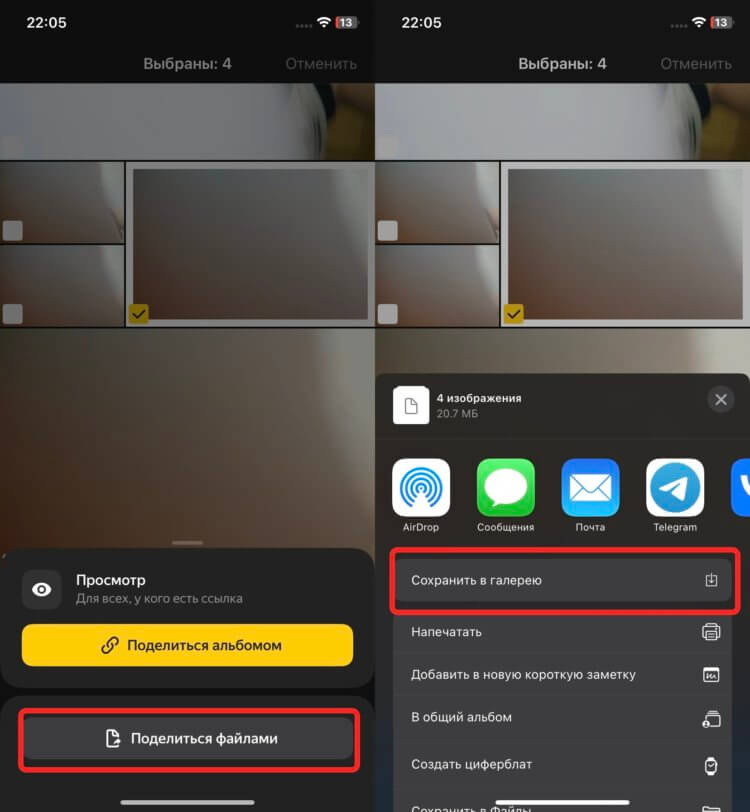
All selected photos will be downloaded and added to the gallery.
- Open previously downloaded Yandex Disk app.
- Go to the “Photos” section.
- Click on the three dots in the upper right corner and tap the “Select Files” button.
- Highlight the photos you want to move to iCloud.
- Click the “Share” button and select “Share Files” from the menu that appears.
- Click “Save to Gallery” and wait until all files appear in the Photos app.
Now if you have enabled sync photos with iCloudthey will gradually unload into Apple cloud.As you can see, everything is done very simply and does not require any additional settings from the user.
iCloud to computer
But, as it seems to me, the most convenient way to transfer everything from one cloud to another is to use a computer.And not web versions of services, but their full-fledged applications that are available for each platform.For example Windows 11 it works like this:
- From Microsoft Store download the iCloud app.A from here — Yandex Disk for Windows.
- Launch each application in turn and log in to them, granting all permissions and activating all the items that are offered.
- Launch Yandex Disk from your desktop and copy all the files you want to transfer.
- Through the explorer, open the iCloud Drive folder and paste the copied files there.
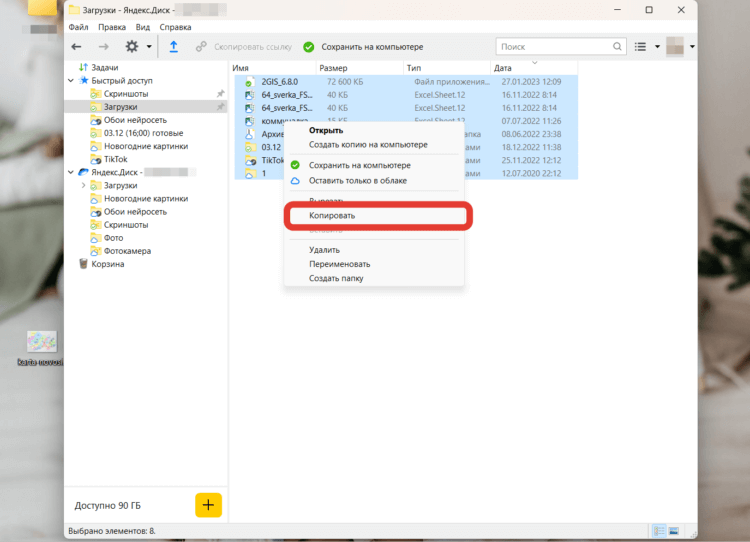
It is most convenient to transfer files through a computer.
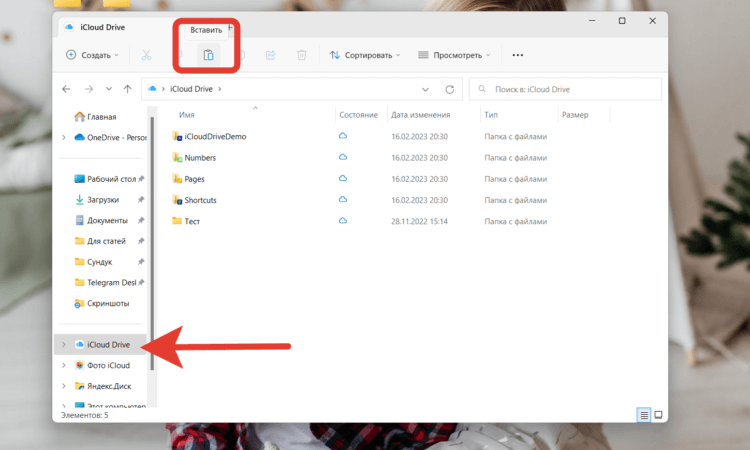
The entire transfer is done in a couple of clicks.
❗️ПОДПИСЫВАЙСЯ НА ТЕЛЕГРАМ-КАНАЛ СУНДУК АЛИБАБЫ. ТАМ КАЖДЫЙ ДЕНЬ ВЫХОДЯТ ПОДБОРКИ САМЫХ ЛУЧШИХ ТОВАРОВ С АЛИЭКСПРЕСС
It is also better to transfer photos through a computer separately.Otherwise, they will not be available in the Photos app.
- Open the previously downloaded Yandex Disk and go to the “Photo” folder.
- Copy all the pictures you want to transfer from Drive to iCloud.
- Through the explorer, open the “iCloud Photos” folder and paste the picture copied in the previous step into this folder.
Selecting photos through a computer can be faster than from a smartphone.
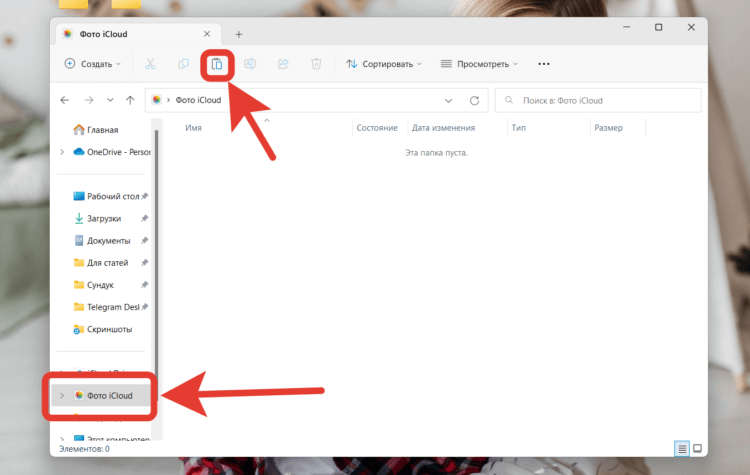
Insertion is also possible with the usual combination of CTRL + V.
Now you just have to wait for the photos to upload to the cloud, and you can open them from your iPhone or iPad.
How to upload photos to iCloud
Or you can not download any applications and use the web versions of iCloud and Yandex Disk.It is done like this:
- Go to Yandex Disk website and log in with your account.
- Download all the files you need to your computer.
- open iCloud web version.
- Select Drive and simply drag and drop all the files you need there.They will be uploaded to the cloud automatically.
- To transfer photos, return to Yandex Disk and download everything from the “Photo.
- open iCloud web version and select the Photos app.
- Click the “Upload to” button and select all previously downloaded images.
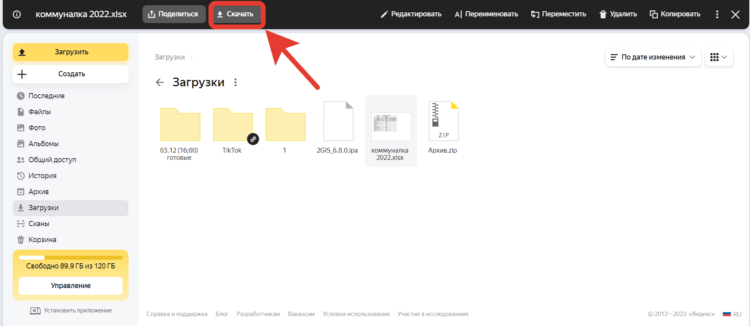
Transferring via the web version is also fast.
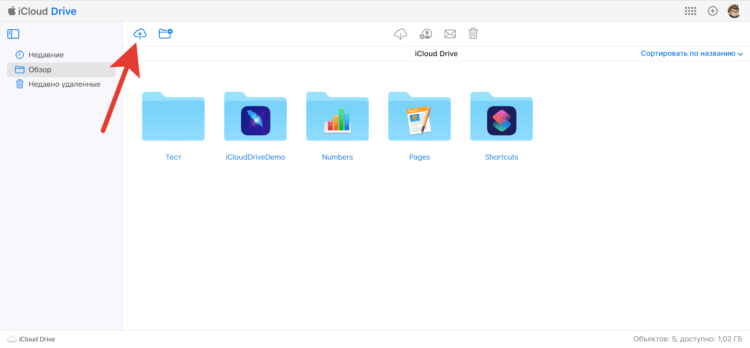
You can simply drag files to the iCloud Drive window.
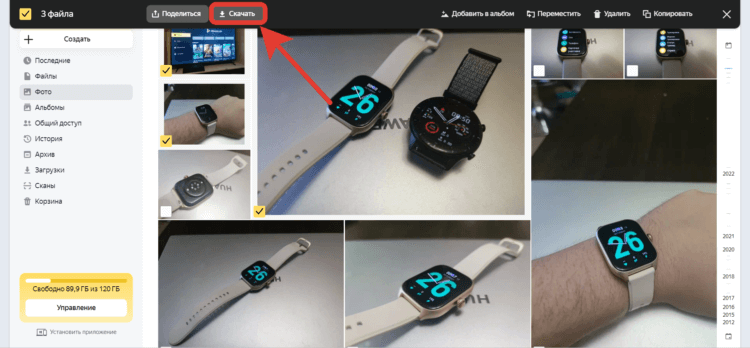
The speed of downloading data from the cloud is high, so you won’t have to wait long.
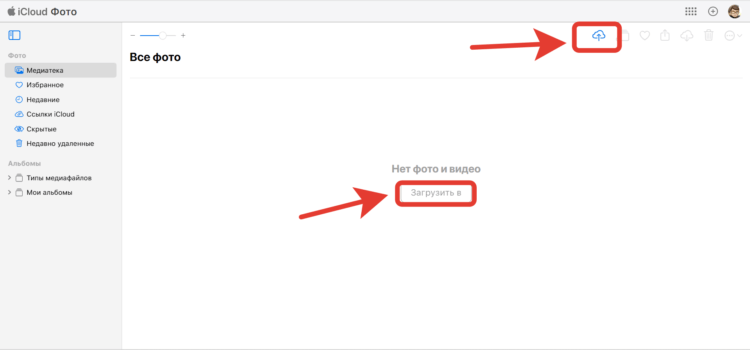
Photos can also be simply dragged into the iCloud window.
❗️ПОДПИШИСЬ НА НАШ ПУЛЬС. БУДЕШЬ УЗНАВАТЬ ВСЕ НОВОЕ САМЫМ ПЕРВЫМ
All!It remains only to wait for all the documents to be loaded.As you can see, there are no difficulties with data transfer.You can even combine the second and third methods, using the service application on the one hand, and the web version on the other.Choose any option convenient for you and transfer all the information.You may even want to use two clouds at once.Then it will be easy to transfer information between them.