The Russian “Sberbank” has finally launched a web application for its customers.This was reported by the press service.
Previously, we talked about what web applications are in iOS.In short, a web app can replace a full app from the App Store and doesn’t require an Apple ID or a store to install.Everything happens natively, right from Safari.
subscribe to iGuides on Telegramto be the first to know.
To install Sberbank Online on an iPhone:
- Open the site online.sberbank.ru
- Log in to your personal account
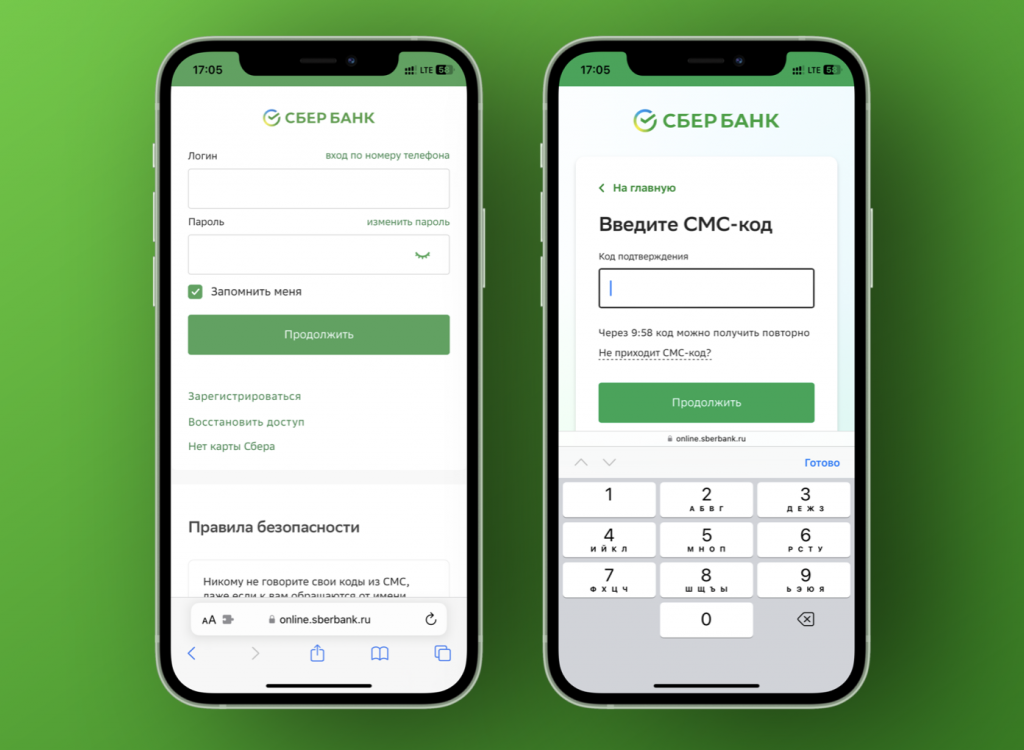
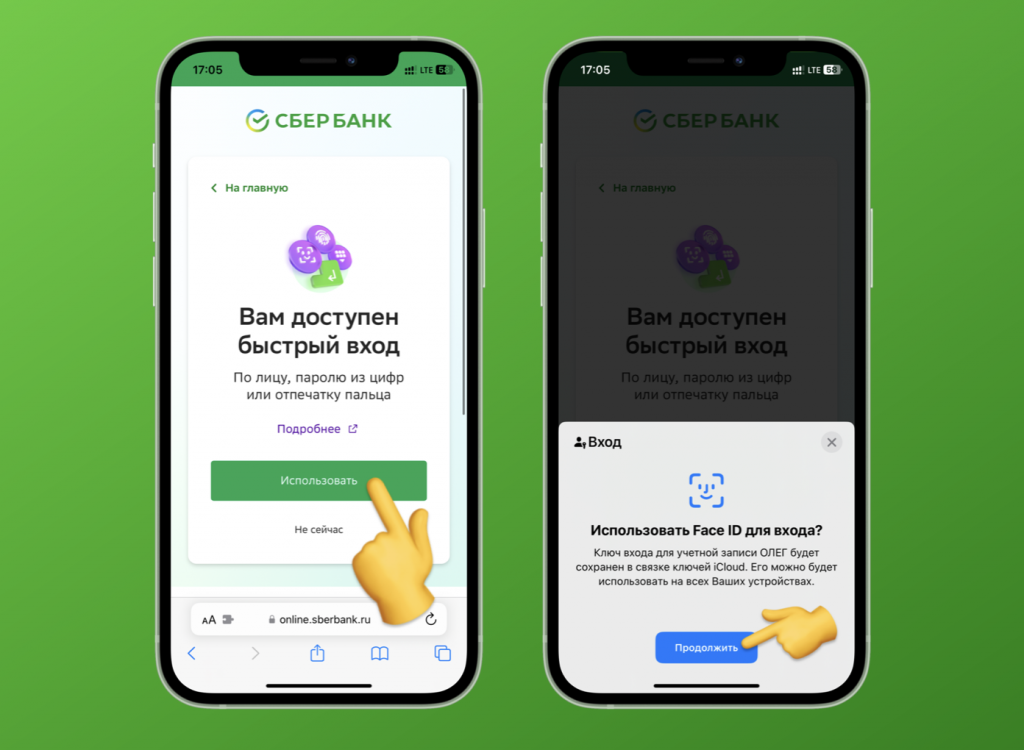
- In the box “You have access to quick login” click “Connect”
- Confirm the creation of an iOS key – it will be available on all your Apple devices
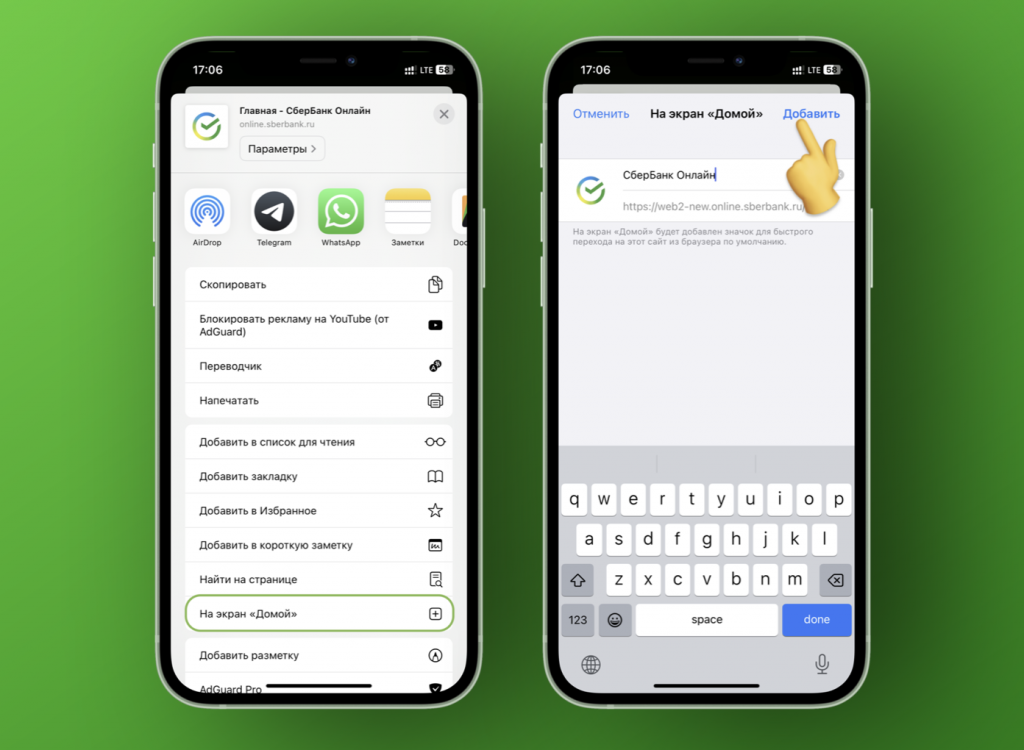
- After uploading your personal account, click “Share”
- Select Go to Home Screen
- Confirm the creation of the label.
Ready!Now, when you click on the icon, you will see a full-screen personal account that looks exactly like a standalone application.All functions of the utility are stored in the web application;Moreover, if the browser logs you out, you can quickly log back in using Touch ID / Face ID.

By the way, if you still want to install a full-fledged Sberbank iOS app, then use our coolest guide.