Loyal players of gacha titles understand the relevance of in-game resources in games like Honkai: Star Rail. Below are the active codes including rewards such as stellar jade and other incentives.
You can use codes to get valuable items in games, for which you often have to grind for hours. No sane person would say no to the extra stellar jade either, right? That’s why we’ve created this overview for you, where we regularly publish the latest codes for the HoYoverse star Honkai Star Rail. By the way: Do you already know Zenless Zone Zero? The new Gacha from HoYoverse is increasingly making waves, which is why we are maintaining an up-to-date overview of codes for you.
All current codes for HSR
Update from October 1st: We have added a new code to the list!
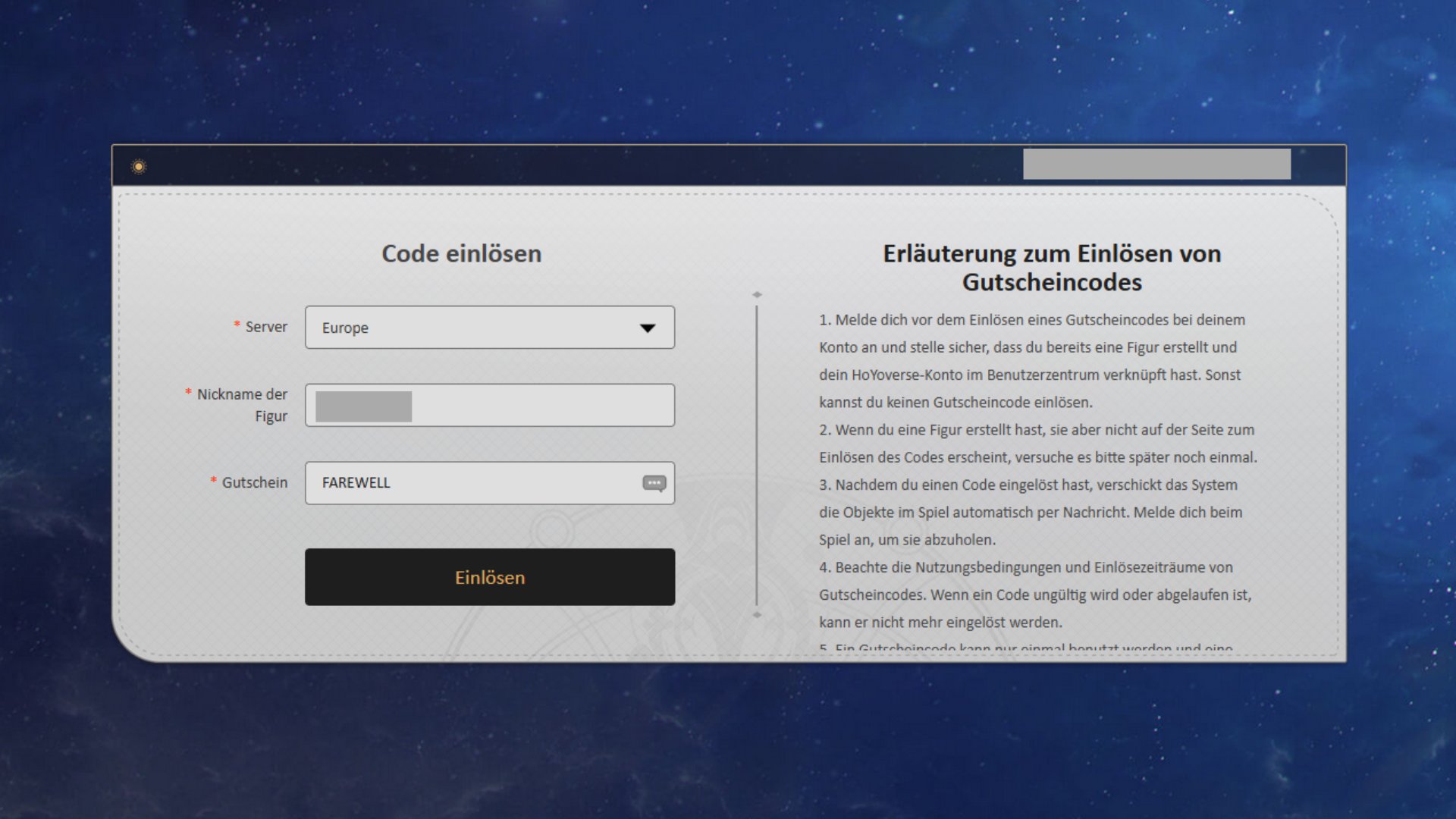
You can copy the codes and go to Redeem portal by Hoyoverse navigate where you just have to press “Redeem” – provided you are logged in with your Hoyo account.
code | Reward |
RT4BPNA8FBS3 | (NEW) 50 Stellar Jade, 10,000 Credits |
PEARL PRAISE | 3x travel guide, 2x cold joke |
OMEGA | 50 Stellar Jade, 1x Fuel |
CREATIONNYMPH | 60 stellar jade, 1x fuel, 1x heroic variable |
FAREWELL | 60 Stellar Jade, 1x Fuel |
IFYOUAREREADINGTHIS | 60 Stellar Jade, 1x Fuel |
STARRAIL POISON | 50 Stellar Jade, 2x Guide, 5x Bottled Soda, 10,000 Credits (permanent code) |
Copy the codes and redeem them in-game to get the items in your mailbox. Alternatively you can click on the links to redeem the codes onlineprovided you are logged in to Hoyoverse.
A notice: Honkai Star Rail also regularly hosts live streams during which you can collect additional codes. Follow HSR on Twitchso as not to miss the promotions.
This is how you activate the codes
You have two options for this. On the one hand, you can do this via this HoYoverse portal do it yourself, or you can do it directly in the game.
About the portal
- Visit the website
- Enter your server and your character’s name
- Enter the code
- Collect the rewards in your in-game mailbox
In the game
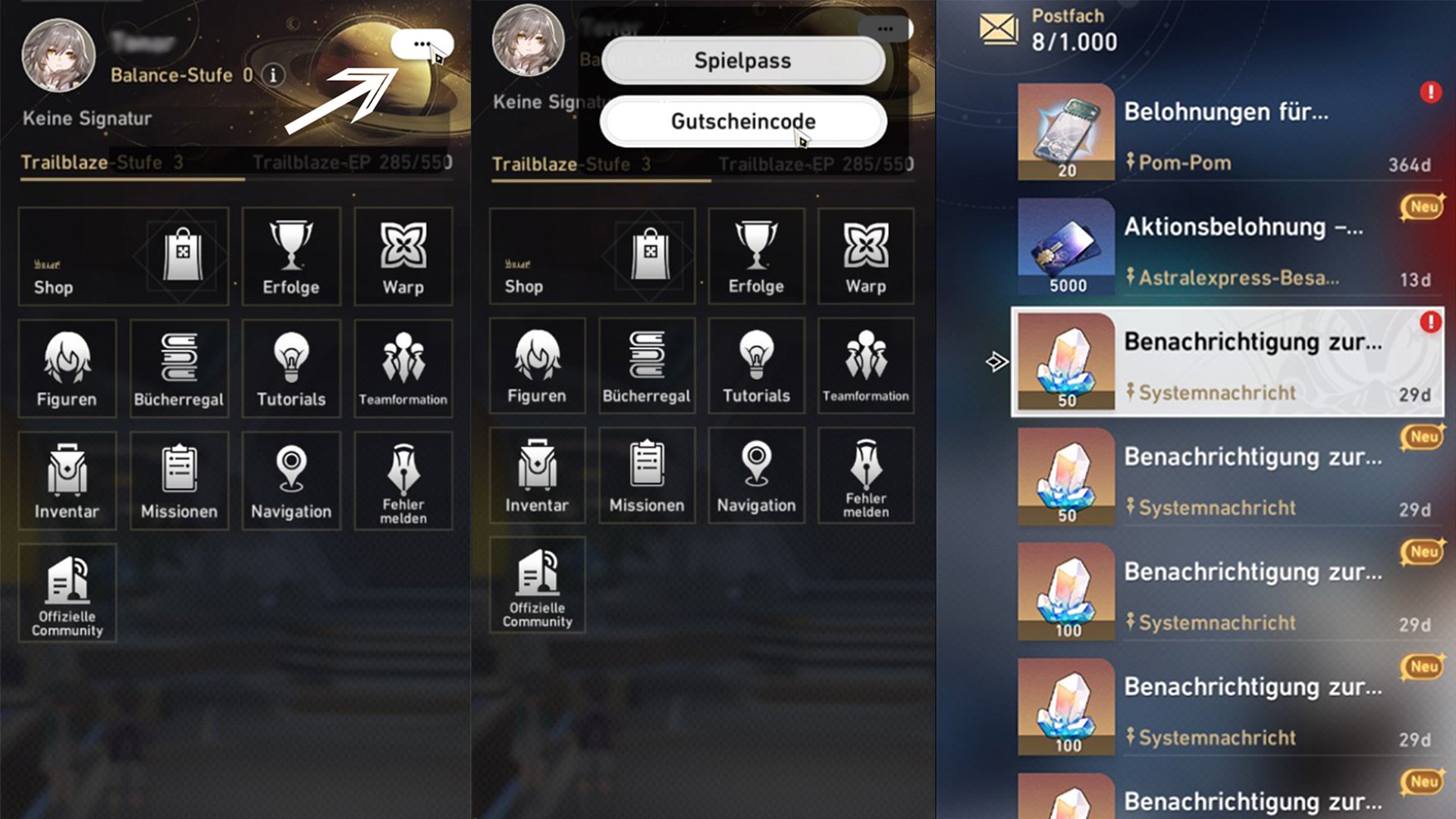
- Log in to the game
- Open the menu of your in-game cell phone
- Click on the three dots below the avatar
- Select the “…” option and enter the code there
- Get the rewards in your inbox