Warning for lousy in every way
This cheap smart watch for only SEK 500 I have from the beginning hopes for, but it turns out that despite thoughtful attempts to do almost everything wrong.
- Rating Facts Mibro Watch C4:
- 2/10
Battery life
Extremely buggy app and clock system
Translation misses in masses
Random measurement values
Severely limited function
I test the clock in -depth for over a month and are on the basis of the manufacturer who is given the opportunity to double check all the weirdness I happen to be. I test first with an Android phone and then with an iPhone and I make sure to update the clock with the latest available software. Four updates come during the test period, but none of them affect the function in any particularly noticeable way. All the problems I will mention have appeared more than once, so I am sure they are recurring and not just odd disposable events.
No newcomer
We know Mibro since before, although it is a manufacturer that has gone a little under the radar. In fact, we tested one of their watches a little more than a year ago, complained about bugs and foolish translation, so when now a new one, also cheaper clock from the same manufacturer showed up and we were told that translation and bugs would be fixed saw I forward to testing. Generally, my picture is that there is quite a bit between smart watches in different price ranges, measurement results usually stay within an error margin of a few percent and if there is an alternative for SEK 500 it felt like an attractive choice for anyone who wants to try out their first smart watch.
I couldn't have been more wrong. The clock should have good battery life, ready to measure exercise, sleep and health, function as an extension of your mobile phone with calls and messages and thus have overcome previous models' extensive bugs and incomprehensible or purely incorrect translations. The only one of my expectations and the manufacturer's promises it lives up to is the battery life. Everything else is almost ridiculous.
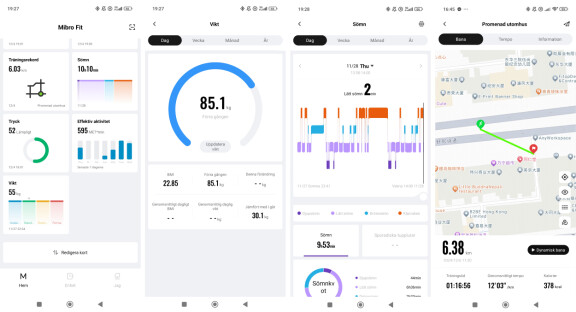
The test starts with downloading the Mibro Fit app to my Android phone and creating an account. When I have chosen a password, or rather let Android create a secure password system suggests, I will not go further. I click frenetically but nothing happens. No error message or explanation. After heard from me the manufacturer for a first time about problems, I get the advice to try a less advanced password without special characters and then it works.
Disturbs at night and does not measure
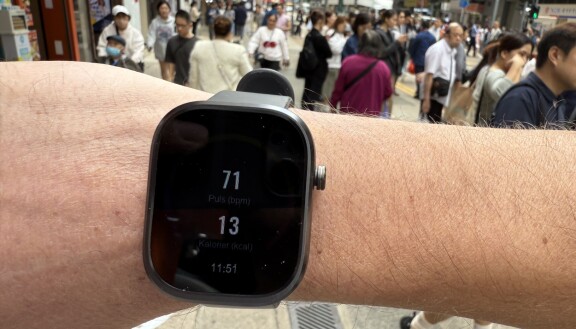
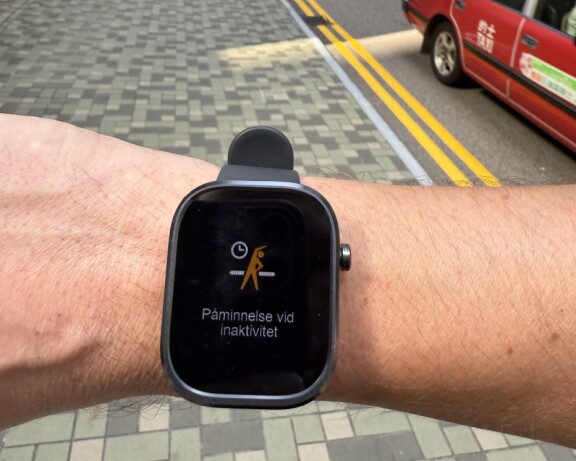
There will be some walks with the clock and general health measurement that, for example, reminds me to move on me if I have been still for a long time. Then I go to bed. During the night I am still disturbed by the screen lighting up, but I don't think much about it, more than I wonder why. The next night I make sure that in addition to the sleep mode also activate the disturbing position. Then I don't think much more about it.
When I go into the app after a couple of days to see what conclusions the clock has drawn after my first nights with it on my arm, I see that the first night claims that I slept 23-14, which is not right at all. Since I went up at 07 and after that was very active, I really do not understand how the clock may have interpreted it as sleep. I also woke up twice at night and recorded the time for this to be able to double check afterwards and during both periods the clock firmly claims that I slept deeply. The answer I get from the manufacturer regarding the sleep measurement is that “C4 is a simple entry product and therefore has restrictions in its sleep measurement”. The following two nights have the clock even though I slept with it did not record any sleep at all.
Confusing errors
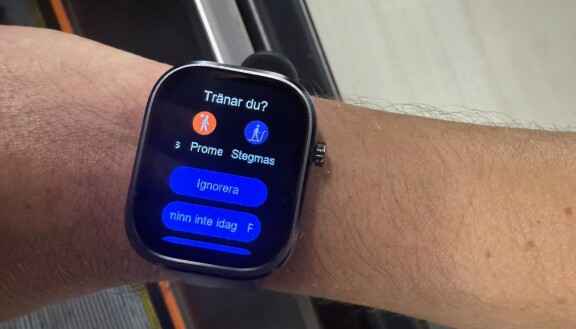
Other weirdness I immediately notice is that the app on the phone and the interface in the clock has a wide range of language errors. Instructions are often very difficult to understand that the translation is wrong and directly in the home screen, for example, “blood pressure” and “exercise record” are shown. However, both these are misleading and purely incorrect. Exercise records are, in fact, all your exercise history and blood pressure is not at all blood pressure because it can not measure the clock without “stress”.
The home screen in the app should provide an overview of all the metrics and your health, but shows very often wrong. My weight is stated in the home screen for example to 55 kilos, but I click there to get to the weight it appears more accurate 85 kilos. Along with a warning that I have gained 30 kilos since yesterday. I get this warning every day.
Wrong training route
I am also seriously disappointed with the training measurement. In the clock when I start a workout, a red arrow will confirm that the clock has found its position. According to the manufacturer, it should do this with the help of the phone, as the clock itself only has a pedometer and no GPS. Still, in exceptional cases, I only get any drawn route, even when I have the phone with me during the workout. And in cases where a route is calculated and drawn out, it is often wrong and does not correspond to the route I moved. If I don't have the phone with me, I get a warning and a gray arrow in the clock screen instead. To investigate more closely, I put on another smart watch on the other arm and walk 1 kilometer. It takes about 12 minutes, but when the second clock says 1 km, Mibro Watch C4 says I went 480 meters. It happens other times that the Mibro clock gives more accurate results, but often they seem to be more or less completely taken out of the air, randomly, in addition, I am amazed by the fact that the clock is based on my health and what it measured my body after a quiet walk at 1 km requires over a day's rest to recover. After a running round of 6 kilometers, the one I need a whole week of rest to be able to perform something again.
Now I obviously wonder how this clock can even be out on the market. Because it does. The clock is already sold out in the trade, so the copy I test is not an uncomfortable pre -copy, it is the same that has been sold in stores today and has been doing it for a couple of months. I get the advice from the manufacturer to reset the clock, which I do, but it doesn't really change anything.
I continue to measure both exercise and sleep, while comparing Oura Ring 4 and Apple Watch and then Mibro Watch C4 shows a completely different curve compared to the other two. You can get the workout sent to the training app automatically, but even the few times that Mibro manages to create a route on the map of where I have gone or run so it fails to get that information to Strava.
As I said, I also test both with the clock attached to Android and to an iPhone. With both phones I can get notifications from the phone directly to the clock, but it is not possible to answer from the clock. In Android, the contact with the clock is handled well, but in the iPhone I get a look as a close message that the contact has been broken and the clock must be connected again.
SEK 500 can seem cheap for a smart watch, but when the clock in question is as lousy as this one it is too expensive.
- Rating Facts Mibro Watch C4:
- 2/10
Facts Mibro Watch C4
Dimensions: 51 x 41 x 9.8 mm
Weight: 29 grams
Operating system: RTOS
Screen: Square TFT screen at 2.01 inches, 240 x 296 pixel
Battery: 300 mAh, battery life about 10 days
Sensors: accelerometer, heart rate monitor, blood acid creation. No GPS.
Works with: Android mobiles with Android 5 or later or iPhone with iOS 10 or later.
Price: SEK 500
Battery life
Extremely buggy app and clock system
Translation misses in masses
Random measurement values
Severely limited function