Wear OS in its own form
Samsung’s latest watch is more comfortable, has better battery capacity and higher performance. But it results in surprisingly little actual improvement.
- Rating Samsung Galaxy Watch 9:
- 7/10
Screen and fast response
Functional with e.g
Lack of overview in Samsung Health
Some childhood diseases
The battery life
Improved performance and most of what you can expect from a smart watch today. The Galaxy Watch 9 is, after all, a watch with the latest Wear OS, a system that Google and Samsung developed in collaboration and which Samsung therefore has a bit of a head start on. With Wear OS comes a strong connection to Google and their services, an app range that makes, for example, Spotify available, along with Whatsapp, Strava and others.
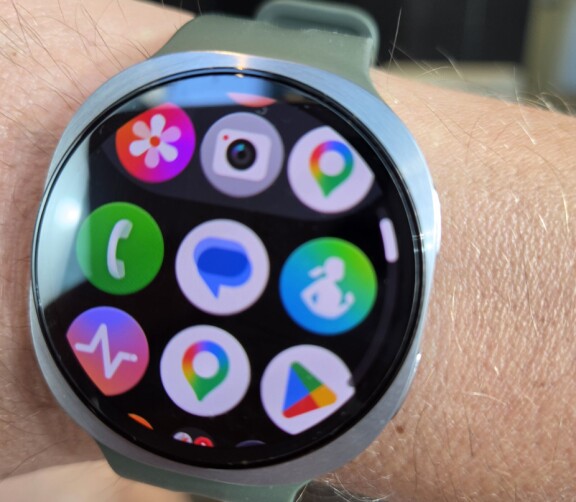
Increasingly, however, as more people use smartwatches, apps are becoming less important and integrated health features are taking center stage. The smartwatch has long since lost its role as a bit of a computer on the arm and several apps that were on smartwatches in their infancy have withdrawn. Instagram, Uber and Twitter (X) are examples of this. However, you still receive notifications from apps on the mobile and that way you can still interact in the watch even if the app itself is not on the watch.
Some childhood diseases and bugs
I use the watch for several weeks around the clock and after the first night with the watch on my arm I get a message. “Congratulations on your first night’s sleep measurement,” it says. I get the same message again after night number two, which is confusing, but when I then go into the Samsung Health app, both nights are saved there.
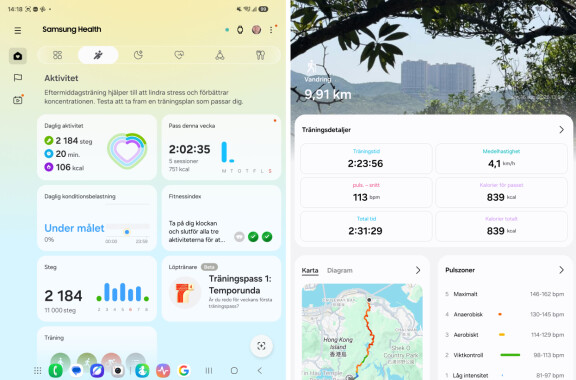
However, that is not the only problem I encounter during the test. As I said, I try the watch for several weeks and several of my running sessions are then only partially registered. Total distance is saved correctly, but when I look at the gps route plotted on the map in the app, only the first tenth or so of my lap is shown. This problem comes and goes and I think for a while I managed to get the explanation that it only works fully when I also have the phone, but that theory is crushed by further tests, so I get the test copy replaced. Once I decided that, the original watch suddenly works flawlessly and then, when I get a new test copy, I never encounter this problem again.
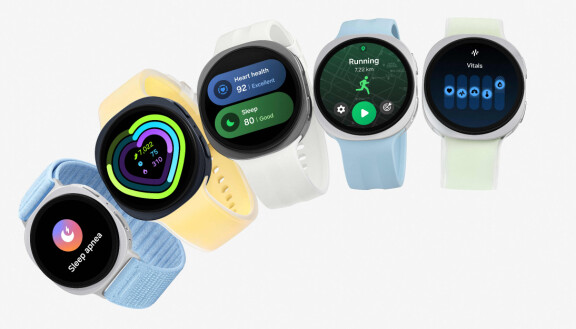
I use the watch extensively during all these weeks, both day and night. Among the first things I do is activate everything the watch can do. I want to take advantage of the possibilities that exist and not all functions are active from the start, so I go in and activate continuous stress measurement, continuous heart rate measurement, blood oxygen levels during the night, hearing alerts and so on. I also activate esim on the watch to be able to stream Spotify during my training sessions, without having to have my mobile with me.
Battery life limits
It is Thursday at 10 pm when I put on the watch for the first time and a day later I have 40 percent left on the battery. A night’s sleep measurement takes around 20 percent of the battery and on Saturday morning, i.e. after less than two days, the watch warns of a low battery level and tells me to charge. Without more training during the weekend, the watch lasts barely a day, so the battery life may vary. When I challenge the watch a bit and do running training with both GPS and Spotify streamed actively via the esim connection, most of the battery capacity is drawn and the watch does not last anywhere near a whole day, so then I am forced to charge more often. If you want to save on the battery, esim is therefore a critical function and downloading music in advance to the watch can be smarter.
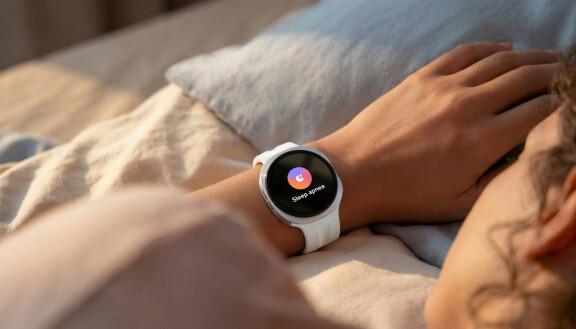
With the Galaxy Watch 9, a wide range of health functions is offered. This is mostly handled by Samsung Health and it means that a Wear OS watch from one manufacturer will never work like one from another manufacturer. While Samsung has Samsung Health, for example Google has its Google Health (formerly Fitbit) and Xiaomi has Xiaomi Fit.

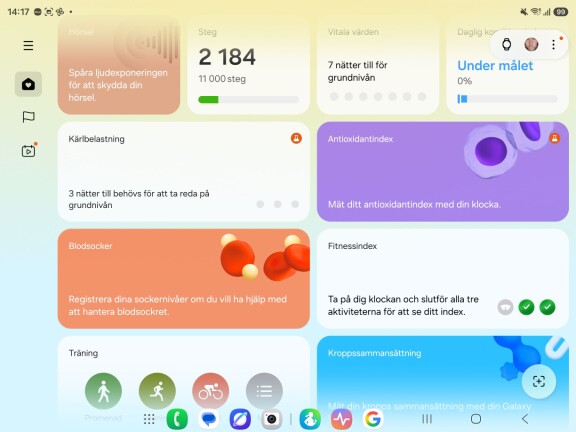
Quite recently, just before the Galaxy Watch 9 was launched, Samsung revamped its Samsung Health app. It now consists of a series of tiles that each give you a portion of facts, advice and conclusions about your sleep, exercise, health, last workout or whatever. You can select and deselect these tiles in the phone’s app and change the order so that you see what you are most interested in first. In addition to Samsung Health, Samsung also has another app called Samsung Health Monitor. It, unlike Samsung Health, requires your phone to be a Samsung, so the sleep apnea, EKG, and blood pressure features it has don’t work when the watch is paired with another Android manufacturer’s phone. Just like in previous versions, the measurement of blood pressure also requires that you first calibrate the watch using a real blood pressure cuff. It can be a little tricky and we’ll walk you through it in more detail in the test of the sister model Samsung Galaxy Watch Ultra 2.
In order to draw conclusions about all the data the watch collects, it needs to be used for a longer period of time. Several tiles in Samsung Health require me to use the watch for several days at a time before they will produce any results. This is actually where the battery life sometimes stops. Precisely because it sometimes falls below one day, it happens several times during the test period that I find myself either going out for a run, or about to go to bed, with insufficient battery capacity to be able to measure and too little time to charge.
Useful advice but messy
Samsung Health presents several interesting and useful conclusions and advice during the course of the test. For example, in the Fitness index function, I can set a goal for my training, see what is required and compare it with my status today. Then, for example, I can see that my running training should focus on endurance and flexibility, while strength and conditioning are already good. Vital values are another matter. There I see important characteristics and the app warns if something is out of the ordinary. Here it takes a few days before the watch has established your normal values and only then can it therefore warn of deviations.
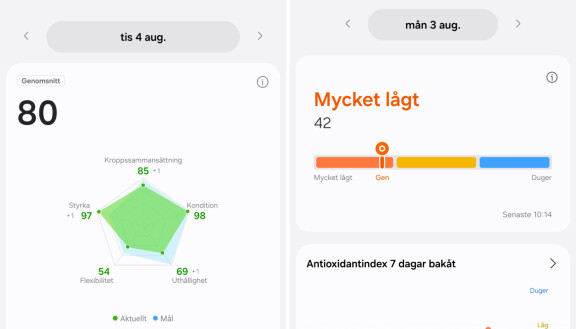
So there are nuggets of gold in Samsung Health, but I think the layout with tiles for each isolated function and conclusion makes it difficult to get an overall picture. It gets messy easily and I randomly click around between the tiles instead of the watch and app guiding what is important.
The Samsung Galaxy Watch 9 combines the Samsung and Google ecosystems, so you have, for example, Google’s AI assistant Gemini and can start talking by just lifting your arm, while you have both Samsung Wallet and Google Wallet to blip payments, choose yourself.
Sleep, health and exercise are usually measured correctly, but in challenging situations, such as when I’m running between large skyscrapers, the GPS route can get wrong and bounce precariously like a slalom course between high-rises. However, this applies in larger cities, such as in Hong Kong where I tried, but is not noticeable in Sweden.
Performance is good and the watch is powered by the latest Snapdragon Wear Elite, but the differences to the predecessor are marginal, we don’t notice any big improvements either in performance or in improved battery life. Above all, the latter would be clearly desirable.
- Rating Samsung Galaxy Watch 9:
- 7/10

Samsung Galaxy Watch 9
Measure: 46 x 43.7 x 8.61 mm in the 44 mm model and 42.7 x 40.4 x 8.6 mm in the 40 mm variant
Weight: 34 grams in the 44 mm version, 31.5 grams in the 40 mm version
Screen: Amoled, 3000 nits, 1.47 inch 480 x 480 pixel in 44 mm variant and 1.34 inch, 438 x 438 pixel in 40 mm variant
System Chip: Qualcomm Snapdragon Wear Elite, manufactured in 3 nanometer process, five-core
Memory: 2 GB RAM, 32 GB storage
Battery: Up to 30 hours of battery life. 445 mAh in the 44 mm variant, 390 mAh in the 40 mm variant
Operating system: Wear OS 7 with One UI 9 Watch
Sensors: Bioactive Sensor, thermometer, accelerometer, barometer, gyro, light sensor, geomagnetic sensor
Works with: Android (some functions require a Samsung mobile phone)
Endurance: IP68
Price: SEK 4490 for the 44 mm variant (4990 with esim), SEK 4790 for 40 mm (5290 with esim)
Screen and fast response
Functional with e.g
Lack of overview in Samsung Health
Some childhood diseases
The battery life