Last year, the ASUS Rog Ally was released, an honest portable console that was as solid as the Steam Deck. Although the console was not without its flaws, Asus has done it again this year with a new model, the ASUS Rog Ally X. With a few adjustments to the RAM, design, gaming comfort, even ventilation or battery, it is clear that the Taiwanese manufacturer has managed to rectify the situation on a lot of points. And as you can see, we are certainly facing one of the best portable consoles under Windows 11 to have this summer, although the price is a whole other song.
Test conditions: We were able to test the ROG Ally X for a good two weeks. Given that we had already tested the ASUS ROG Ally before, this was more than enough time to get to grips with the beast again, but also to detect the new features brought by the portable console such as its performance on its purely gaming aspect.
Packaging and design, an atomic bomb
The Asus ROG Ally, in terms of its packaging, has not really changed anything. We find almost the same box, except that it is black. Storing your console in it is still just as practical. Aesthetically, the box offered is not only qualitative, but also remains rather classy. Note that we will find the same thing in terms of content with the following elements:
- The notice
- Console
- Two small cardboard ROG stands to hold the console upright
- The USB-C cable and the power plug
As you can see, there is nothing new inside the box, but it must be acknowledged that Asus has made an effort on the design of the console. From now on, the white color gives way to a metallic black color with the most beautiful effect. Quite honestly, we largely preferred this color to that of the Rog Ally and its white color which was not necessarily unanimous. The finish is also well polished with more robust, qualitative keys and joysticks which are also better finished.
There's no denying it, the Asus ROG Ally is a little gem in terms of design, and the comfort is much better. In addition to a rather pleasant touch, it is clear that the grip on the back of the console has also been revised, and allows you to keep the console in your hand even after several hours of play. If the console is slightly heavier than the ROG Ally by 70g, it should be noted that this is in no way prohibitive to appreciate the gaming comfort of the portable console, which is truly optimal.
Everything is well put together, as are the two rear keys, which are smaller than the ROG Ally, but much better placed to reach them easily. The two keys not far from the two joysticks, whether to access Armoury Crate or the command center, have not moved here, and remain easily reachable.
ASUS ROG Ally x Features
- Screen : 7 inch LCD with a resolution of 1920×1080, and a refresh rate of 120 Hz
- Processor : AMD Rysen Z1 Extreme
- Graphics chip: AMD RDNA 3 12CU
- Storage : 1 to
- Connections: jack, sD card port, two USB-C ports
- Weight : 678g
- BONE : Windows 11
- RAM: 24 GB
- Compatibility with a wide catalog of games (Steam, Epic Games, GOG, Battlenet, Xbox, Ubisoft Connect, EA…), and accessible via the Asus Armoury Crate overlay
- Fingerprint sensor
- Battery : 80 wh (2h30 hours of autonomy in turbo mode, between 7 and 9 hours in silent mode)
- Price : 899 €
An interface in line with the ROG Ally, with appreciable adjustments
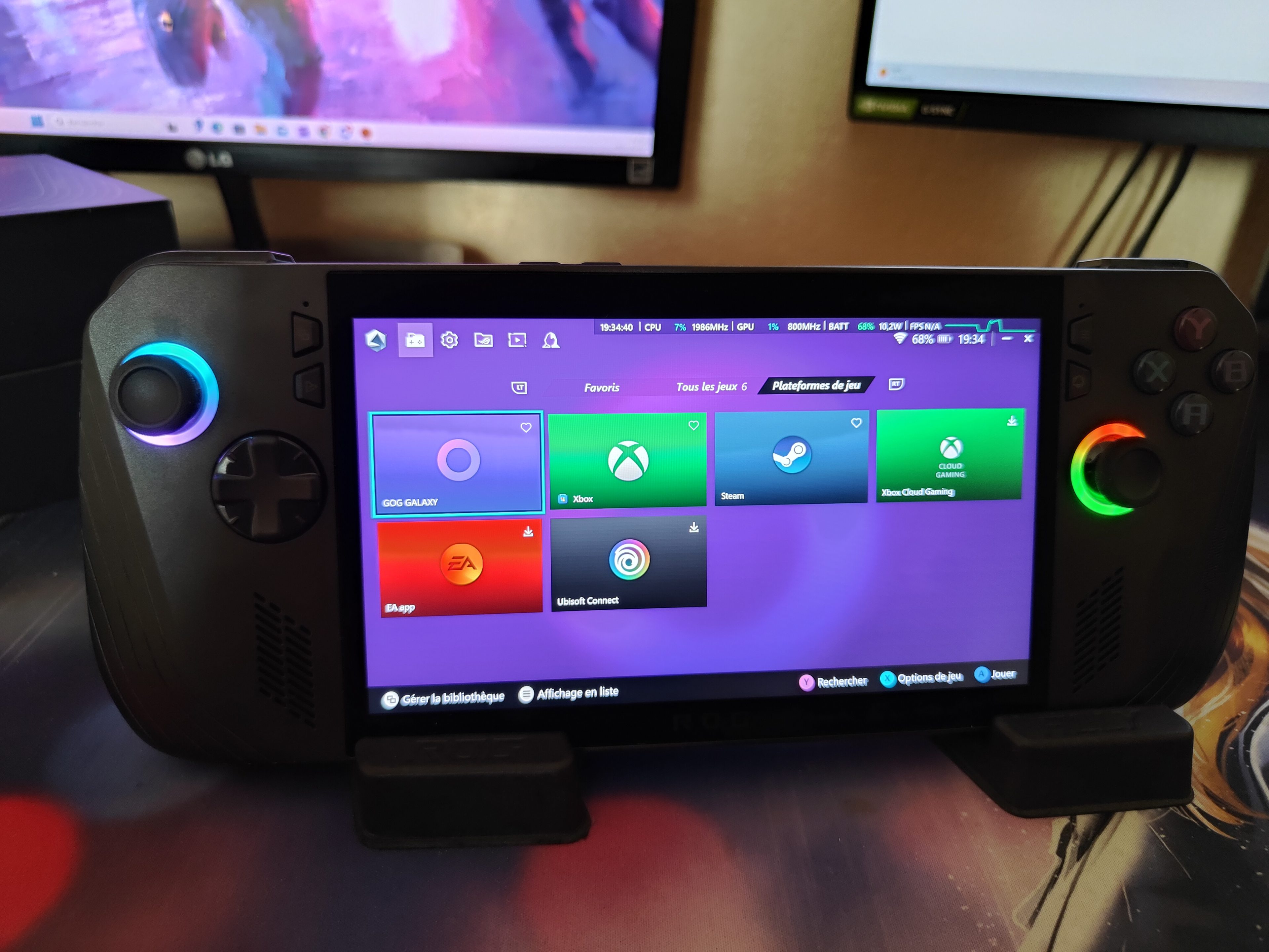
Unsurprisingly, the ROG Ally X also runs Windows 11, just like its predecessor. However, when you first turn on the console, expect to spend at least an hour and a half setting it up before you can enjoy it. This is only a minor setback, given that you can then shamelessly enjoy a whole catalog of games that a PC can normally offer you.
Also, note that three months of game pass are offered to you once you download the Xbox application, and thus already enjoy a large catalog of games whether to install, or to play directly via the Xbox Cloud Gaming. For the rest, the Microsoft operating system runs super well and without the slightest hitch. Whether it's to simply watch movies on your console or to do navigation or even pure gaming, the Asus portable console takes it without flinching.
In addition to the Windows 11 OS, which works very well on this console, Asus has successfully reworked its Armoury Crate overlay, which works wonderfully well. By accessing it via the Windows 11 desktop or by simply pressing the dedicated key, you can access this overlay. The interface has been completely redesigned here, and is now clearer. There will be a tab to be able to intensively install the main gaming platforms (Steam, GOG Galaxy, Ubisoft Connect, EA App, Xbox and Xbox Cloud Gaming). It is also a shame that it is not possible via this overlay to have more gaming platforms such as Epic Games Store or Battle.net which are missing. It will therefore be necessary to go through Chrome or Edge, and thus download it manually.
However, this feature is interesting, just like the Armoury Crate settings. By accessing this second tab, you can add a lot of features to your command center, which you can consult even while in the game. What's more, this is where you can customize the performance of your console between silent, performance and turbo. Each mode will drain the console's battery more or less quickly, in this case Turbo which will be used precisely to play your games in full gaming mode, to the detriment of an autonomy which will necessarily be very reduced. It must be said that this system, already present in its elder, still works well, and allows to bring a personalized experience to each user.
Connectivity, sound and battery, a killer
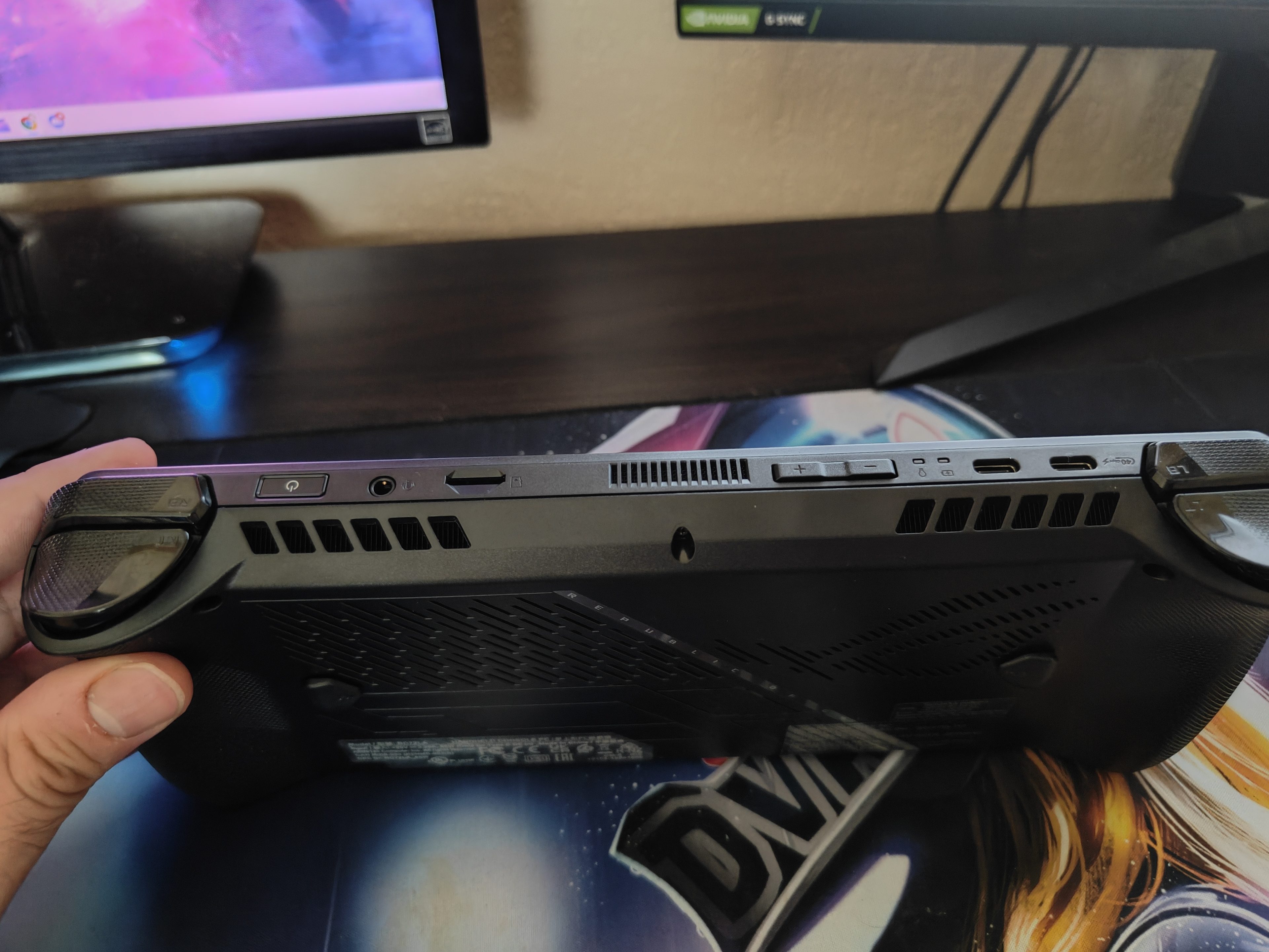
Before discussing the connectivity aspect, it must be admitted that Asus has made some smart changes to the connectors. In addition to removing the proprietary Asus socket that was used to connect XG Mobile graphics cards for more power, the console has a second USB-C port. In other words, it will be easy to connect your console, for example, while connecting a controller for example. This gives the console a little more possibilities, such as its all-purpose SD card port, and its jack if you want to connect a headset or headphones.
Concretely, the ROG Ally X, by adding small touches of new connectors, is strong and of course offers great connectivity. Boosted with wifi 6, it is clear that the fiber wifi works like a charm, and never really has a hitch. On the other hand, we will be a little mixed on the quality of Xbox Cloud Gaming, with a relatively disappointing resolution despite a very good wifi 6 connection. That said, the console does however offer Bluetooth 5.2, which recognizes quite quickly the different devices ranging from a Dualshock 4, to for example wireless headphones.
Regarding the sound aspect of the ROG Ally X, it is always impressively immersive. With its Dolby Atmos speakers, it must be said that the whole thing is always amazing, and enhances a lot of games like Senua's Saga: Hellblade IIwhich offers, as we recall, an already crazy sound immersion. What's more, watching movies via my canal or Netflix will suddenly make sense, since the console with the sound turned up offers us a quality sound experience, which is generally found in cinemas.
Finally comes the battery, better than its predecessor. Here, the battery is doubled, going from 40wh to 80wh, just that. Thus, it will be possible to stay on the console for a little more than seven or even nine hours in its silent mode, before having to recharge it. On the contrary, in its turbo mode and therefore full gaming, do not count more than three hours before having to go through the recharge box. It thus depends on your use, but we must admit that we are currently facing one of the best autonomy on the market compared to a Lenovo Legion Go or a Steam Deck.
Performance and games
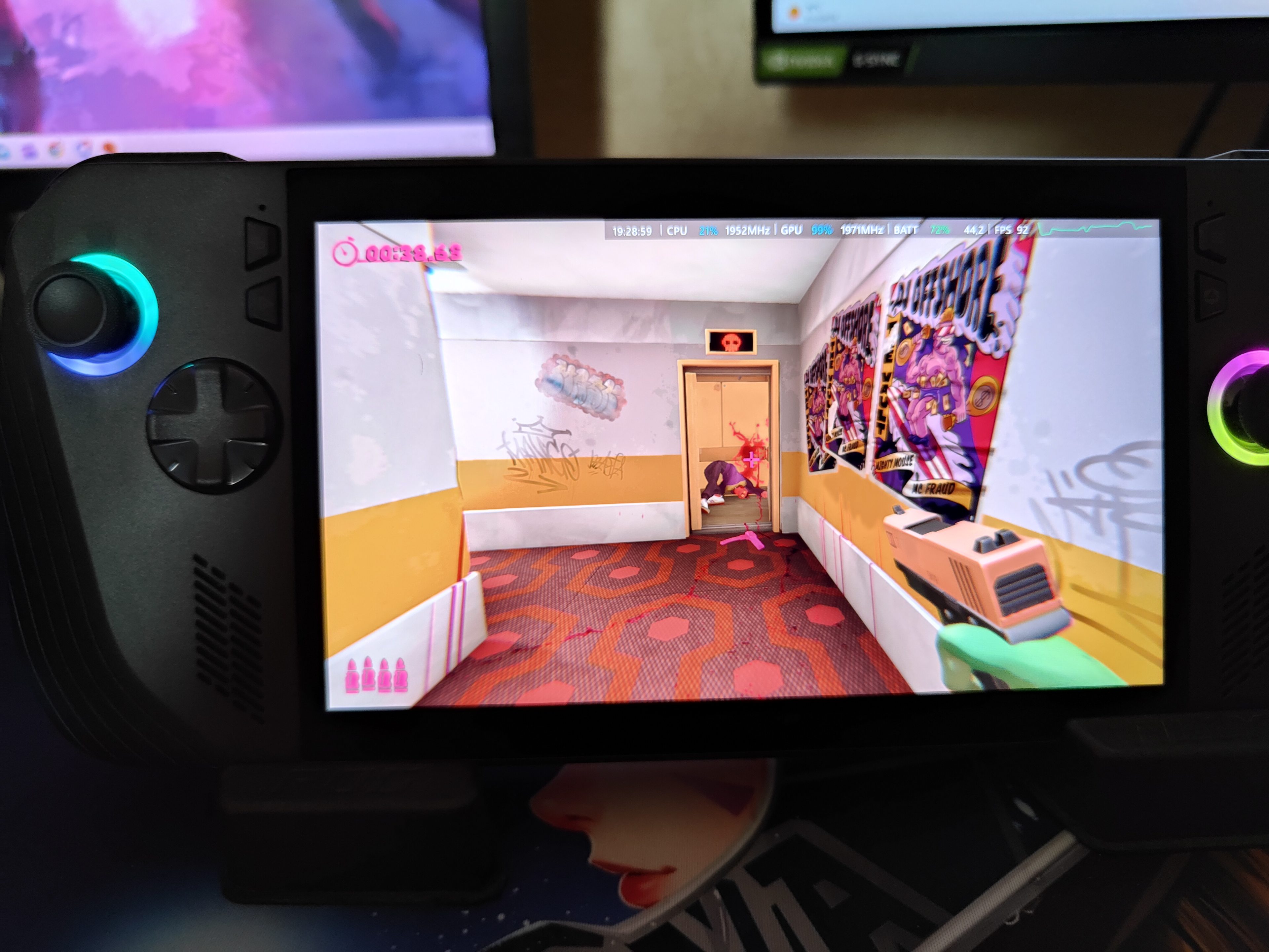
In terms of performance, the ROG Ally X has hardly changed its architecture. We still have an RDNA 12cu graphics chip from AMD, as well as an AMD Rysen Z1 Extreme processor. In other words, don't expect to run a Senua's Saga: Hellblade II at 60 FPS. Even if the inclusion of AMD's FSR is nice (the equivalent of Nvidia's DLSS), all this will at least allow you to enjoy the title at around 30 FPS, without going higher. Nevertheless, all this is already a great feat for this mini-PC, which allows you to play very demanding games of course, but on condition of making concessions on the FPS rate and therefore the fluidity.
On the other hand, it must be noted that overall quite a few games run really well, and with a 7-inch Full HD screen that is always qualitative. Note that we tested some games on the fly like The Rogue Prince of Persia, Control, Anger Foot or Killer Klowns from Outer Space: The Gamefor a conclusive result. The whole is super fluid, without shells, and with a FSR with little onions including on the production of Illfonic. What's more, it is more than appreciable to see that the console has 24 GB of RAM against 16 GB on the ROG Ally, in order to do more things simultaneously. In addition, its 1 TB of storage makes the difference, and allows to store more games unlike the ROG Ally, which only had 512 GB maximum.
In the last point that makes a big difference, there is the ventilation, much more efficient. Armed with three fans, the Asus ROG Ally X dissipates heat more efficiently. So much so that during a long gaming session, we hardly felt any heat, given the clever location of the fans. What's more, they are very quiet, which is a good point to take.