Nate Graham, QA Developer for the KDE Project, published another report on KDE development and presented new edition Design guidelines for KDE user interface elements (HIG, Human Interface Guidelines). The document defines general templates and rules for the design of the interface of KDE applications, allowing developers to unify the appearance of their applications with the general design of the KDE platform and achieve its harmonious combination with other applications.
This tutorial reflects the current state of KDE development and focuses on using the Kirigami framework based on Qt Quick, which allows you to create universal interfaces suitable for both desktops and mobile devices. It is noted that the old HIG has long lost its meaning, as it described outdated design concepts from which the project had long since moved away, and was also confusing and verbose. But the document is free of fluff and philosophizing, has a simple structure and aims to provide concise practical recommendations on development. The document is not final and is designed for constant development, addition and adaptation to changing realities. The guide is in Markdown format and is available for submission of additions and changes.
In terms of changes to KDE over the past week, work has largely been focused on finalizing KDE Plasma 6.1 for its June 18th release. Among the innovations created for Plasma 6.2 we can note:
- In the graphics tablet configurator, an option has been added to configure the method for mapping the drawing area on the tablet to the area on the screen (flip to the entire screen, flip taking into account the aspect ratio, and flip to part of the screen).
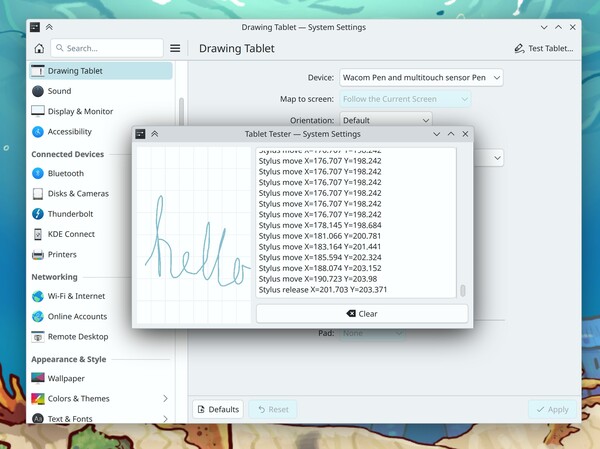
- A mode has been added for testing drawing on a graphics tablet, allowing you to try out the settings.
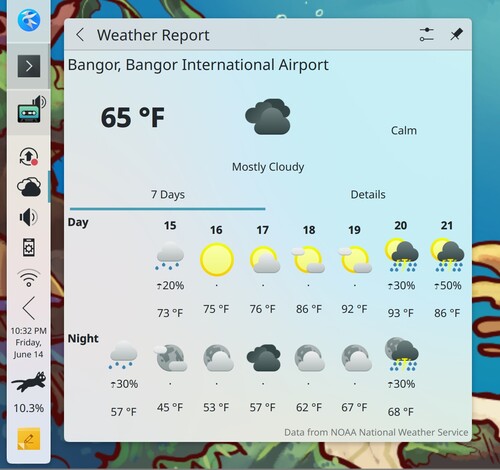
- The widget for displaying the weather forecast has been transferred to the new service API NOAAproviding weather information, which made it possible to include night-time weather information in the widget.
- It is possible to wake up the screen from standby mode when moving the stylus.
- The morphing effect of pop-up dialogs has been removed from KWin due to the abundance of problems and the appearance of visual artifacts during operation.
- Improved memory efficiency when displaying notifications containing images.


Thanks for reading: