(Updated 3.06.2024): The second update for UniGetUI 3.1.0 as a preview has been released. For those who are interested in the changes, there are a few additional changes. We have attached the release notes below.
(Original 05/19/2024): With this update, the renaming of WinGetUI to UniGetUI has now been completed. Marzi had already announced this in March, as WinGetUI is no longer suitable because the tool uses other services to install or update software. We had reported on this.
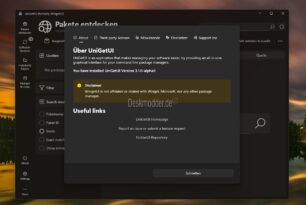
Currently, both versions are still available. If you take UniGetUI “the settings and other data will be automatically migrated to the new folders (WingetUI -> UniGetUI), so rolling back to older versions of WingetUI may cause the settings to be reset.”
But here are the changes
- Switching from WingetUI to UniGetUI. All information from WingetUI has been changed to UniGetUI
- The settings are based on the user profile AppDataLocal delay.
- All dotnet based package managers call the Nuget API whenever possible. This makes finding packages and loading package details much faster and also provides more reliability.
- All dotnet-based packages load the official package icon
WinGet implements the WinGet COM Api to improve performance and reliability. WinGet packages no longer display Elypse (…). - Microsoft Store packages (currently only msix) display icons and screenshots
- The icon caching mechanism has been rebuilt from scratch to ensure better compatibility with widgets for WingetUI
- Improvements to the software pages
- Better search function on the Discover Software page
- Other improvements and internal changes.
- UniGetUI 3.1.0 alpha 1
- Improvements to rebranding
- Many bug fixes and improvements
- Improvements in cache management with GSudo
- By popular request, the position and size of the window are saved when the application is restarted
- Changed the way information is displayed on the Package Details tab. Links should be copyable and no longer cut off