Google Company published second beta version of the open mobile platform Android 15. Release of Android 15 expected in the third quarter of 2024. To evaluate new platform capabilities proposed program pre-test. Firmware builds prepared for Pixel 6/6a/6 Pro, Pixel 7/7a/7 Pro, Pixel 8/8 Pro, Pixel Fold and Pixel Tablet devices, as well as for some smartphones and tablets from Honor, iQOO, Lenovo, Nothing, OnePlus, OPPO, Realme, Sharp, Tecno, vivo and Xiaomi.
Changes in Android 15 Beta2 Compared to the first beta version:
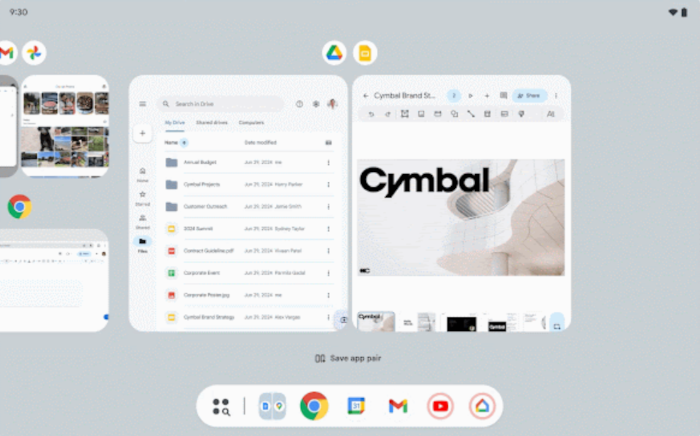
- Expanded capabilities for simultaneous work with multiple applications on devices with large screens. Added support for adding a taskbar to the screen for quickly switching between applications and pinning shortcuts to the most frequently used programs.
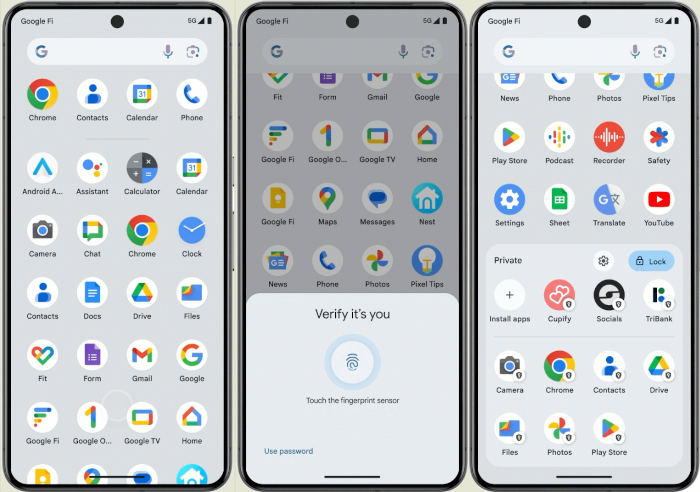
- Added the ability to define a separate private section with applications, which appears only after additional user authentication. In fact, applications in this section are stored in a separate profile, suspended when access to applications is not unlocked (that is, applications from this profile are active only when the profile is unlocked). When viewing the list of applications, the contents of the private section are shown in a separate block. Notifications and settings associated with private apps are hidden when locked, and files created and downloaded using these apps are separated from the main profile files (private content from apps in the main profile is accessed through the file sharing and image access interfaces).
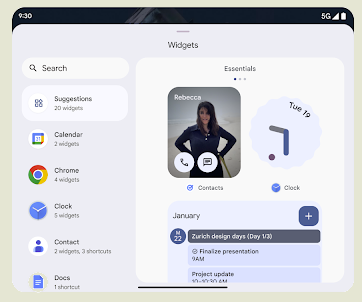
- Provided support for displaying personalized thumbnails. Applications can provide widgets with user-relevant thumbnail views instead of the default placeholders.
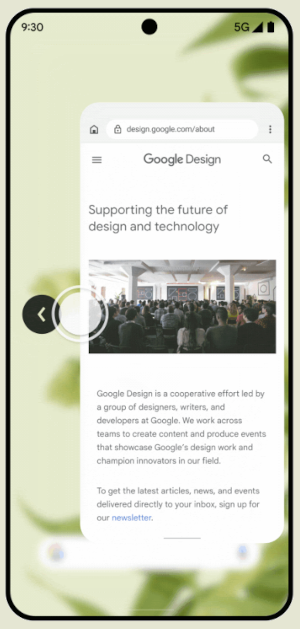
- By default, at the system level, visualization is enabled when navigating using screen gestures, using animation to warn the user of an upcoming action, for example, when swiping left, indicating that the application will be minimized and the home screen will be shown.
- Based on the interlayer ANGLE an OpenGL ES implementation has been prepared that runs on top of the Vulkan graphics API, which is marked as a priority software interface to interact with the GPU. Using the ANGLE layer for OpenGL applications improves compatibility and, in some situations, improves performance. To enable ANGLE, the “Enable ANGLE” option has been added to the “Developer options/Experimental” settings section. In 2025, the ANGLE-based implementation of OpenGL ES is planned to be activated by default, and in 2026 to be the only supported one.
- The dav1d library can be used for software decoding of video in AV1 format on devices without hardware acceleration support. The library is being developed by participants in the VideoLAN and FFmpeg projects, and is aimed at achieving the highest possible decoding performance and ensuring high-quality work in multi-threaded mode. In the tests conducted, dav1d is three times faster in performance than the previously used software decoder. The library is currently available as an option, but will be offered by default in one of the next updates.
- Class support has been added to the graphics subsystem Matrix44 to transform coordinates using a 4×4 matrix when manipulating 2D surfaces in 3D space. Also added function clipShader to overlay a clip with the specified shader.
- The operation of the background services mechanism has been optimized, allowing applications to remain in an active state when the user does not interact with them. Background services that perform data synchronization (dataSync) or media processing (mediaProcessing) are now forced to stop after working for 6 hours.
- Added support for devices that use 16 KB memory pages. To use 16 KB pages is quite simple rebuild applications that directly or indirectly use libraries NDK (Native Development Kit). Using 16 KB pages instead of 4 KB can improve the performance of memory-intensive programs. For example, when using 16 KB pages, the startup time of such programs decreased on average by 3.16% (for some by 30%), and power consumption decreased by 4.56%. Restarting the camera program was speeded up by 4.48%, and the overall system boot time was reduced by 0.8 seconds. (1.5%).
- When providing partial access to content in the photo selection interface implemented the ability to tag only photos and videos that have already been selected in the recent past, which makes it easier to work with frequently requested photos and videos.
- The configurator (Settings → System → Languages & Input → System languages → Choose how you're addressed) provides the ability to set the preferred address to the user (man, woman, neutral address), which is used to adapt the grammar in the addresses issued by the system. The setting is currently only available for the French language.
- Added additional API elements to provide a smooth transition to picture-in-picture mode for programs with interface elements displayed on top of the main user interface.
- Opportunity provided selection of vibration effect to alert you when a new notification arrives.
- The Health Connect store now supports new data types for exercise and nutrition management. For example, a field has been added to control skin temperature and a structure has been implemented to define a training plan.
- Correct trimming of text written using fonts that reproduce handwritten text is ensured.




Thanks for reading: