We first reported on the Wintoys in April 2023. An app that allows you to quickly adjust Windows 10 or Windows 11 settings. Because these are very clearly arranged in individual categories. But of course there is more.
Since the last version 1.2.22.0, the app can also do “more” German. The most important change is that Wintoys has now also switched to .NET 8. The app therefore requires .NET 8. But there are many new functions. But first here is an animation of the app. (Just click on the image)
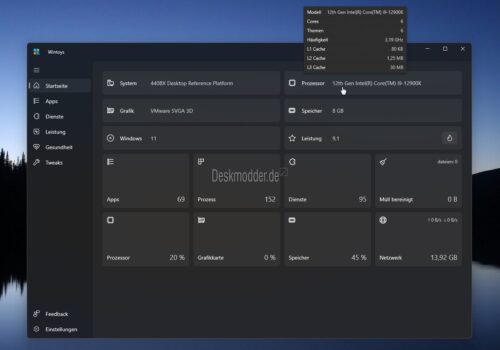
New features in Wintoys 1.3
- Added memory diagnostics feature on the Health page
- Find tasks to keep PC from sleeping (under “Health”)
- Added App Updates option on Health page
- Added option to optimize windowed mode under Boost/Game Settings
- Added watermark option under Tweaks/Desktop
- Cleanup improved by:
- Added missing files from Disk Cleanup Tool (error reports and dump files).
- Added the ability to view and select browsers individually
- Added file size and file count for selected objects
Here are a few more changes:
- The Restart button is now hidden instead of disabled when a reboot is not required
- Updated some border colors to be more visible in the dark theme
- The progress ring has been converted into a progress bar for changes to applications and services
- Process tracking for Win32 applications has been removed because it was unreliable (progress is now only shown for Store applications)
- when an application or service is changed, the context menu no longer appears because the options are disabled
- Changed the service's context menu to disable startup mode if it cannot be stopped
- There were also many corrections under the hood.
- bogdan-patraucean.github.io/wintoys/changelog