Google Company presented second test version of the open mobile platform Android 15. Release of Android 15 expected in the third quarter of 2024. To evaluate new platform capabilities proposed program pre-test. Firmware builds prepared for Pixel 6/6a/6 Pro, Pixel 7/7a/7 Pro, Pixel 8/8a/8 Pro, Pixel Fold and Pixel Tablet devices.
Changes in Android 15 Developer Preview 2 Compared to the first preview:
- For applications provided the opportunity to use small auxiliary screens (Cover screen), which are equipped some foldable smartphones such as the Samsung Galaxy Z Flip. For example, the secondary screen lets you quickly take a call, reply to a message, control the camera, and more without opening the device.
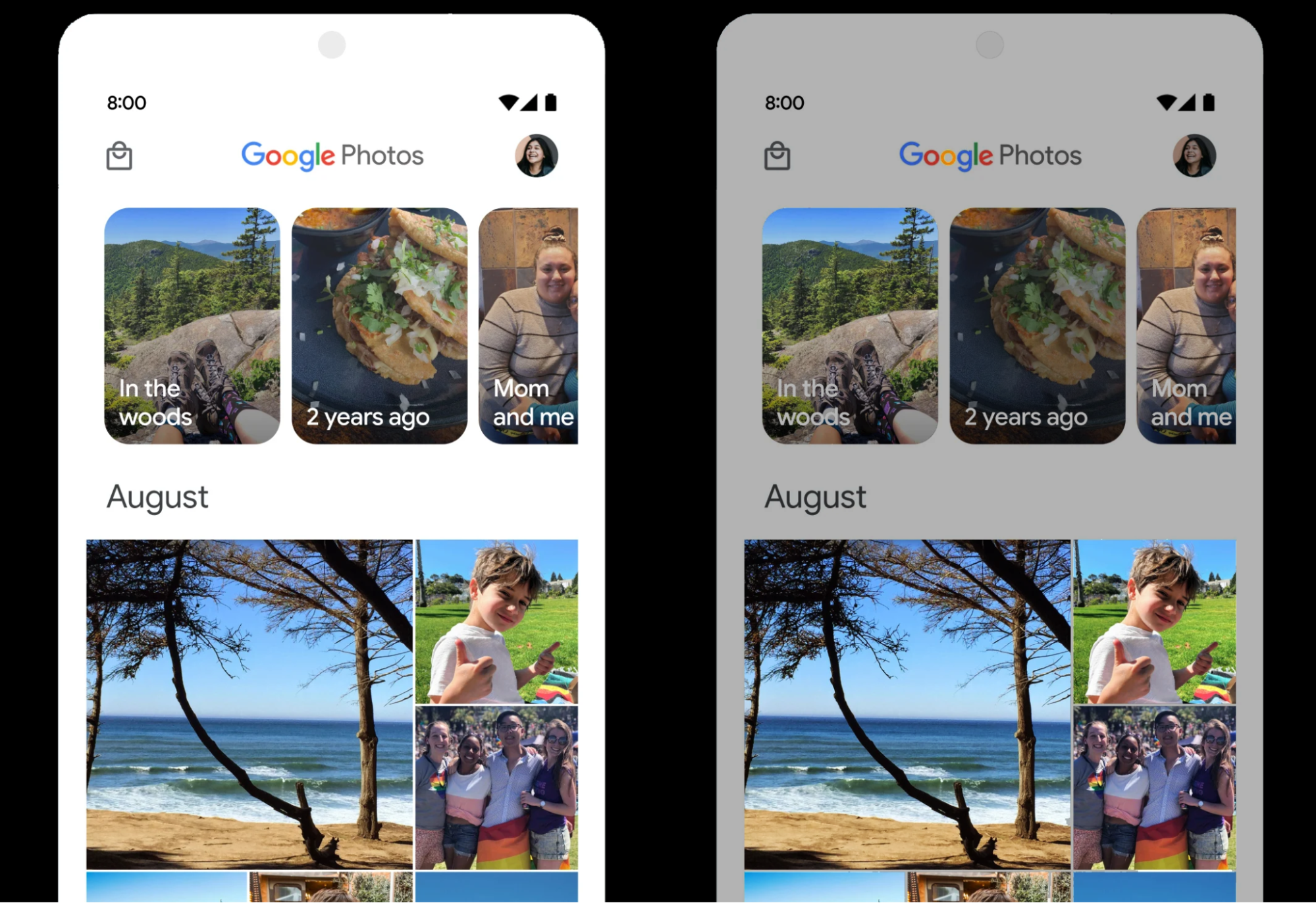
- In the widget TextView the attribute is enabled by default elegantTextHeightin which instead of a compact font, fonts with larger vertical indents will be used, improving the readability of the text.


- The capabilities of working via satellite communication channels have been expanded. New interface elements have been added to unify the use of satellite communications. Applications are given the ability to determine satellite channel usage using a method ServiceState.isUsingNonTerrestrialNetwork(). The interface for working with SMS/MMS supports sending and receiving messages via satellite channels.

- Work has been done to simplify the use of an NFC-enabled phone to pay for goods with one touch (tap to pay). Applications are given the ability to convert the NFC adapter to surveillance modein which the device receives requests via NFC and sends them to a specified process for processing, but does not respond or transmit data to NFC readers.
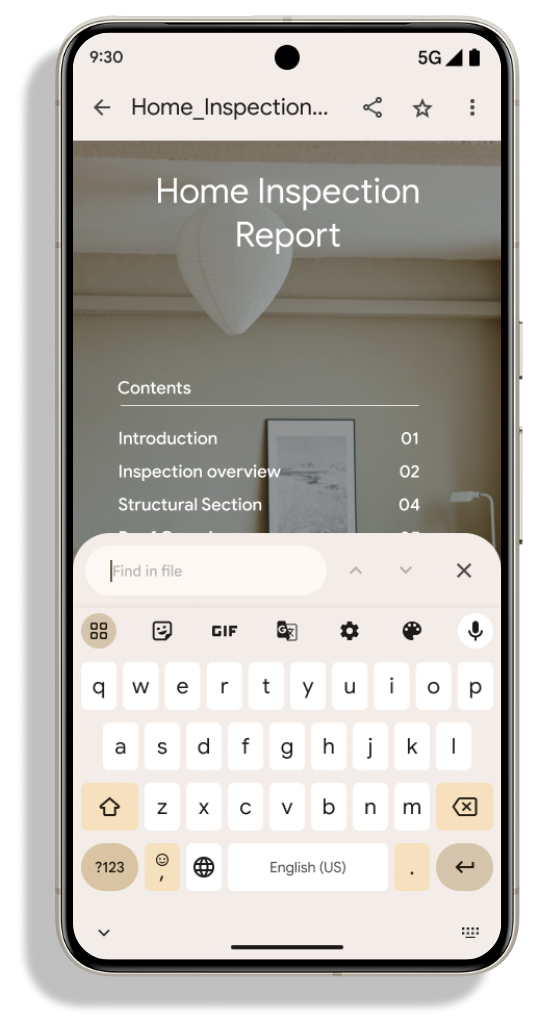
- Significantly expanded capabilities for rendering PDF documents (API PdfRenderer). For example, tools are provided for rendering password protected filesshow annotations, form editing, search inside the document and discharge areas for copying via the clipboard. Added optimizations to reduce resource consumption and speed up viewing of local PDF files. The implementation of the PdfRenderer API is placed in a separate module, updated via Google Play and not tied to the main platform.

- Improved capabilities for automatic language recognition and language switching. Applications are provided with advanced options to fine-tune language switching during speech recognition. For example, mode EXTRA_LANGUAGE_SWITCH_INITIAL_ACTIVE_DURATION_TIME_MILLIS allows switching only at the beginning of a sound session, and the mode EXTRA_LANGUAGE_SWITCH_MATCH_SWITCHES cancels language switching after a certain number of switches, which can be useful in situations where it is known in advance that only one language will be used in one session.
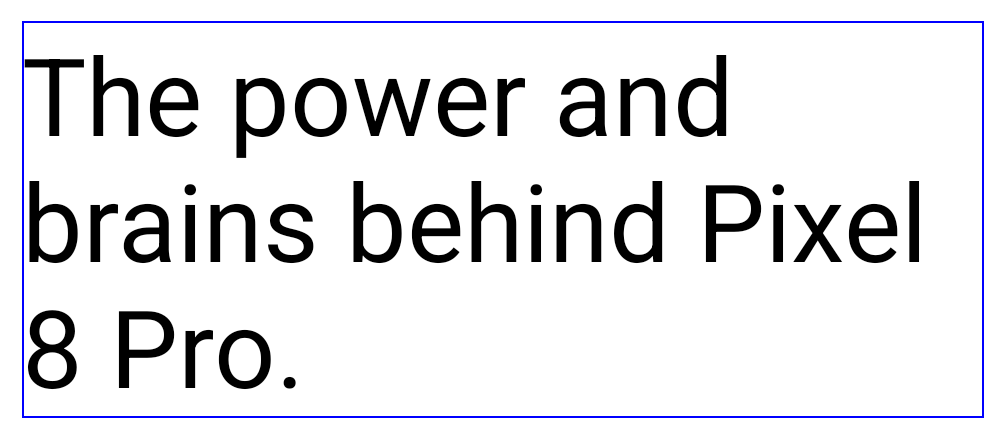
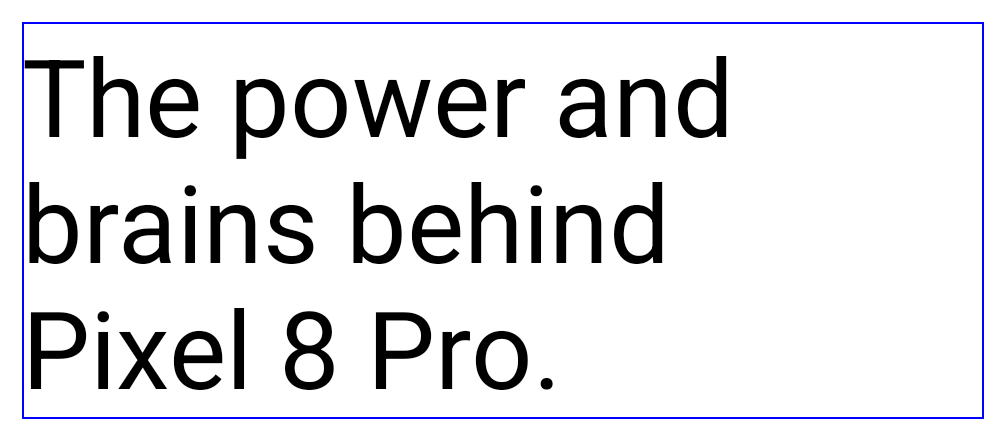
- Provides tools for flexible control of line breaks. In the widget TextView To improve readability, you can use the ‹nobreak› and ‹nohyphen› tags to control the wrapping of groups of words or parts of words to another line. For example, in the line “The power and brains behind ‹nobreak›Pixel 8 Pro.‹/nobreak›” the phrase “Pixel 8 Pro” will always be displayed in one line.


- Expanded filtering options intent requests. Using a class UriRelativeFilterGroup You can set rules to block or allow requests based on the content of URL parameters and URL fragments. Filtering rules can also be specified via the new ‹uri-relative-filter-group› tag in the application manifest.
- Expanded support for the OpenJDK API. For example, added support for additional class methods Math And StrictMathordered collections And lists, use ByteBuffer in Deflater and key updates.
- Added an API to allow applications to detect when a screen recording is in progress. The application can set callback handler, which will be called if screen recording is enabled and the application window falls into the visible area. The proposed feature allows you to show recording warnings to the user if sensitive data is displayed.
- Added API ApplicationStartInfo, through which you can get information about the state when the program starts. For example, you can find out whether application components are cached (cold, warm or hot states), how long different stages of startup took to complete, what caused the startup, and identify metrics useful for optimizing startup speed.
- Processing changed stopped state, in which application execution is suspended until the user action associated with the application. The new version provides options for the application to determine when the suspension has ended: message processing BOOT_COMPLETED or using a method ApplicationStartInfo.wasForceStopped().
- Besides the method
StorageStats.getAppBytes()which allows you to obtain general data about the size of the installed application, a method has been added StorageStats.getAppBytesByDataType()which allows you to get separate information about the size of the APK package, the copied code, the extracted and generated data. - Changes have been made to the API for launching priority services (Foreground Service). Added a new type of priority services – mediaProcessingwhich can be used for resource-intensive operations with multimedia content, for example, transcoding from one format to another.
- A new API has been proposed for working with the storage engine based on the SQLite DBMS, providing access to advanced SQLite capabilities.
- It is possible to control the brightness margin for HDR (the ratio of the brightest white color in an HDR image to the brightness of white in a standard dynamic range image). A method has been added to set the brightness reserve setDesiredHdrHeadroomwhich you can use to balance brightness when displaying SDR and HDR content.

- Added support for the standard CTA-2075, which defines opportunities for loudness normalization to avoid changing the volume level for different content. Loudness matching is achieved by defining metadata about the characteristics of the speakers and the loudness of the AAC audio content. An object is proposed to normalize the volume LoudnessCodecController and method OnLoudnessCodecUpdateListenerwhich adjusts the volume parameters before accessing the codec.
- In AndroidX media3 ExoPlayer 1.0 included The default is to use spatial audio for multi-channel audio if spatial audio is supported on the device. The Virtualizer class has been deprecated and should be replaced by the Virtualizer class to define the behavior and capabilities of spatial audio. Spatializer.
- Added class AutomaticZenRuleswhich allows apps to configure rules for applying do not disturb mode and define situations when those rules should be applied.



Thanks for reading: