This is a guest post by Kevin Pushak (kepuexe). Thank you for that!
For a long time I was unable to use macOS on a regularly used device. Until I got an offer for what is still Apple's cheapest MacBook, which houses the remarkable M1 SoC. What do I think after a year of ownership?
Apple's switch to the company's own Arm architecture caused a lot of stir in 2020. So much performance and a lot of energy efficiency at the same time was a positive surprise. Away from Intel and towards system-on-chips, which are simply called M1. The debut was celebrated with the MacBook Air M1, which was presented on November 10, 2020. And the prices were even lower than Intel models released the same year.
At the time of this article, the base model with seven CPU, eight GPU cores, eight gigabytes of RAM and 256 gigabytes of storage space is still officially offered and produced. Apple has brought a successful model to the people here. No wonder it is now available for prices under 900 euros. And that's when I struck.
A world outside of windows and penguins
I've been a Windows user since the 1990s and have enjoyed almost all of the consumer versions. However, since the release of Windows 11, the enjoyment of the market-leading system has continuously declined. The excursion into the Linux universe was quite good, as there are numerous distributions and many setting options. As soon as I bought a “new” second computer, it automatically got Debian-based Linux. Completely sufficient for everyday tasks and also very slim.
But the operating system of the company with the bitten apple has so far been fundamentally denied to me. Of course, the hardware is expensive, regardless of whether it is used or at the recommended retail price. And even a Hackintosh, which was lucky enough to conjure up a Mac OS on a standard Windows computer, couldn't always run smoothly.
In the newly started year of 2023, a deal from dealer Otto grinned at me: an Apple MacBook Air M1 in the basic configuration for under 900 euros. At the time, it was an excellent price for still current Apple hardware and for a configuration that was still suitable for everyday tasks. It ends up in my shopping cart along with a year of Microsoft 365 Single. Many weeks of waiting passed, but on January 28, 2023 it arrived and I started setting it up.
The first current apple calculator
The MacBook Air M1 in silver.
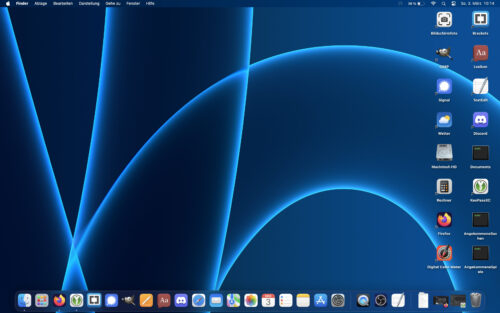
In the Windows world this is called a “desktop”.
After unpacking the notebook and the 30-watt power supply with USB-C, it's time to set up. Since I haven't had a great experience with Apple cables so far, a white USB-C cable from a third-party manufacturer is used. The MacBook greets the user immediately with a setup assistant that is completed quickly without any questions.
I really liked the aluminum casing of the notebook. Even though it is now protected from scratches by plastic covers on both the top and bottom, it still feels incredibly good. Until now, I was only used to the magnesium casings of the slightly higher-priced ThinkPad models, which is why I had to get used to having to rest my wrists on cold aluminum on cold days.
The 13.3″ large and sharp IPS display shows strong colors and is quite bright at 400nits. I haven't needed such a high brightness so far, but the reserves are definitely welcome. Although the 16:10 display supports a resolution of 2560×1600 pixels, which is beneficial when editing documents, only resolutions lower than this are offered. Natively, you need a magnifying glass for the display, and the resolution of 1440×900 pixels is standard when delivered. I was satisfied with the “More area” option, which represented the resolution of 1680×1050 pixels that I was familiar with at the time. I found the Full HD display of the Dell Latitude 7390, which I had months earlier, equally beautiful.
What might be very pleasing to some sensitive ears: the MacBook Air M1 has no fans. The entire technology is passively cooled. This has been a relatively common sight with Arm technology for years, even if Apple is now installing fans again in the newer MacBook models. However, I was never able to push the hardware temperatures into unpleasant levels.
In everyday life
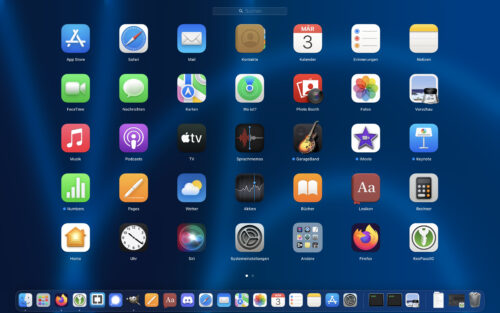
The range of pre-installed applications is impressive.
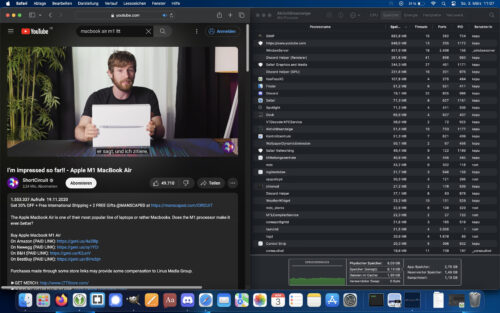
YouTube videos in 4K60 hardly make the hardware sweat.
A new day begins and as soon as you open the MacBook, the familiar melody of the macOS operating system sounds. And after that, it doesn't take long until you're greeted by the login screen. I have never experienced such a fast boot-up on any of my older Apple computers. In general, the performance of the M1 for everyday tasks is pleasingly high. Starting browsers, editing documents, holding conferences, all no problem at all for the SoC.
Typing on the keyboard with continuously adjustable backlighting is a great pleasure after a certain period of getting used to it. Apple has rowed back to the scissor switches here and that makes your fingers happy when typing. The stroke isn't incredibly large, but it doesn't affect the typing speed at all. The idiosyncratic key positions and combinations take some getting used to for Windows and Linux users. Many commands are executed with the Command key; Some characters can be accessed more easily using the Option key. It took me a while to realize that I could simulate a delete key using Fn and the delete key. Appropriate reading was a must for me.
The large touchpad poses fewer questions. I'm still not a fan of touchpads and I still use the mouse, especially when editing images, but it is the best touchpad I've ever had the pleasure of using. A mouse click can be triggered at each corner, which, thanks to the vibration feedback, feels like pressing down on the touchpad. However, I don't always succeed with the various possible multi-touch gestures. Maybe it's a matter of practice.
To relax, you also like to watch YouTube videos on your notebook. The M1 handles 4K60 videos as if it were the most normal thing in the world. Even though I mostly only used Firefox for macOS, I can't make any statements about how Apple's own Safari browser runs on the notebook. The stereo speakers next to the notebook really amazed me. How can such a deep, sensible and clear sound come out of such a thing? It's easy to do without additional speakers.
As long as you don't run incredibly complex programs or connect another monitor, a day and a half or even two working days with the battery is no problem. When charging from 20 to 80%, the included USB-C power adapter doesn't take an incredibly long time at one hour and 15 minutes. It's just a shame that one of the two USB-C ports has to be used for this.
Nice gadgets
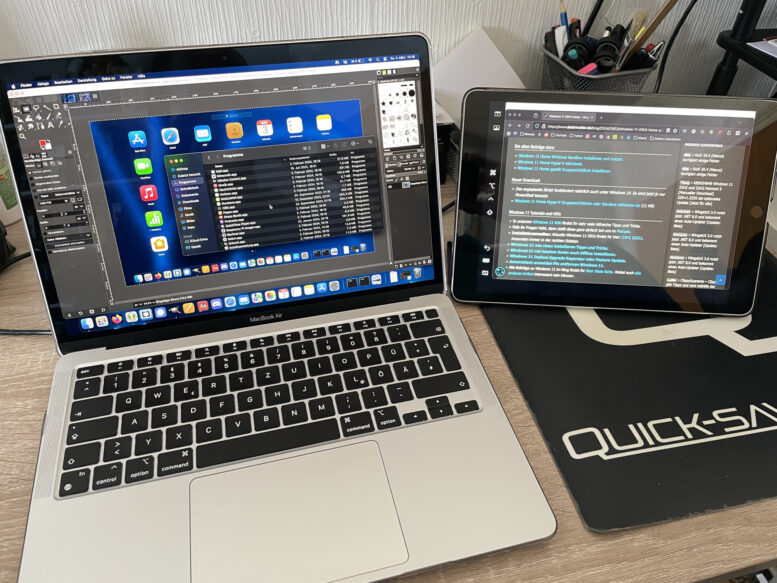
The App Store can also be found in macOS. In addition to applications for this system, iPhone or iPad apps can also be installed thanks to the M1. Although the display is not always completely optimal, the overall performance is still convincing. During the entire time I dared to install Minecraft. It didn't run smoothly all the time, but it was still okay for the system. Apple's plans to gain a foothold in the gaming market could potentially offer opportunities with future generations of silicon processors.
Apple's own wireless transmission service AirDrop allows extremely convenient data transfer in combination with other devices from the company. This means that exchanging files, for example, works without any problems. The iPhone can be used as a webcam while the iPad can be used as a second screen.
Negative points
Despite all the joy, there are also less good points. Getting used to the operating system was already mentioned. This may be less of a problem for a first-time user, but for new users it will take some time to get to grips with some of the peculiarities such as installing applications or the lack of full support for NTFS partitions. The latter can be bypassed with FAT32 or exFAT. But well, the Microsoft competition can't handle Apple's APFS file systems.
Although it is certainly convenient for the MacBook to switch on at every opportunity, in some circumstances this is not desirable. Deep interventions in the system are necessary, for example to deactivate the behavior that causes the system to start up when the lid is opened. This makes cleaning or maintenance tasks that are sometimes necessary more difficult. An indicator as to whether the notebook is in standby or shut down wouldn't have been bad given this behavior.
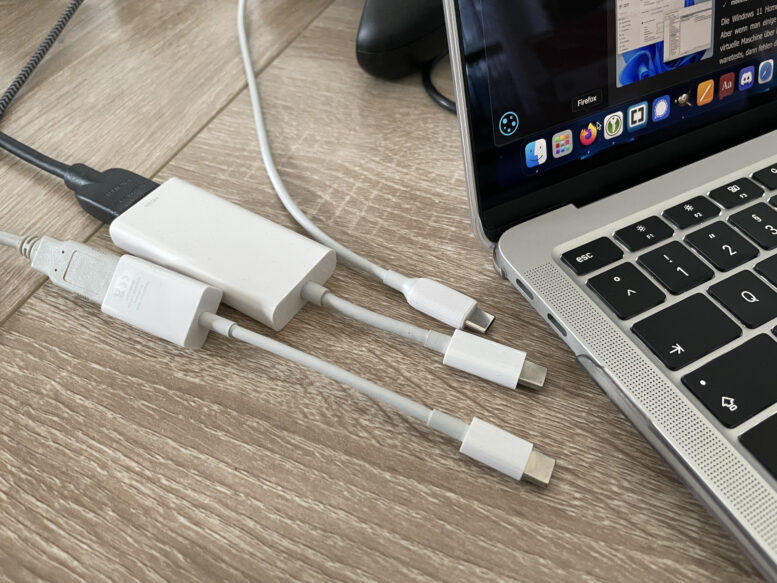
The number of connections gets the strongest criticism from me. Two USB-C ports and a 3.5mm jack connection are simply not enough. With the power supply, a USB-C port is completely eliminated. The problem can be circumvented using port replicators, but you should avoid charging the notebook via the power delivery port. According to some users, this has – at least back then – has already led to significant problems. This “variety of connections” forced me to buy the 25 euro one USB adapter with USB-A port.
Prices are a regular reason for criticism of Apple products. Sure, the devices are technically impressive, but here you're mostly paying for the brand. The purchase of adapters will be necessary here and the upgrades already give reason to look to the next larger device category.
The iPhone now has one of the best cameras on the smartphone market. Their front cameras are now also convincing. Why one of these great cameras didn't make it into the MacBook is a mystery to me. The 720p webcam above the display is no longer up to date and is only sufficient for the purpose of having a camera for conferences.
My conclusion: very great, but expensive product
My first real Apple computer is definitely a great introduction to the world of Macs. Their closed Unix system, which takes some getting used to, becomes quite easy to use after a certain amount of time. The basic configuration that is still available today is completely sufficient for everyday tasks. While you can't compare eight gigabytes of RAM to the same amount in the x86 range, the future for that amount is definitely uncertain.
With a great display, a keyboard that's easy to type on, good speakers and a long-lasting battery, working on the MacBook is still fun in 2024 and it still doesn't feel lame even with the latest macOS (Sonoma 14.3.1). All tasks are carried out at comfortable speeds. The system only reaches its limits when editing images with Gimp.
If you ignore the relatively high price and the limited variety of connections, which have to be compensated for with adapters, this is a wonderful introduction to working with macOS. Personally, however, I'm curious to see when I'll be drawn to the Pro series, because the variety of connections appeals to me more.