Google Company published web browser release Chrome 122. Simultaneously available stable release of a free project Chromium, which serves as the basis of Chrome. Chrome browser is different from Chromium using Google logos, the presence of a system for sending notifications in case of a crash, modules for playing copy-protected video content (DRM), a system for automatically installing updates, constantly enabling Sandbox isolation, supplying keys to the Google API and transmitting RLZ parameters when searching. For those who need more time to update, the Extended Stable branch is separately supported, followed by 8 weeks. The next release of Chrome 123 is scheduled for March 19th.
- As required by European law DMA (Digital Markets Act) a screen for selecting the search engine that will be used by default has been added to the browser. There are search engines to choose from, available in the settings section “chrome://settings/search”. Search engines in the list are displayed in random order.
- A setting has been added to the “chrome://settings/security” page that allows you to disable JIT optimizers in the V8 JavaScript engine. Disabling JIT can be useful for increasing the security of working with potentially dangerous web applications by reducing possible attack vectors. When JIT is disabled, JavaScript execution performance decreases by approximately 20%.
- The Android version has added the function of reading text aloud on a web page. Reading mode can be enabled in the drop-down menu and controlled using standard playback control buttons. The function uses an external service to operate and sends a link to the page to Google servers, which perform speech synthesis.
- We continue to test experimental features that use machine learning – the smart tab grouping mode, the theme generator and the interactive assistant, which were described in the announcement of the release of Chrome 121.
- In Safe Browsing mode implemented support for asynchronously performed external checks that do not block loading of the page being checked. At the same time, checks against local lists are still carried out in synchronous mode and the page is not shown until they are completed, in order to protect the user from exploits on the pages. As for phishing, it is unlikely that the user will have time to respond to the page before external verification completes and an alert is displayed.
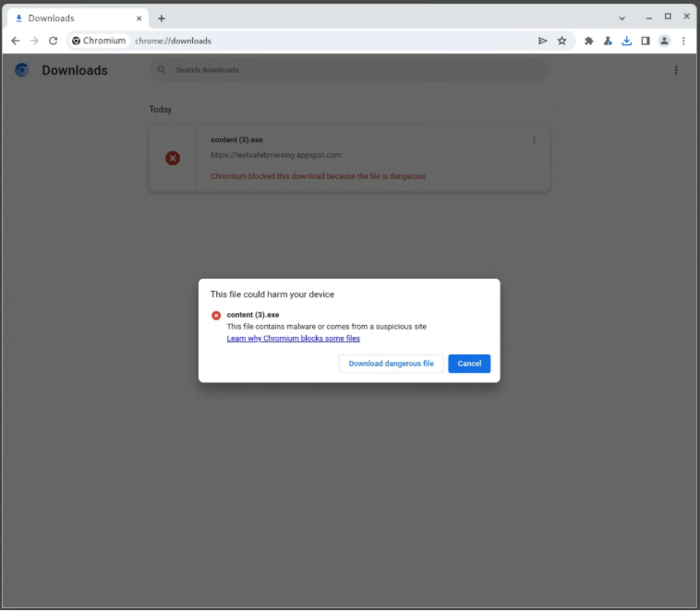
- The warning text displayed when attempting to download malicious files and for already downloaded files in the download manager has been reworked.
- There has been a gradual shift towards ignoring “unload” event handlers that do not allow efficient use of the jump cache (BFCache – Back-forward cache), providing instant transition when using the “Back” and “Forward” buttons or when navigating through previously viewed pages of the current site. The behavior of desktop Chrome will be closer to mobile browsers, which in most cases do not generate the “unload” event, giving priority to transition caching. In Chrome 122, handling the “unload” event disabled for 1% of users.
- In the system for auto-filling payment parameters, the ability to save an authentication code (CVV/CVC) for local and server cards has been added. Codes are saved after a warning is displayed and only after the user's explicit consent.
- Added API Storage Buckets, which provides additional capabilities for managing persistent storage of data on the user's local system. The new API allows you to organize data storage by dividing the storage into separate segments associated with the IndexedDB and CacheStorage APIs. Segments are deleted independently by the browser, and the user is given the ability to set priorities that control which segments should be deleted first.
Such an organization allows you to store important data in high-priority segments, and secondary data, which you can safely lose, in low-priority segments. This solves the problem of losing important data if the available storage limits provided through the IndexedDB and localStorage APIs are exhausted.
- In API Async Clipboard The “unsanitized” option has been added to the read() method, which is used when copying from and pasting to the clipboard. When this option is selected, the application is provided with unchanged HTML markup content for data from the clipboard, without cleaning, normalizing, or replacing dangerous constructs (for example, the contents of the “‹style›” block are not converted).
- “@container” CSS queries will no longer fire when specifying unsupported capabilities, for example the “@container (width > 0px) or (unknown) {}” query will never fire due to the “unknown” expression.
- CSS allows you to define conditions in import rules”@import supports(…)“. If the check fails, the import is not performed. For example, to load styles if the “animation-timeline” is set to “auto”, you can specify 'scroll-driven-animations.css '@import “scroll-driven-animations.css” supports(animation-timeline: auto);'.
- In CSS changed and the logic for processing the pseudo-element “::backdrop”, which is now inherited from the source element, has been adjusted to the requirements of the updated specification (previously, “::backdrop” did not inherit the values of other elements, which did not allow access to properties defined in the root element).
- Method action dataTransfer.clearData() limited to text objects only, i.e. this method can no longer be applied to File objects.
- Feature added to WebGL drawingBufferStoragewhich allows you to configure the pixel format for the render buffer, allowing you to directly output content with more than 8 bits per color channel and avoid the unnecessary copy operations required to convert to the default pixel format.
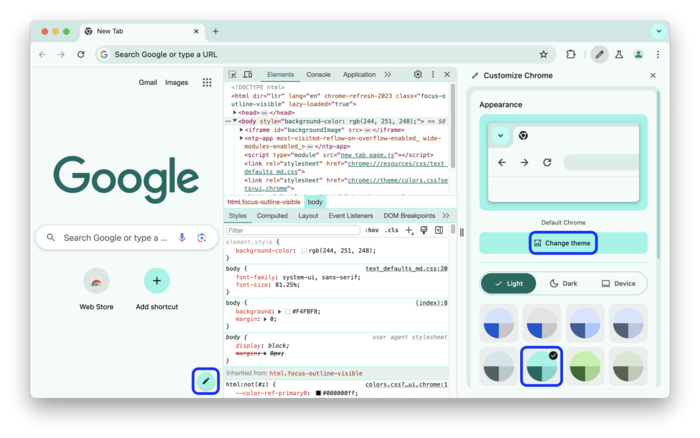
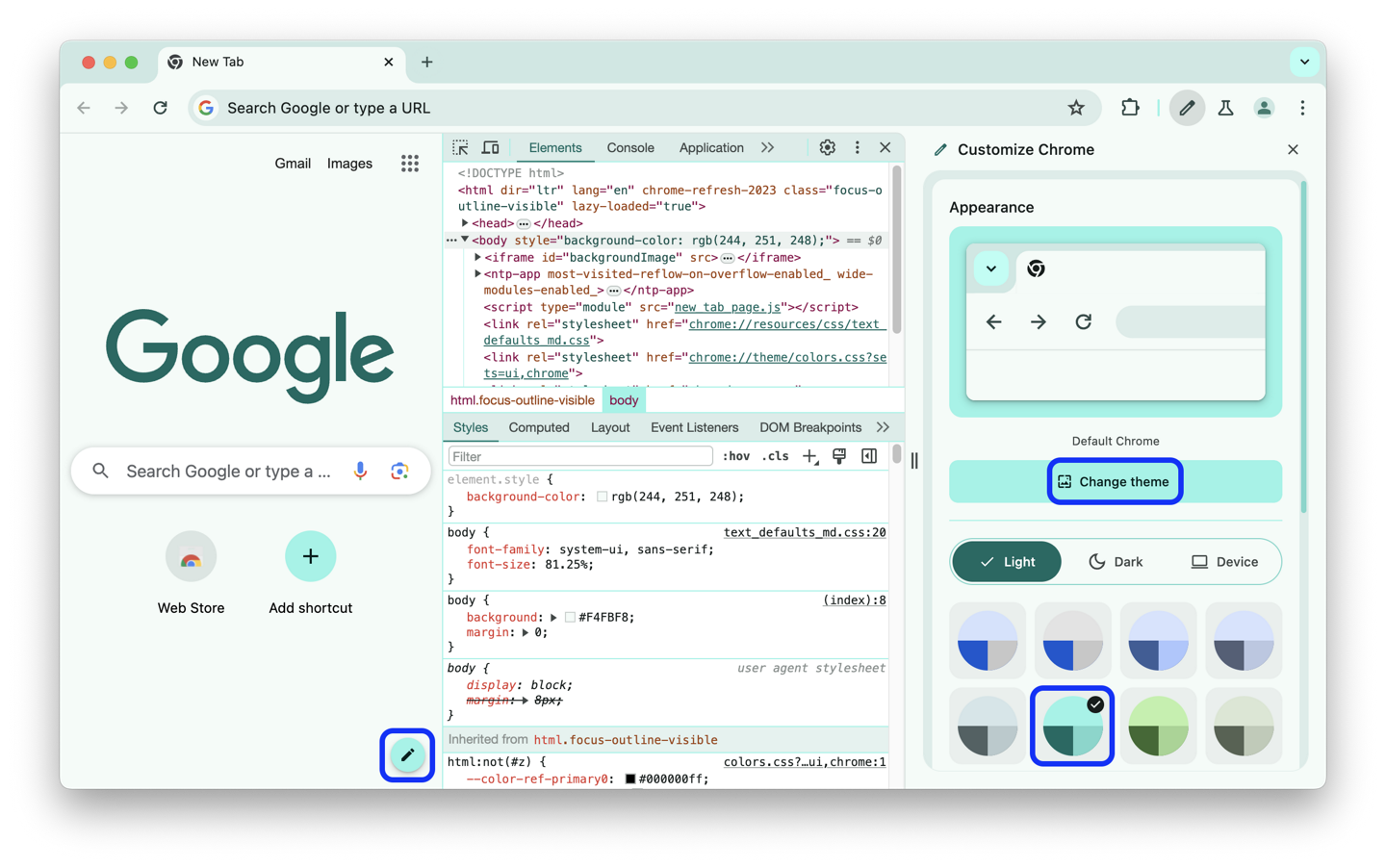
- Submitted improvements to tools for web developers. Added support for changing the color scheme and following the style specified in the theme selected in the browser.
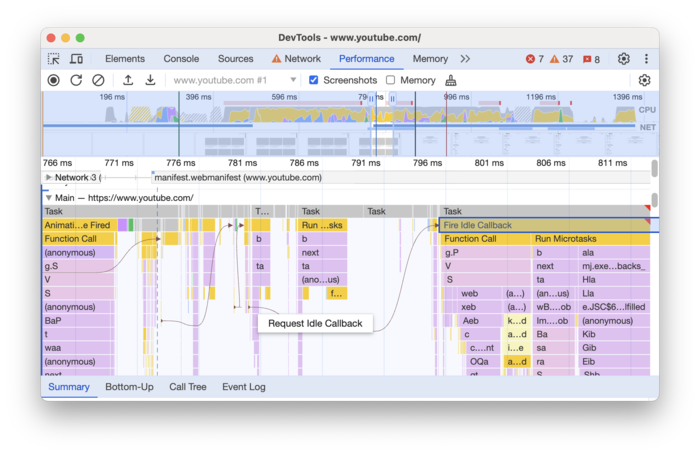
The performance analysis panel has been expanded to include support for saving progress ranges (segments on the timeline) and switching between them in the timeline.
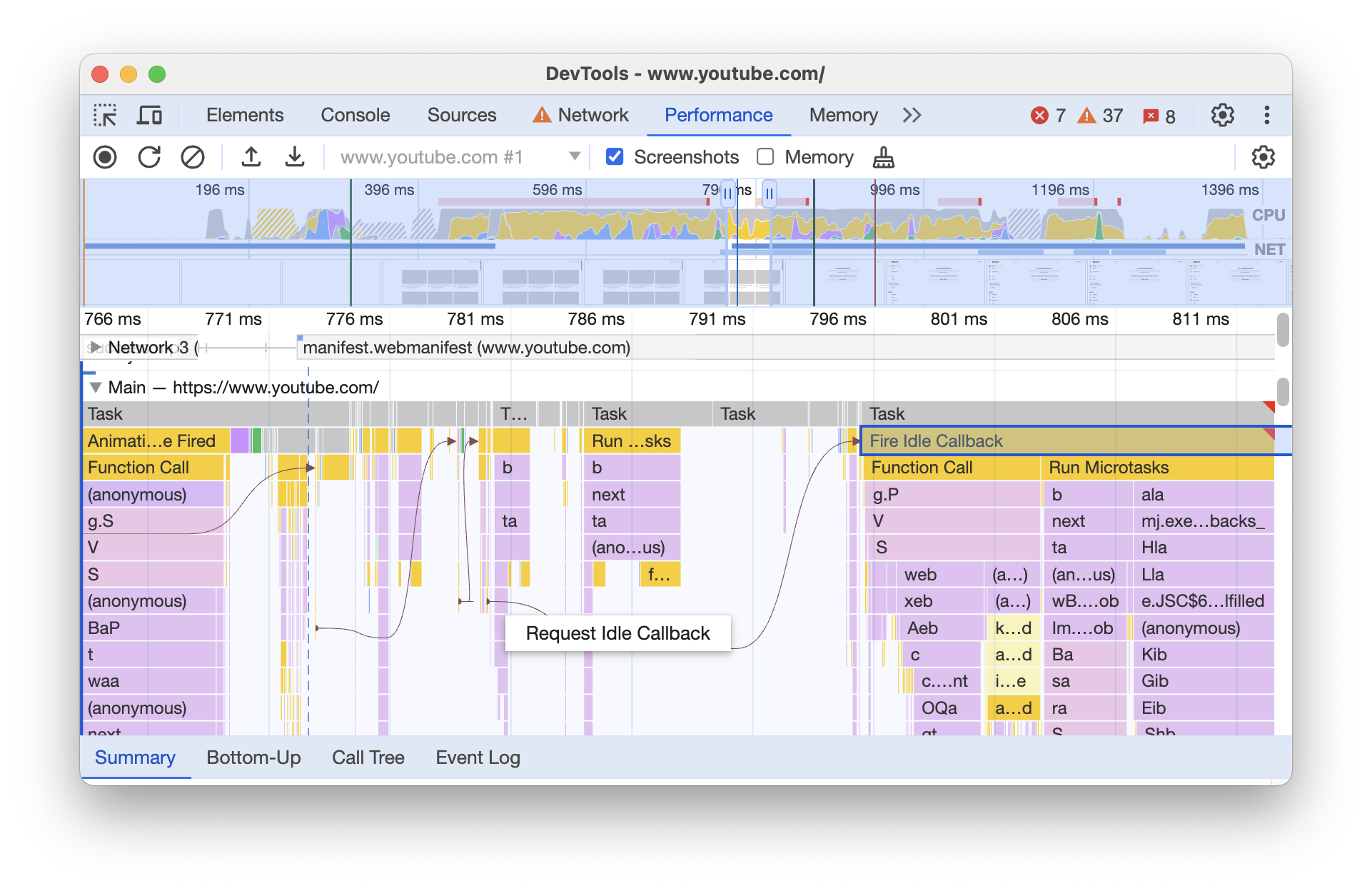
Added to the main track (Performance > Main) to show event initiators and their visual connection with the events they trigger.
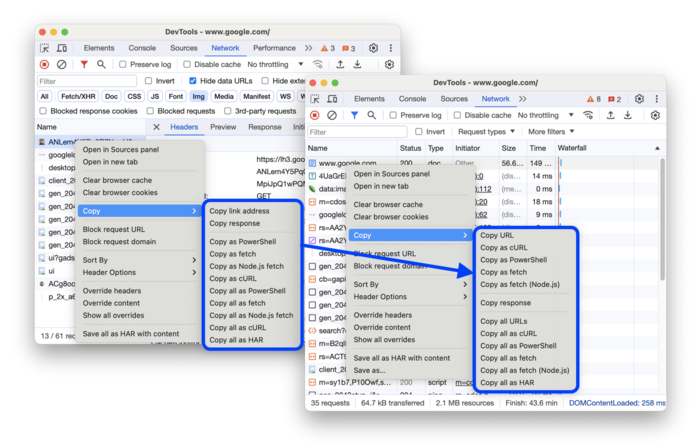
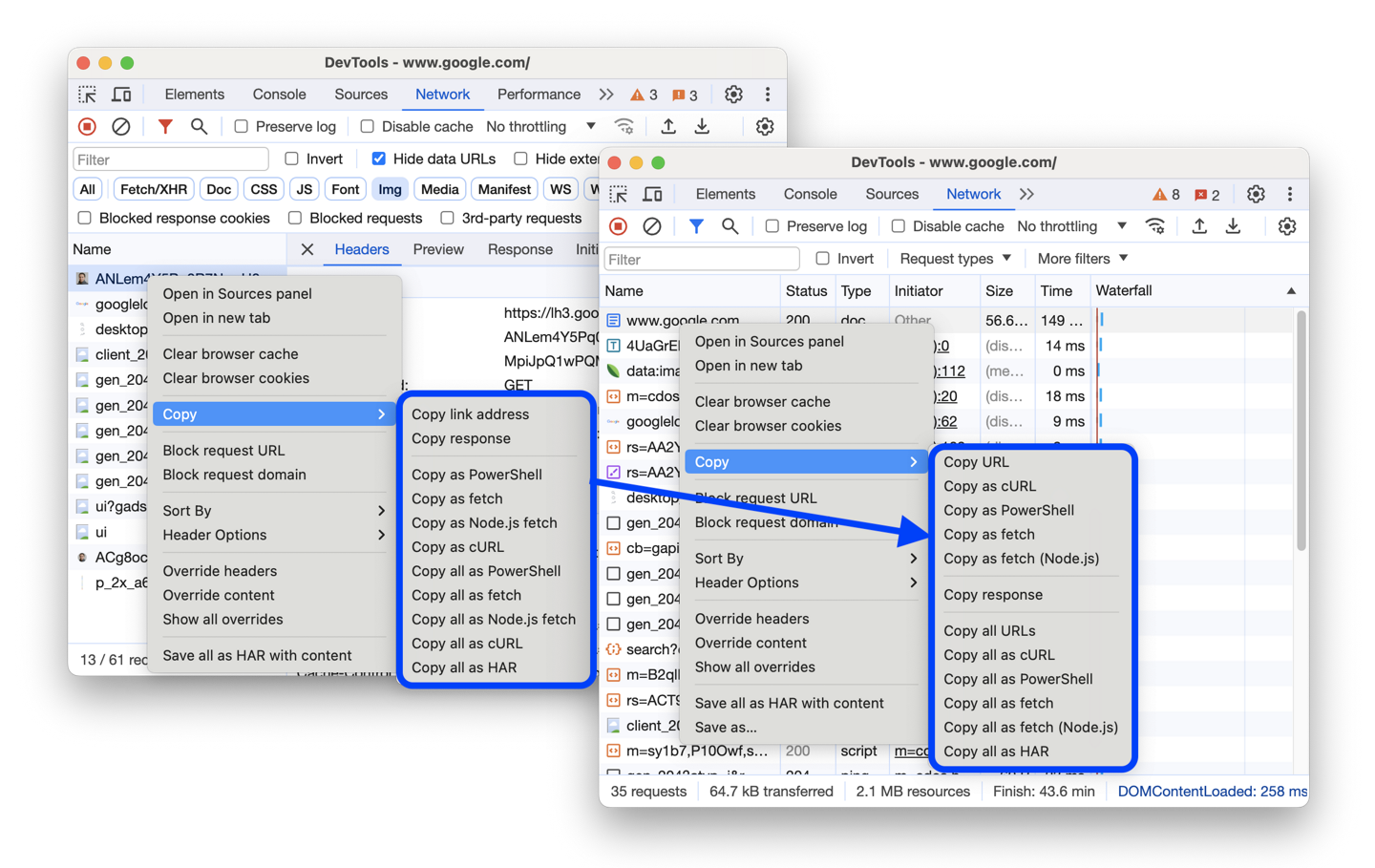
In the network activity analysis panel, in the column with the request execution status, the causes of failures are shown. The context menu for copying a link or request content has been redesigned.
In addition to innovations and bug fixes, the new version eliminates 12 vulnerabilities. Many of the vulnerabilities were identified as a result of automated testing with tools AddressSanitizer, MemorySanitizer, Control Flow Integrity, LibFuzzer And AFL. No critical problems have been identified that would allow one to bypass all levels of browser protection and execute code on the system outside the sandbox environment. As part of the program to pay cash rewards for discovering vulnerabilities for the current release, Google paid 8 awards in the amount of 28 thousand US dollars (one award of $8000, $7000, $5000, $3000 and $2000, and three awards of $1000). The largest rewards were awarded for a bug in the implementation of site isolation, detecting a buffer overflow in the Blink engine and accessing already freed memory (Use-after-free) in the library Mojo.
Thanks for reading: