If you have software that you want to uninstall, you will be happy if the uninstaller is programmed correctly. If not, it can always happen that leftovers remain in the registry or even folders and files in the system.
Then uninstallers can certainly help. Like here in the Uninstallr example. No, not spelled wrong. The small (also portable tool) is called Uninstallr and version 2.0 was made available today. If you want to use the tool, you should first uninstall the program in question in the normal way. So via the Control Panel or Settings -> Apps.
If you start the tool, everything will be scanned. By default, a filter is set that hides Microsoft's own software. Once the scan is complete, you should first go to the settings at the top left. Switch to German once (although some translations are quite cute).
You should also note that by default a restart is carried out after the process. So remove the checkmarks here in the settings if you want. Now you can select the respective program. Right-clicking will then display all registry entries or remnants on the disk that can be removed.
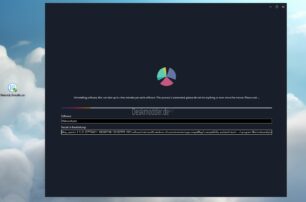
Then you can get started. Depending on your computer performance, it may take a while for the process to complete. Finally you can restart. In my experiment I tried it in my test VM and removed Malwarebytes (Firewall Control). Although Samsung Magician leaves a lot more “garbage” on the board.
Uninstallr 2.0 what's new:
- New feature: Added improved search, filter and sorting options for the installed software list.
- New feature: You can now select the leftover search mode. For example, you can use Uninstalr just for batch uninstalling software, automating the execution of each application's own uninstaller, but without additional cleanup of leftover data.
- New feature: You can now select the analysis depth of the installed software.
- New feature: You can now skip the main analysis to quickly see the main program window, e.g. B. if you only want to use the new software installation monitor.
- New feature: Uninstalr can now detect and uninstall PortableApps.com applications.
- New feature: Uninstalr now attempts to create a system restore point before uninstalling begins.
- New feature: Uninstalr can now detect and correct incorrect information from the list of installed Windows apps, such as: B. incorrect sizes of the installed apps.
- And of course corrections that have also been reported in the forum there since version 1.1 from August 2023.
Info and download:
- There are many comparisons to other uninstallers listed on the website. But as it says, you should make your own judgment.
- uninstallr.com
Thanks to gur_helios for the tip about the update