Files is a file manager that looks like File Explorer, but has additional functions. Files version 3.2 has now been released and includes some new functions and a long list of corrections.
We have been following the development since the beginning and it is always interesting to see how the file manager “grows” and is improved. Because you shouldn't forget, it's a community project.
Browsing of large directories has been improved and stability increased. A new layout option as List View has also been added in this release. “To use List View, click the Layout icon in the toolbar and choose List View from the flyout menu.”
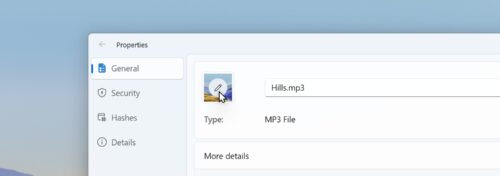
Album covers can now be changed directly. All you have to do is right-click on the file and call up the properties. And the thumb preview of the individual files has also been improved. The resolution and contrast have been improved here. The bug that sometimes OneDrive thumbs were not loaded has also been corrected. A selection of the new features and improvements are:
- Added options to hide the built-in items from the right-click context menu
- Added option to disable auto-scrolling when navigating the file tree
- Updated the search query to include non-indexed items by default
- When you create a new file, it will now be added to the recent files list
- When creating a shortcut, the naming settings from File Explorer are now used
- Clicking on a tag in the detailed view now starts a search for other tagged objects
- Added support for setting jfif files as desktop and lock screen backgrounds
- Performance when launching files in the background on Windows startup has been improved
- Improved support for high contrast themes
- Updated the cloud status icon in the column view
- Added support for pinning executable shortcuts to the Start menu
- As well as a lot of bug fixes
- files.community/blog/posts/v3-2
Info and download: