It’s been a while since Thrustmaster released new hardware for simulation enthusiasts. The Warthog has ruled the top end of Thrustmaster’s HOTAS offering for over a decade and leaves little doubt that it doesn’t get much better than this when it comes to workmanship. Now there is something new again, in the form of a thrust lever quadrant system that is modeled on that of the F-16 Fighting Falcon.
As someone who not only loves these things, but mainly because, as a wing commander and elite fan, he has had an almost pathetic cockpit romance since childhood, faithful military hardware facsimiles like these are, of course, a little like pearls in front of them sow. But that doesn’t mean I don’t notice and appreciate the extra precision that a premium system like this offers, even if I only get a D on my twelfth attempt to land on Saba in Flight Simulator.
So remember: This is a device for people who do little other than play simulations. They are the ones who can justify the investment of around 500 euros just for the combination of thrust lever and Viper panel – there is no stick included. The rest please move on. This device is not made for you.
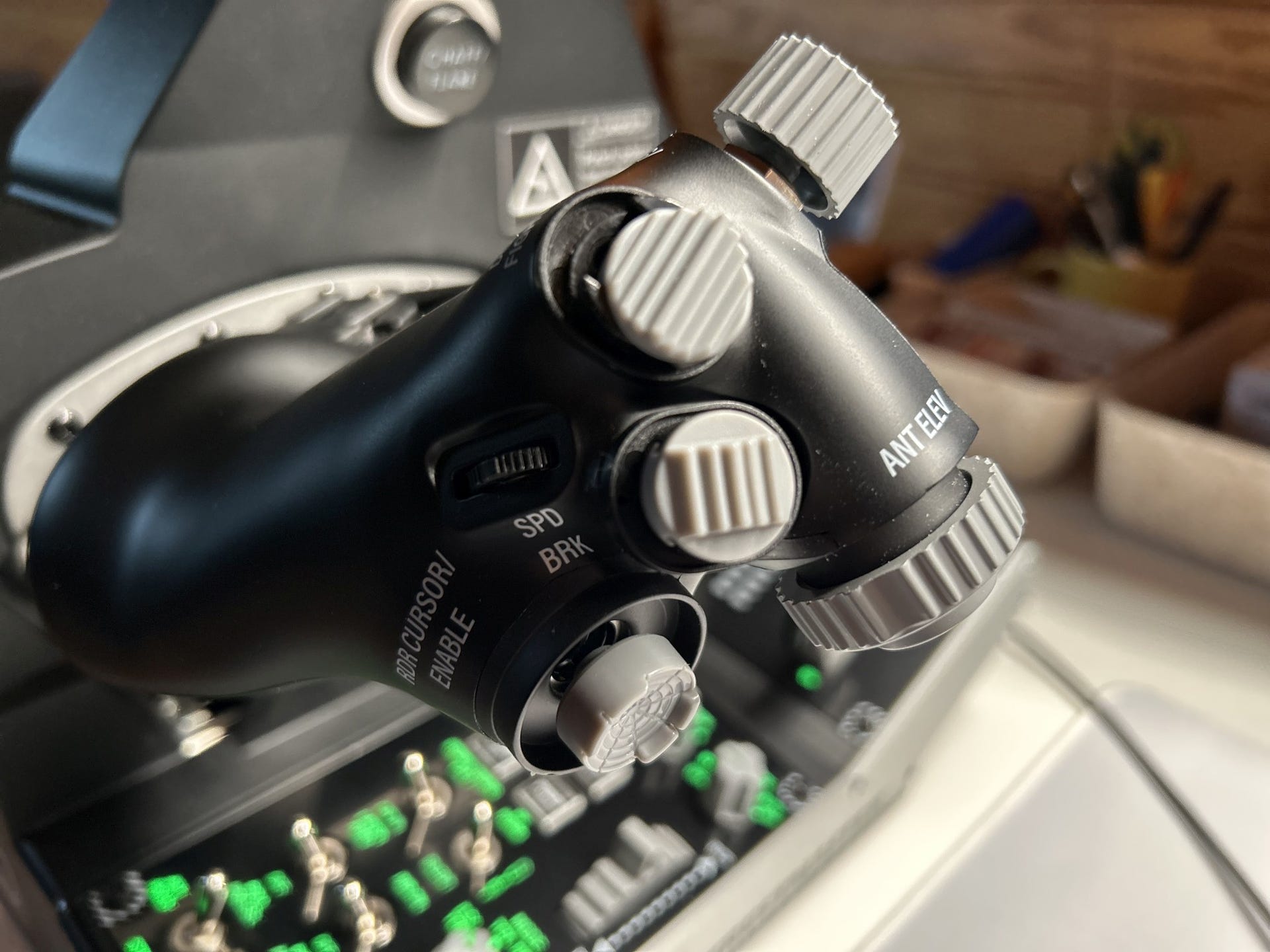
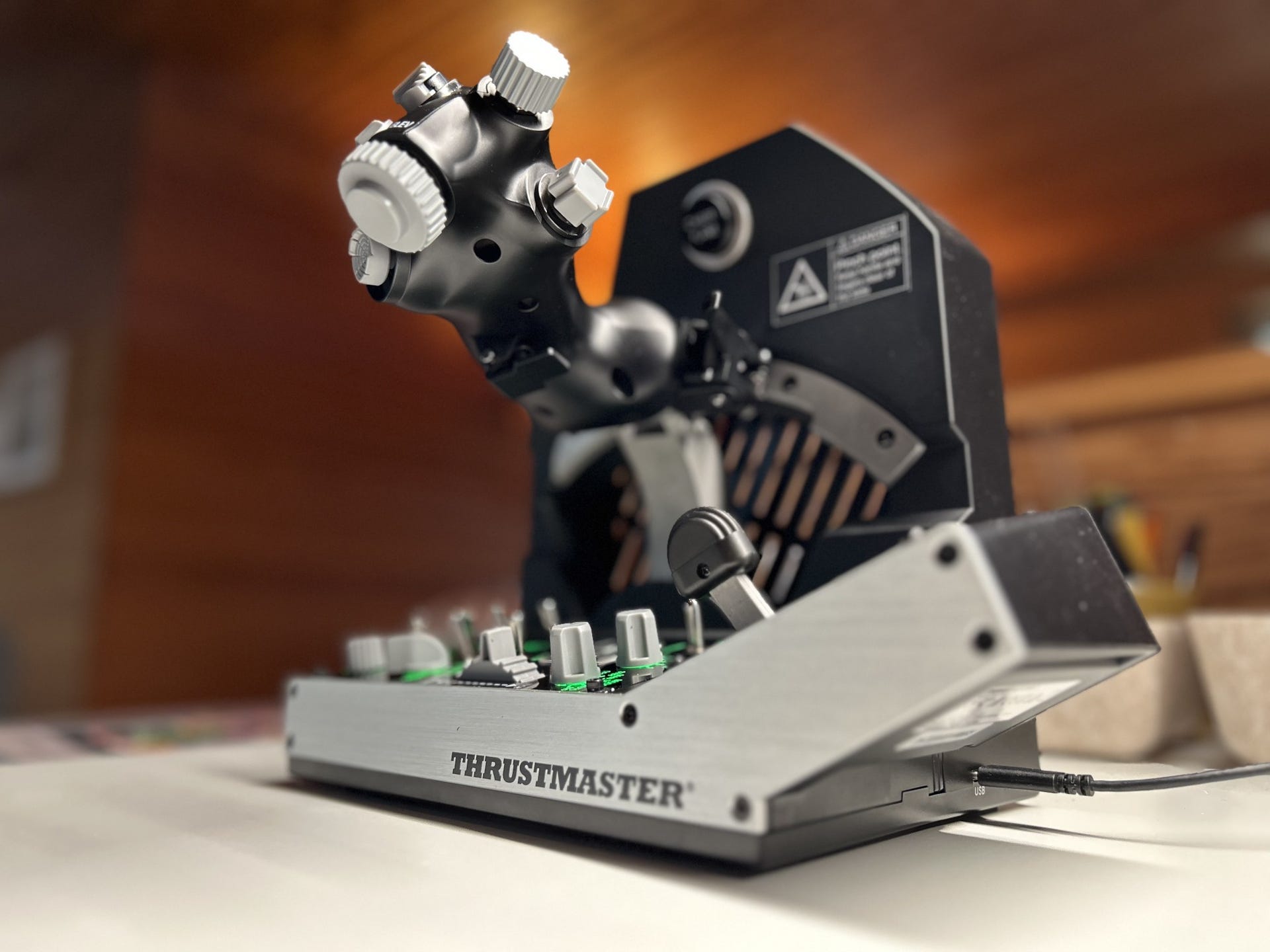
But what is this Viper TQS Mission Pack anyway? Well, Thrustmaster sent me the pre-assembled combination of thrust lever and panel, each of which is also available separately for testing purposes. An official, licensed replica with plenty of metal where it counts. The F-16 is a single-engine aircraft and comes in a sidestick configuration. The towering side wall, from which the metal thrust lever arm protrudes, is made of plastic, as are large parts of the base and the panel’s cover. However, it is of high quality and overall the device is quite heavy. The base plate and the decorative side panel are made of metal, as are the lever, the upper guide rail and the toggle switches.
Internally there is also metal, especially the primary axis of the thrust, which is queried via Hall effect sensors, really looks and feels like a precision tool. I found the thrust axle to be a little light from the factory, but it could be finely adjusted to my needs using the included Allen key. The feeling when pushing back and forth is unrivaled soft and sensitive speed adjustments when landing or refueling in the air are therefore flawless.

The highlight of the system is undoubtedly the handle of the thrust lever itself, which, apart from an inconspicuous zoom tilt wheel and an additional button in the thumbwheel for the antenna height, comes exactly from the F-16. The engine cut-off and afterburner area are physically demarcated on the thrust axis. To be able to give thrust in the first place, you pull a metal lever with your little finger, whereupon the lever can be rotated on its transverse axis by around 30 degrees. Only then can you push it forward. And if you want to give afterburner, you raise the throttle slightly again at the end of its travel to push it beyond the normal thrust range.
This sort of physical interaction gives cockpitphiles like me a special kind of satisfaction and it’s really well implemented here. Perhaps with the small restriction that the actual thrust path is really smooth as butter, but in the afterburner section a small wheel rolls over a metal rail. You can feel this turning right down to your fingers. Users are likely to have divided opinions on this: On the one hand, the haptic difference of course provides additional feedback to the “simulant”, but on the other hand, the feeling is not as pleasant as what comes shortly before. Since my real F-16 is currently undergoing TÜV inspection, I can’t say whether it might not be authentic.

What I absolutely love is the feel of all the elements installed on the thrust lever. Be it the tactile click of the four-way radio stick, the wonderfully soft, analog stick for the radar cursor, whose “up” and “down” directions can be felt haptically due to elevations on the cap, as well as the two rotary controls and two Toggle switch (Speedbrake and Dogfight mode). It’s all incredibly premium in appearance and touch. With your ring finger you can reach another metal lever on the front, which sounds like a micro switch when you pull it.
The panel at the base is also convincing, although I still see room for improvement here. As much as I was happy to see a separate lever for extending and raising the landing gear, it feels like it was borrowed from decidedly cheaper hardware. Not that I’m worried about durability, but simply not quite in keeping with the authentically high-quality rest. In any case, this area of the thrust lever quadrant seems to be a small weak point in an otherwise extremely satisfactory package, because the two rotary knobs are PRGM and MODE extremely difficult to move.

The chrome toggle switches further down are also quite tight, but since you only move them back and forth, I didn’t have any problems with them. The first two you have to hold really well between your thumb and index finger to get them turned. However, I don’t think that’s a problem with the toggle switches. On the contrary, I liked how robust they seemed and how resolutely they stood up to it. As if they realized that it wouldn’t be so cool to use them randomly.
I also found the large, round slap switch that lives on the side of the system extremely cool. This also comes from the real aircraft and triggers countermeasures such as chaff and flare. The idea is to operate it extremely quickly by flicking your hand sideways (a “slap”) when a missile is approaching. In practice this is really nice and intuitive. However, you also notice that the Viper TQS actually wants to be mounted on a base or a bracket. In hectic dogfights, the discreetly top-heavy thrust unit can sometimes tip over due to a panicked “blow” to the side. But this wouldn’t be enthusiast hardware if there weren’t M6 threads on the bottom for exactly this purpose. It’s also possible without it, but a device that feels so sturdy shouldn’t wobble like that. That doesn’t go well together.

And while we’re at it: The USB cable is a bit loose in the port on the front. Movements of the device and the cable can interrupt the connection under certain circumstances. This hasn’t happened to me during normal gaming – and if you install the Viper TQS, it should be almost impossible. I noticed it anyway.
And perhaps something more practical: Although the large thrust lever stands impressively above the control panel, I never had any problems reaching the buttons and switches underneath it. Just when you feel the impulse to reach over the lever to raise the landing gear early after take-off, it’s a little more uncomfortable than it needs to be. Obvious solution: operate the panel by reaching under the lever on the side. Overall, once you get past the top third of the panel, there is boundless satisfaction. This is exactly the quality that I have come to expect from the manufacturer of the Warthog.
Thrustmaster Viper TQS Mission Pack Conclusion
Like the Warthog from Thrustmaster, I also love the Viper TQS, which is the jewel of every cockpit thanks to its great workmanship and dazzling fidelity to the original. Given the impressive price of the combination of thrust lever and panel, material abnormalities such as the landing gear lever and the wobbly USB port are strange. Ultimately, however, they hardly detract from the joy that the incredibly precise thrust path and the incredibly robust and sensitive input elements on the lever bring to hobby pilots. Anyone who spends their gaming life primarily in DCS or Flight Simulator above the clouds will appreciate the Viper TQS.
| GAME TITLE | |
|---|---|
| PER | CONS |
|
|