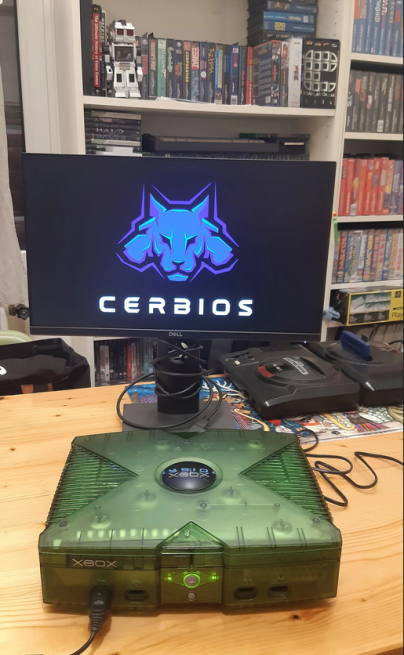
Team Resurgent has just released a new version of their solution, as a reminder Cerbios is a custom firmware for the very first original Xbox and which primarily supports large capacity hard drives, in particular up to 8 TB, but also 128 MB of RAM, ISO file playback and custom boot animations.
They took the opportunity to update Cerbios Tool which is a tool that will allow you to customize certain features of Cerbios.Cerbios Tool allows you to configure options such as UDMA mode, Cerbios logo display and other specific settings.This tool provides the ability to adjust the BIOS to your preferences and needs, allowing greater flexibility and customization of the Xbox experience.
Changelog Cerbios 2.3.0 Beta:
– Added ability to customize BIOS via Cerbios Tool on Windows.
– Added function to create themes for Cerbios logo using Cerbios Tool.
– Added the ability to resize or completely hide the Cerbios logo via the Cerbios tool.
– Added experimental UDMA 6 mode, requiring the use of IDE/ATA Ultra DMA cables (80 conductors) and Startech adapters.
– Removed custom IGR keys from INI file and now configurable via Cerbios Tool.
– Added ability to use drive letters in paths and in Device* format.
– Added function to set UDMA 2-6 modes via Cerbios Tool.
– Added ability to automatically set UDMA mode using Cerbios Tool for Startech or generic Sata to IDE adapters.Auto mode will detect the UDMA mode supported by the device and set it accordingly.However, this feature is experimental and UDMA 2 mode (safe mode) can be initiated by booting the Xbox console through ejection.Automatic mode results can be shared in the dedicated Discord room.
– Added automatic boot in safe mode if error 9 or 13 due to incompatible UDMA mode is encountered.
– Updated Cerbios.ini file to also support drive letter path names.
– General system stability improvements.