Google has so many services that it is very easy to get lost in them.Moreover, the company also renames them, so when you enter your Gmail mail, the name Google Workspace is confusing.The hardest hit is for new users who are migrating to the Google ecosystem from other platforms and planning to move their files to the cloud.The fact is that they see two services at once – Google Drive And Google Photos.At first glance, they are both designed to store files, but there is a huge difference between them.
Understanding the difference between Google Photos and Google Drive
❗ ПОДПИСЫВАЙТЕСЬ НА НАС В ДЗЕНЕ - ЭТО БЕСПЛАТНО
It may seem that Differences between Google Drive and Google Photos are completely absent, since you can upload files to both services.But she is.Now let’s explain how they differ.
Why you need Google Drive
Google Drive is a cloud storage that works on all known platforms.First of all, many people use it to store backups of their smartphone or individual applications, such as WhatsApp.It can store files of almost any format.Externally, the application looks like a regular file manager, and the files in it are displayed both online and offline.
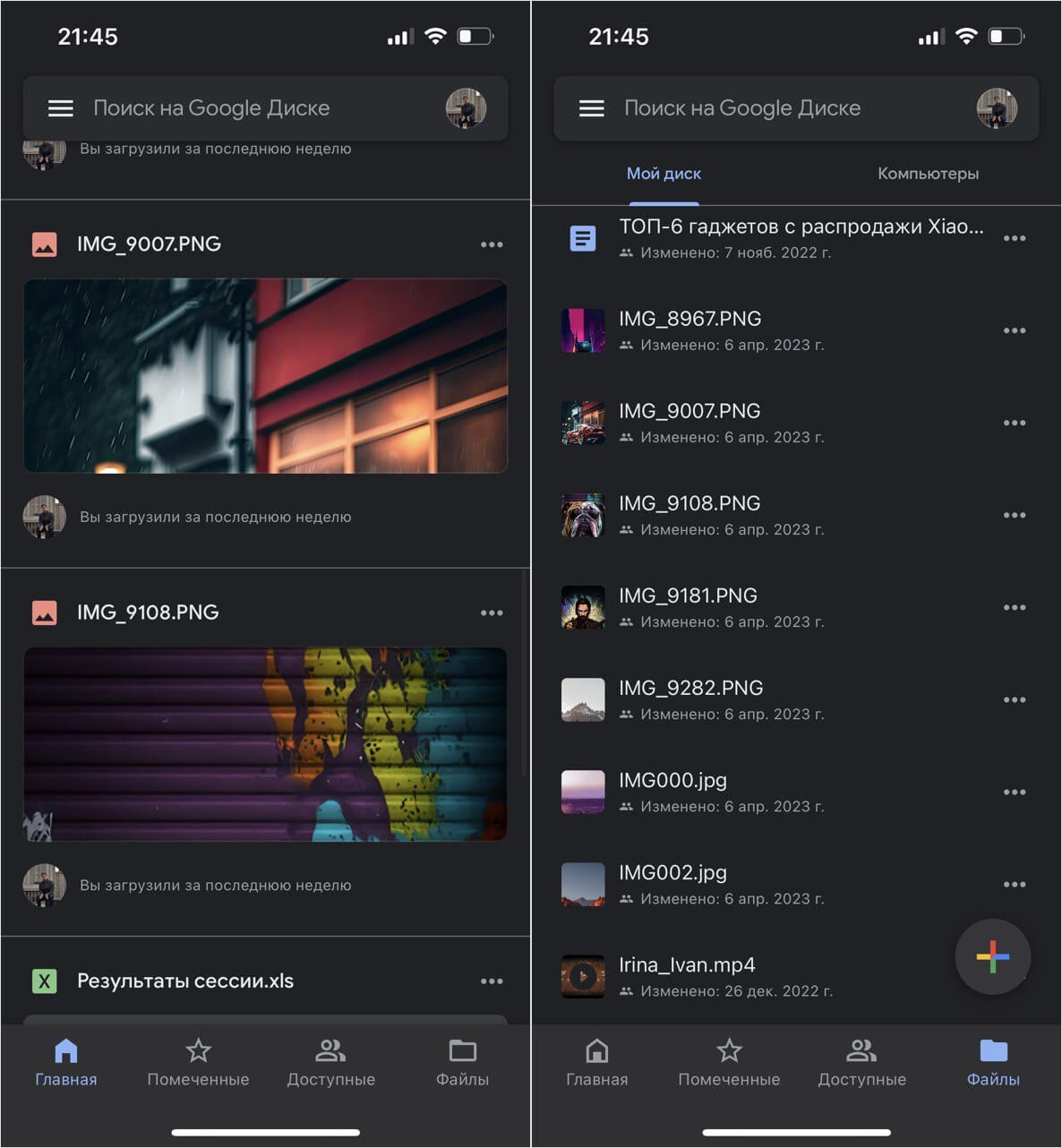
Downloaded files can be viewed offline
Files can be managed, moved or renamed, and photos can be viewed.And here edit images in google drive you can’t: for this you need to save them to your iPhone.You can also access them: to do this, you need to click on three dots and select the second button “Set up access”.Before creating a link, select the user’s role: reader, commenter, or editor.I always leave the first option so that the photo can only be viewed.

Sharing photos is still more convenient through Google Drive
Google Drive is storage for different types of files with a lot of features like scanning photos, files and documents.By default, the storage is 15 GB and you can upload any files there, but if you plan to store and edit only photos and videos, then Google Photos is more suitable for you.
Как продлить жизнь заряднику от Айфона. Потом спасибо скажете
How to use Google Photos
Google Photos is a dedicated repository for photos and videos.The application at the first entrance prompts you to immediately backup your Gallery with all the pictures and video files.The application also knows how to recognize faces in photos and group pictures by them.

Google Photos has tons of photo editing tools.
One of the main Google Photos chips – the ability to edit images online.The picture does not need to be downloaded to the phone, which saves time and memory.If necessary, you can sort photos into different folders and share them with other users, for example, by creating a separate album.But you can not upload files of other formats there.Also, documents cannot be scanned.That is, everything is aimed only at photos and videos.

Google Photos also has features for sorting photos that aren’t in Google Drive.
Media data can be viewed, changed, added description or location.In general, to do everything for which a computer was needed before.One of the features of the cloud service is Google Lens, which recognizes text, goods, food in a photo, translates inscriptions or recognizes the place where the picture was taken.At the same time, this cannot be done through Google Drive, so if you need all these features, you will have to download some third-party application.
Две эти настройки в Safari на iPad заставят ваши глаза кайфануть
Which is better – Google Drive or Google Photos
This is not to say that any of the Google services is better – they are just different.For example, if you plan to store your pictures from your phone in one place, it is better to use Google Photos, as it acts as a cloud gallery.Right in the cloud, you can edit them, and the system, if necessary, sorts the photos into different albums, so, first of all, the service is more convenient for quickly searching among thousands of photos.So, difference between google drive and google The photo lies on the surface.

Google Photos is a specialized storage for pictures, while Google Drive is for any files
And if you want to transfer some important files from your phone, including documents and the same photos, in order to have access to them and free up memory on your phone, then it’s better Download Google Drive for iPhone.It is ideal for those who need a convenient cloud-based file manager like the app built into iOS.In addition, right there you can open text documents.From here it is also more convenient to share the same links for downloading photos.
ОСТАЛИСЬ ВОПРОСЫ? ЗАДАЙ ИХ В НАШЕМ ТЕЛЕГРАМ-ЧАТЕ
At the same time, although these are two different services, they are linked by a Google account, so they use the same 15 GB storage.In addition, if you are logged in on your iPhone at least in Gmail, the system will immediately find it and offer you to log in.In my opinion, it is better to have two applications on your phone at once, so that you can always switch between the cloud file manager and the gallery.