After the introduction of another package of sanctions, the official client disappeared from the Apple app store Tinkoff Bank.
While the company’s specialists prepare their instructions after installing the application, we decided to talk about two proven ways to download the program on any iPhone or iPad.
The first method is suitable if you already downloaded the client Tinkoff Bankfrom your account Apple IDand the second – if there is a nearby friend with the right app on the iPhone.
Be sure to disable the option Download unused (Settings – General – App Store), if you haven’t already done so.So the iPhone will definitely not lose previously installed applications that are no longer in the Apple store.
How to restore the Tinkoff Bank application from the App Store shopping list
The method is useful if you are moving to a new iPhone or restoring your gadget after resetting or restoring the firmware.
To do this, you need a Mac or Windows PC and an iPhone connection cable.
In addition, you need to install a utility on your computer. iMazing from the developer’s site.The application is paid, but a free trial period is enough for our tasks.
▶ Connect your iPhone to your computer and launch the app iMazing.
▶ Select your gadget in the sidebar and open the section Application management.
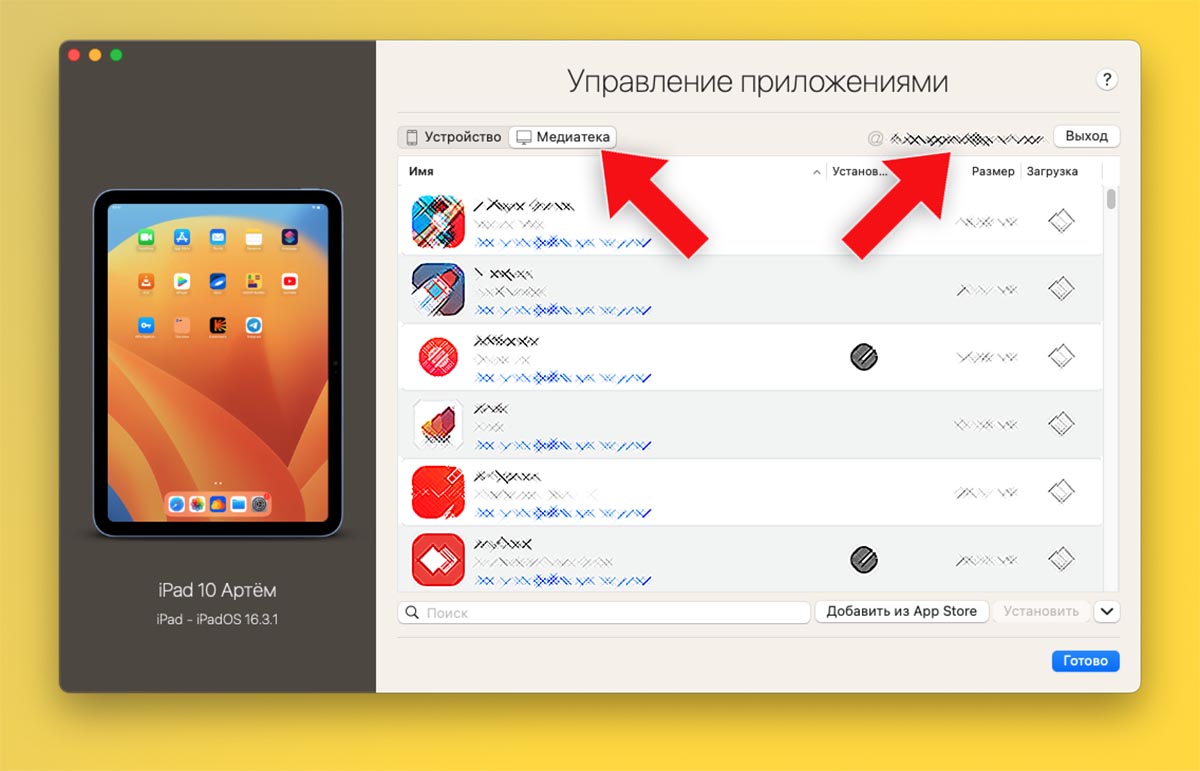
▶ Open tab media library and log in with your Apple ID.
This absolutely safethe data is used to connect to iCloudand your account is protected by two-factor authentication.
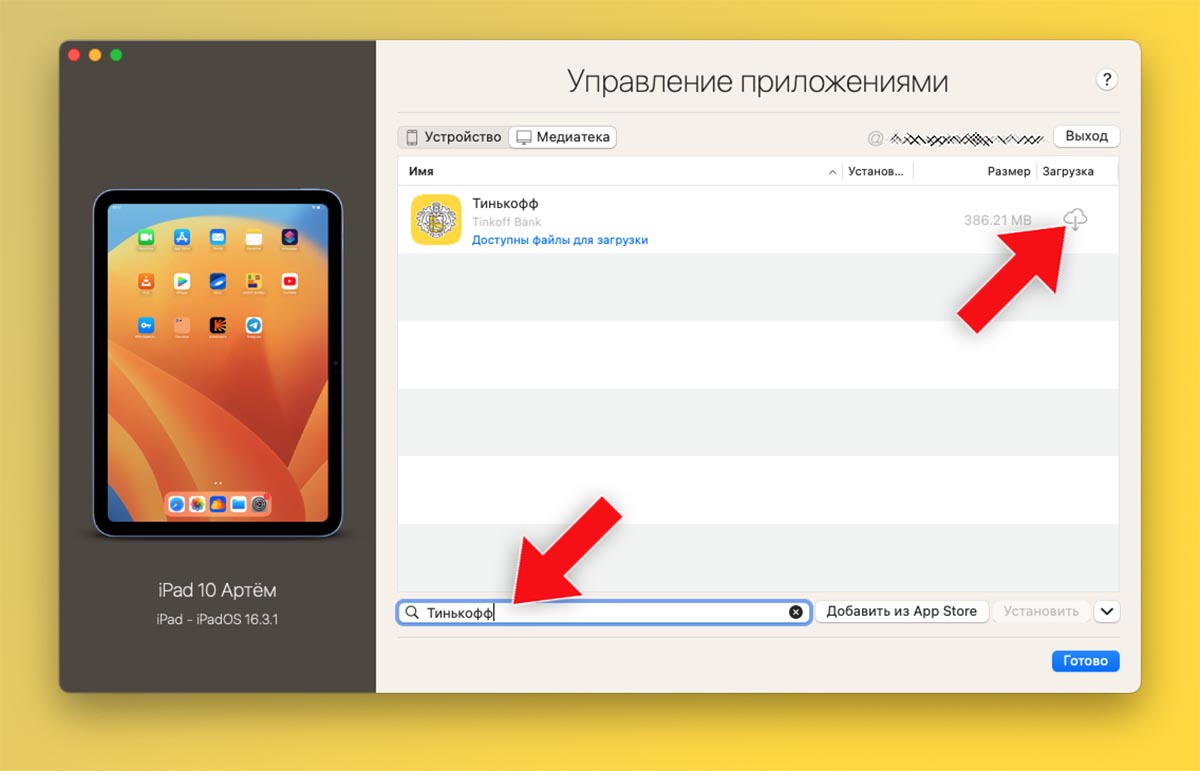
▶ After downloading the list of previously installed applications, use the search to find the client Tinkoff Bank.
▶ Click on the cloud indicator to download the program to your computer, and then click Installto transfer the app to iPhone.
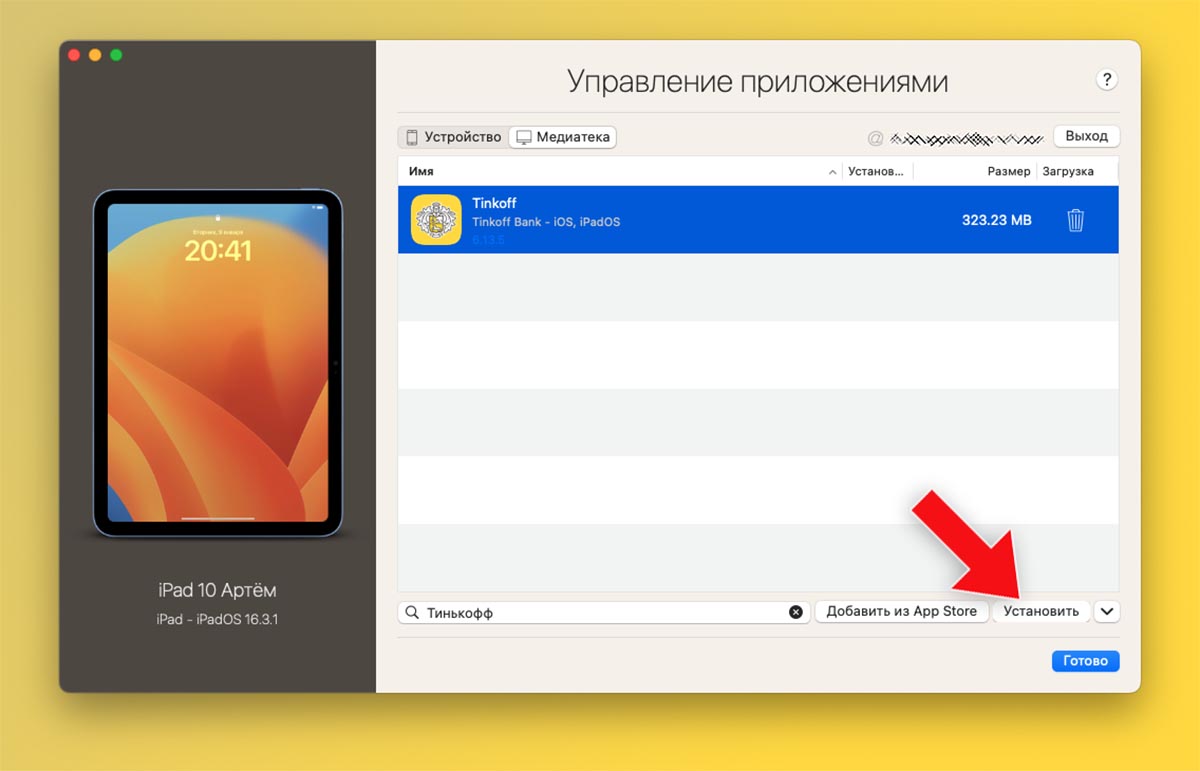
In a minute, the program icon will appear on the iOS desktop, you will be able to log in to your bank account.
How to transfer Tinkoff Bank from your friend’s iPhone
This method is useful for new bank customers who have not previously installed the application from their Apple ID account.You can also use the method if for some reason it was not possible to restore the program from the purchase history.
As in the previous case, you will need a computer with the application iMazing and a cable for connecting a smartphone, but you still have to find a friend with an installed client Tinkoff Bank on the iPhone.
There must be enough space on the computer’s drive to create a complete backup of a friend’s smartphone.This is about the same amount of space as is occupied by the content on his device (you can see it in the menu Settings – General – iPhone Storage).
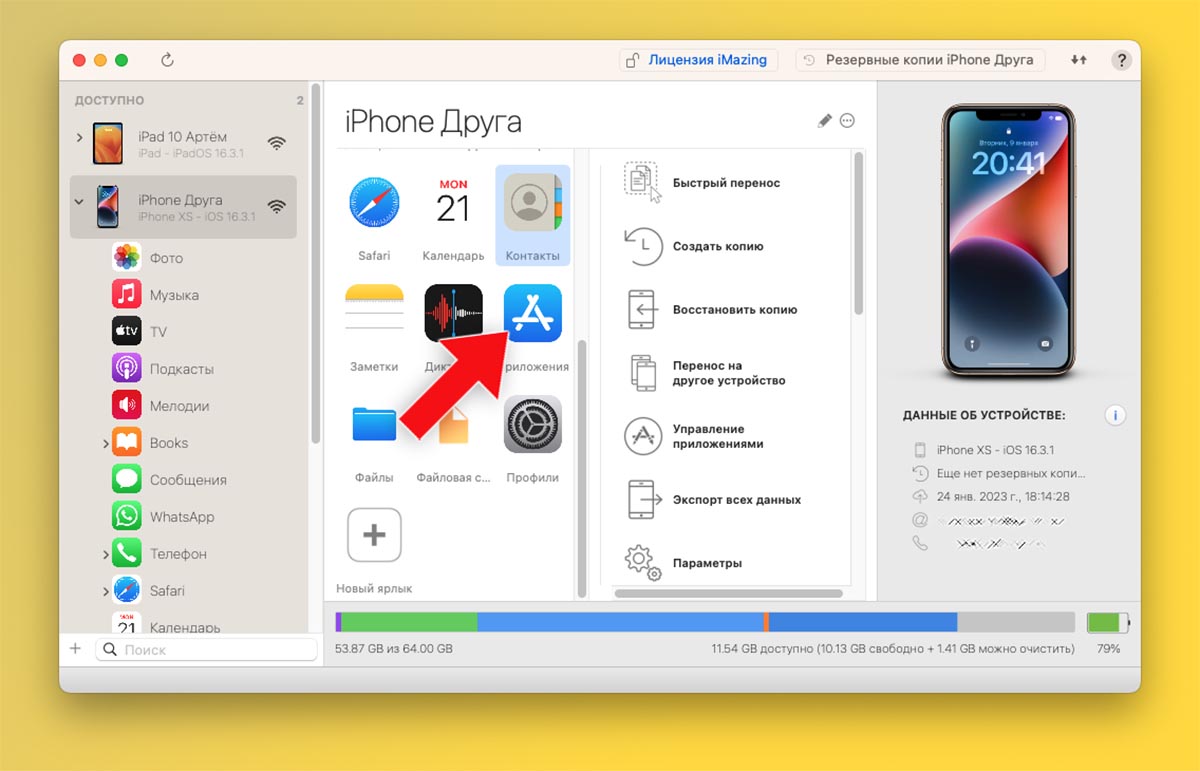
▶ Connect your friend’s iPhone to your computer and launch the app iMazing.
▶ Open section Applications and find Tinkoff Bank in the list of installed programs.
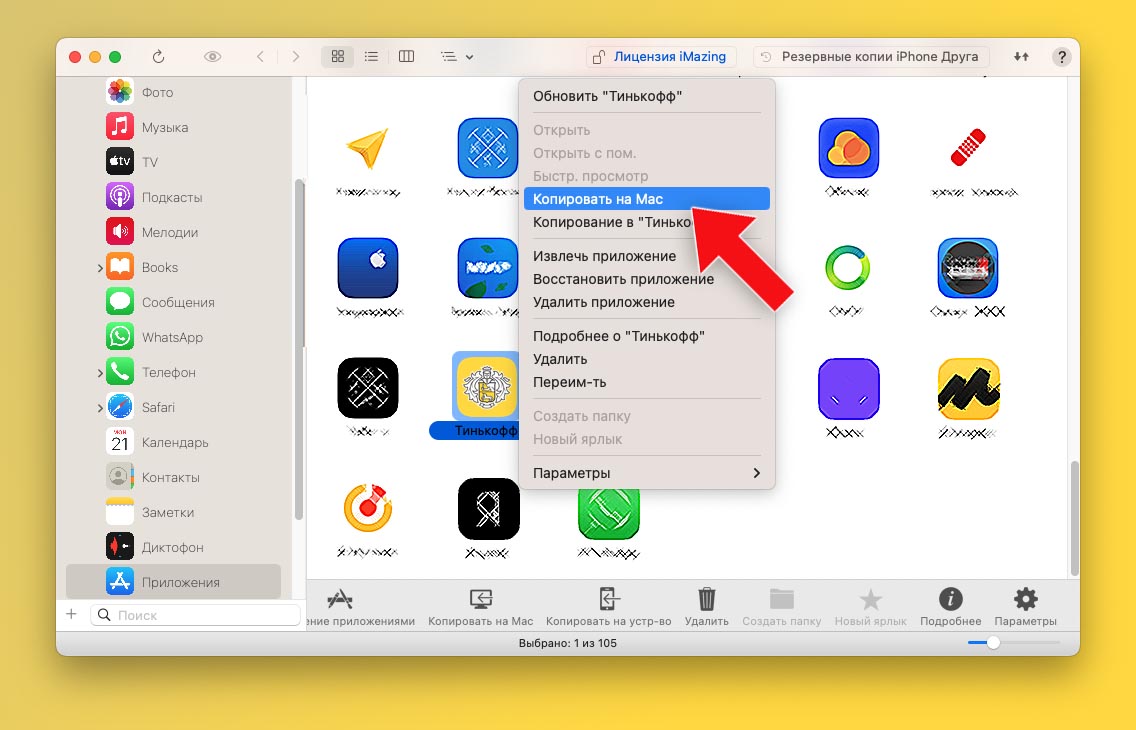
▶ Use the context menu to select the item Copy to Mac/PC.
▶ Specify the folder on the computer where the application will be saved.
After that, the creation of a full backup copy of the smartphone to the computer will begin in order to extract the program we need from it.This may take several minutes.
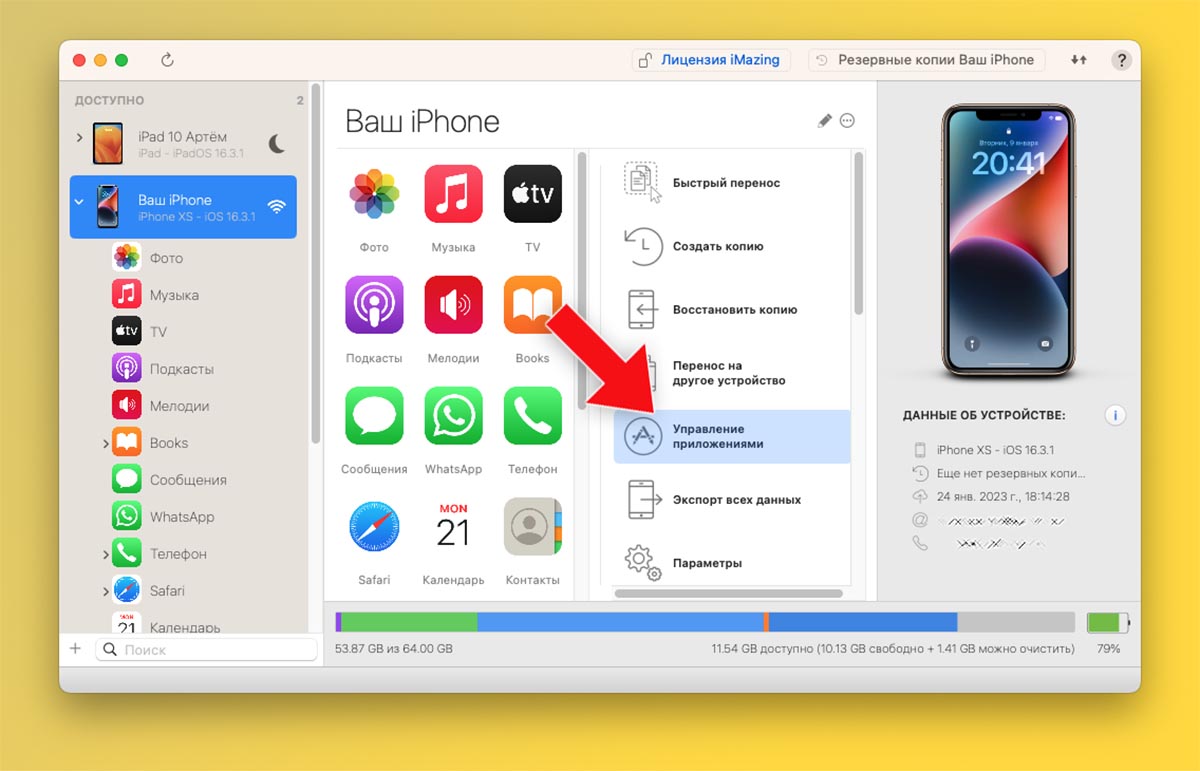
▶ After the process is completed, turn off your friend’s iPhone and connect your gadget to the computer.
▶ Open section Application management.
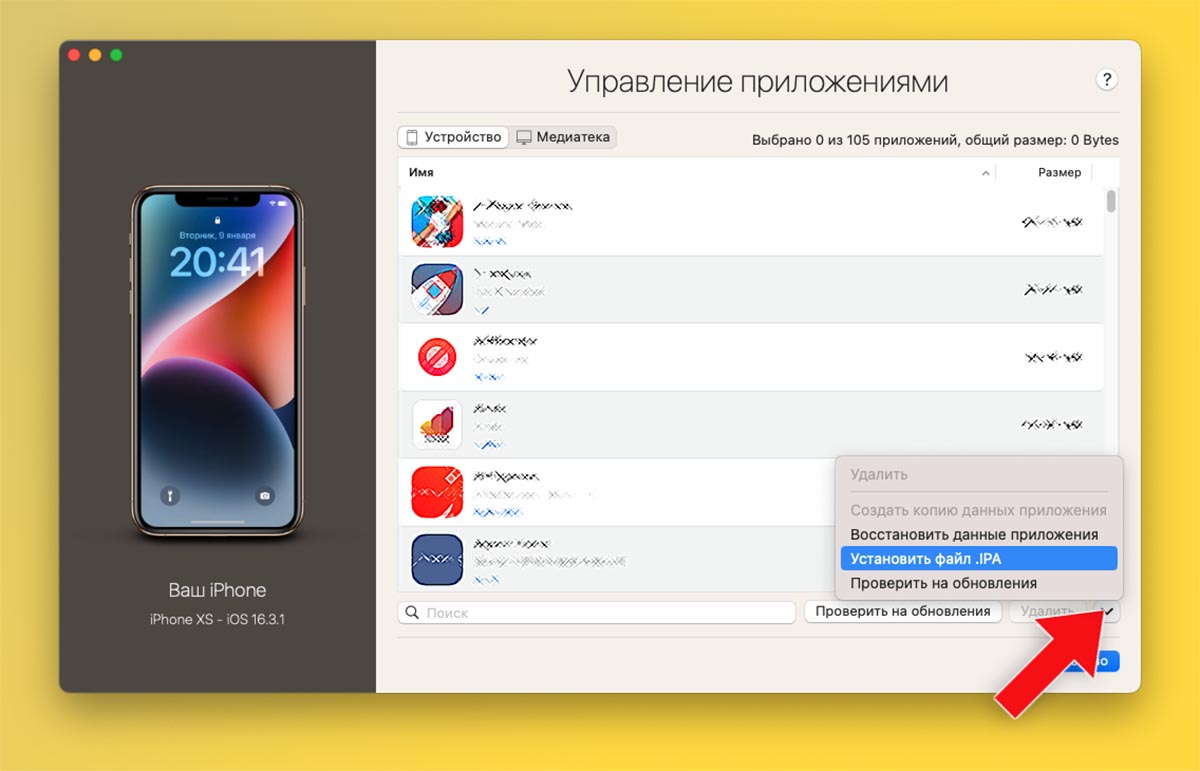
▶ Select the item in the side menu Install .IPA file and select the application you downloaded earlier on your computer.
▶ After a minute, the program icon will appear on the desktop.Required to run enter your Apple ID and password from a friend’s account.
This completely safe, the data will not be stored on your iPhone and is only needed the first time you turn on the app.After that, you can log in to your bank account and use the program.
By the way, you can install other applications removed from the App Store in the same way.

 To bookmarks

iPhones.ru
This will come in handy for both new bank customers and old users when changing iPhones.
- Before ←
Oppo showed an analogue of AirTag, which works without a battery and is charged from the air